Best Ergonomic Chairs for People with Lower Back Pain
Lower back pain is the number one complaint among desk workers and the right chair can make a dramatic difference. This guide covers the best ergonomic chairs for lower back pain in 2026, with expert picks across every budget and body type.

Our Top Picks
Lower back pain is not a minor inconvenience for most desk workers. It is the kind of persistent, grinding discomfort that follows you from your office chair to your couch to your bed and back again. According to the American Chiropractic Association, lower back pain is one of the leading causes of job-related disability and one of the most common reasons people visit a doctor.
The relationship between poor seating and lower back pain is well documented. When you sit without proper lumbar support, the natural inward curve of your lower spine flattens. The discs between your vertebrae absorb uneven pressure. The muscles along your lower back work overtime to compensate for that lost curve, and over hours and days, they fatigue and ache.
The right ergonomic chair does not eliminate that problem by being comfortable. It addresses it structurally, by keeping your lumbar curve supported so that your discs, muscles, and ligaments are not fighting your chair all day.
This guide covers the best ergonomic chairs specifically chosen for their lower back support in 2026, what features to look for if back pain is your primary concern, and how to make sure your chosen chair is actually doing its job.
What Makes a Chair Good for Lower Back Pain?
Not every chair that calls itself ergonomic is equally effective for lower back pain. Here are the specific features that actually make a difference.
Adjustable Lumbar Support
The single most important feature for lower back pain is adjustable lumbar support. A fixed lumbar works reasonably well for users whose body proportions happen to match where the support is placed, but for everyone else, it either misses the target entirely or creates pressure in the wrong spot.
Adjustable lumbar height lets you position the support precisely at the inward curve of your lower back, which sits at a different height for everyone. Adjustable lumbar depth lets you control how far the support protrudes into the curve, which matters because some people need more fill than others.
The best lumbar systems, like Herman Miller's PostureFit SL, support both the lumbar curve and the sacrum at the same time, which more closely mirrors the support structure of a well-engineered car seat.
Proper Seat Depth
A seat that is too deep for your leg length forces you to slide forward to relieve pressure behind your knees. When you slide forward, you lose contact with the backrest and the lumbar support becomes useless. Seat depth adjustment, or at minimum a seat depth that matches your leg proportions, is critical for making the lumbar support actually reach your back.
Recline Capability
Sitting upright at a rigid 90 degrees is actually harder on your lumbar discs than a slight recline. A chair that allows you to recline to approximately 100 to 110 degrees reduces the compressive load on your lower spine and lets your hip flexors relax. Recline tension adjustment ensures the chair supports your recline rather than flopping backward or resisting movement entirely.
Seat Height Range
Correct seat height keeps your feet flat on the floor and your hips at or slightly above knee level. When your hips are lower than your knees, your pelvis tilts backward and your lumbar curve collapses. Getting the seat height right is the foundation on which every other ergonomic adjustment depends.
Best Ergonomic Chairs for Lower Back Pain in 2026
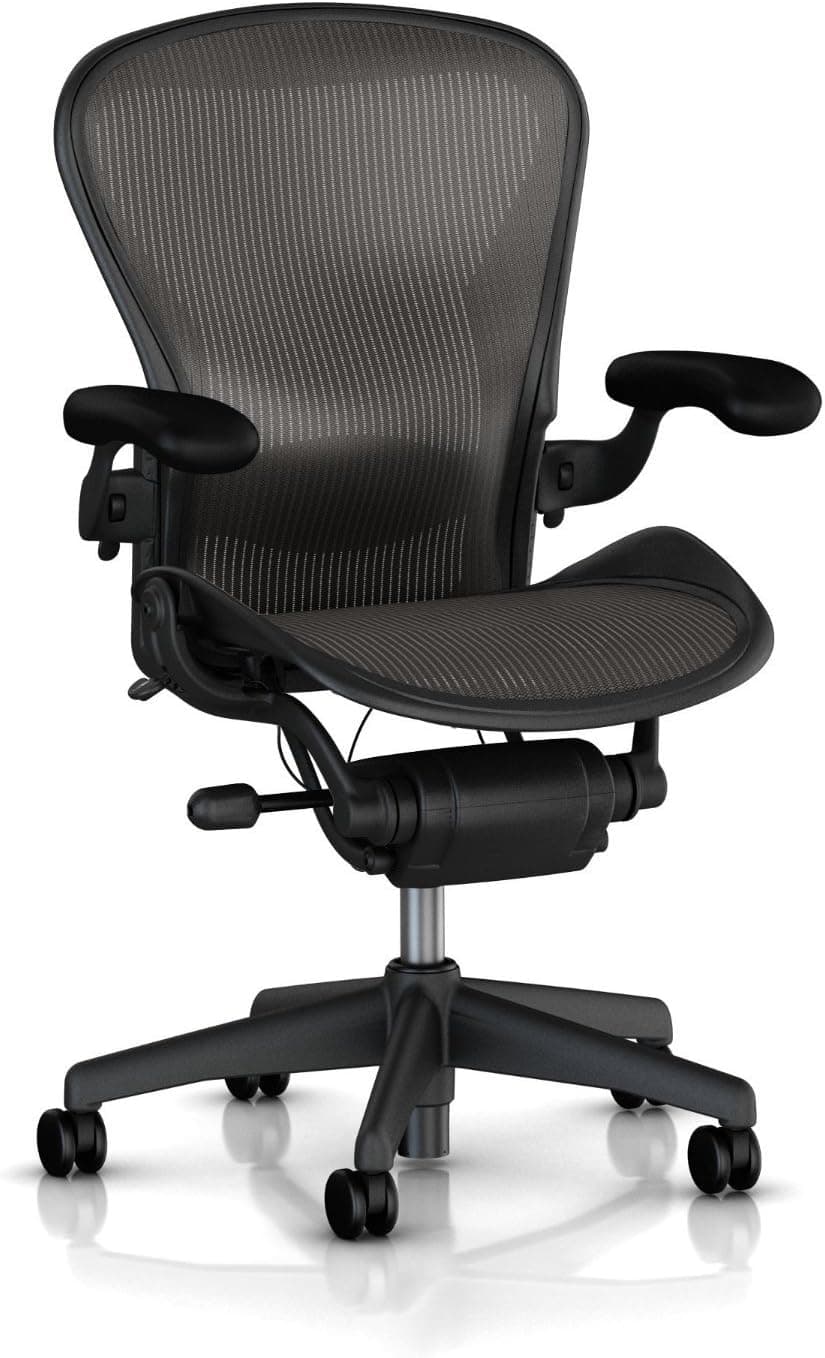
1. Herman Miller Aeron — Best Overall for Lower Back Pain

The Herman Miller Aeron is the most consistently recommended chair for lower back pain by ergonomics professionals, physical therapists, and occupational health specialists, and that reputation is earned.
The PostureFit SL lumbar system is what separates the Aeron from the competition. Most chairs support the lumbar curve alone. The PostureFit SL adds a second point of contact at the sacrum, the broad triangular bone at the base of your spine just above your tailbone. Supporting both points simultaneously keeps the pelvis from tilting backward, which is the root cause of most desk-related lower back pain.
The 8Z Pellicle mesh distributes your sitting weight across the entire seat and back surface rather than concentrating it under your sit bones, which reduces pressure points and keeps you comfortable through long sessions. The forward tilt function is particularly useful for people who lean toward their monitor while working, as it keeps the lumbar support engaged even in a forward-leaning position.
The Aeron comes in three sizes. Getting the right size is important for lower back pain specifically because the chair is engineered as a complete system, and a mismatched size means the lumbar support lands in the wrong position for your spine.
Best for: Full-time professionals with chronic lower back pain, people who have tried other chairs without relief, anyone who wants the most clinically supported seating option.
Key specs:
Sizes: A, B, C
Weight capacity: Up to 350 lbs (Size C)
Lumbar: PostureFit SL (sacrum and lumbar)
Warranty: 12 years
Price: $1,395 to $1,795
Pros: PostureFit SL targets sacrum and lumbar simultaneously, zoned mesh reduces pressure points, forward tilt option, proven 12-year track record
Cons: High price, requires correct size selection, no headrest included as standard
👉 Check Latest Price on Amazon
2. Steelcase Leap V2 — Best for Dynamic Sitters with Back Pain

The Steelcase Leap V2 is the chair most often recommended alongside the Aeron for lower back pain, and it actually edges ahead of it for one specific group: people whose back pain worsens when they stay in one position too long.
The Leap's LiveBack technology is its defining feature. The backrest flexes in two dimensions simultaneously, following the movement of your spine rather than holding it in a fixed supported position. As you shift, lean, or twist, the back adjusts with you. This adaptive support is particularly valuable for people with lower back issues who need continuous, dynamic support rather than static positioning.
The lower back firmness control on the Leap lets you adjust how much resistance the lumbar area of the back provides. If you need firmer support on a bad pain day, you can increase it without changing anything else about the chair's setup. The Natural Glide System allows the seat to move forward slightly as you recline, keeping you close to your work without pulling away from the back support.
Best for: People with lower back pain who shift positions frequently, those whose pain worsens with static sitting, users who need adaptive rather than fixed lumbar support.
Key specs:
Seat height: 15.5 to 20.5 inches
Weight capacity: 400 lbs
Lumbar: LiveBack with adjustable lower back firmness
Warranty: 12 years
Price: $1,295 to $1,595
Pros: Dynamic lumbar support adapts to movement, lower back firmness control, high weight capacity, Natural Glide System
Cons: Heavy chair, expensive, takes time to configure the firmness correctly
👉 Check Latest Price on Amazon
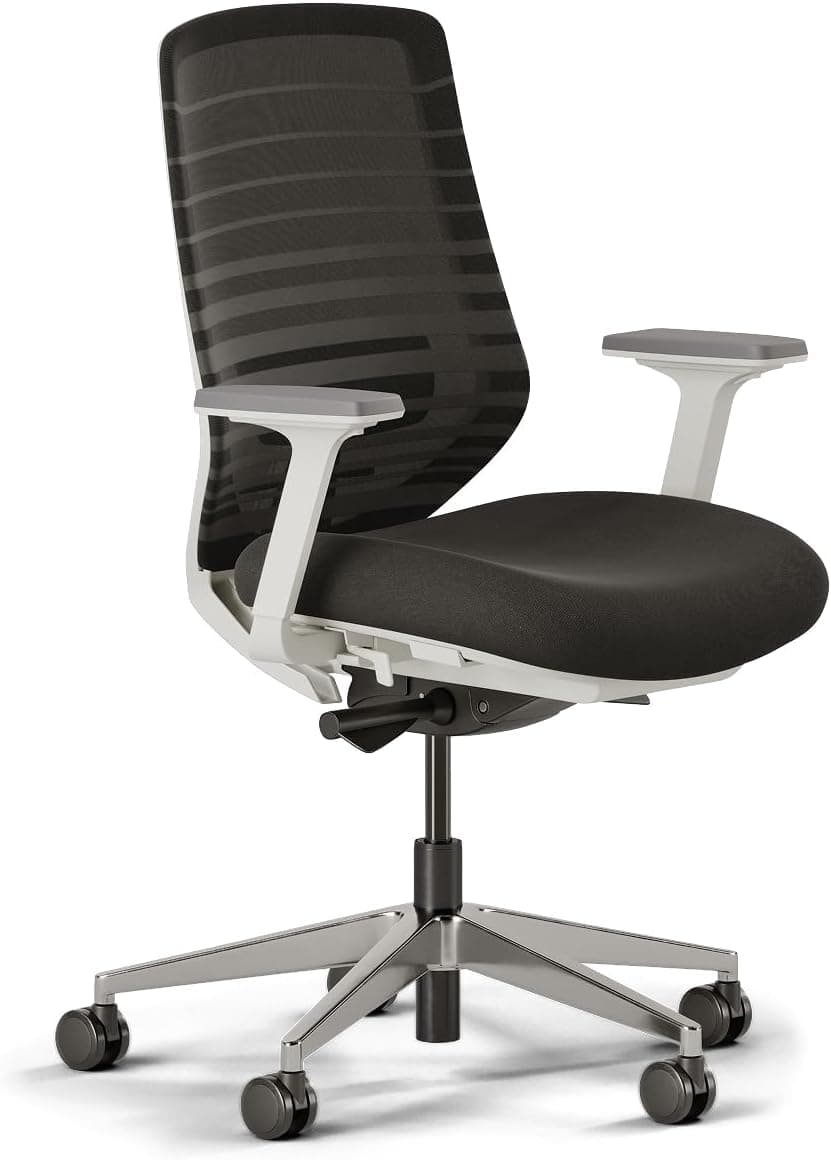
3. Branch Ergonomic Chair — Best Mid-Range for Lower Back Pain

The Branch Ergonomic Chair is the most complete ergonomic package available under $500, and its lumbar support system is one of the main reasons it earns that position. The adjustable lumbar knob lets you control both the height and the projection of the support, which gives you meaningful control over where and how firmly it contacts your lower back.
Paired with seat depth adjustment and 4D armrests, the Branch chair covers the full set of adjustments needed to properly address lower back pain at a price point that is accessible to most home office workers. The mesh back provides decent breathability for long sessions, and the recline goes to 135 degrees with adjustable tension.
It does not match the engineering sophistication of the Aeron or Leap, but for someone who cannot justify a four-figure chair, the Branch is the most ergonomically complete option in its price range specifically for lower back pain management.
Best for: Home office workers with lower back pain on a mid-range budget, people who need adjustable lumbar without premium pricing.
Key specs:
Seat height: 17 to 21 inches
Weight capacity: 275 lbs
Lumbar: Adjustable height and depth knob
Warranty: 5 years
Price: $329 to $499
Pros: Adjustable lumbar knob, seat depth adjustment, 4D armrests, mesh back, solid value
Cons: Lower weight capacity, build quality not at premium level, recline tension can feel stiff initially
👉 Check Latest Price on Amazon
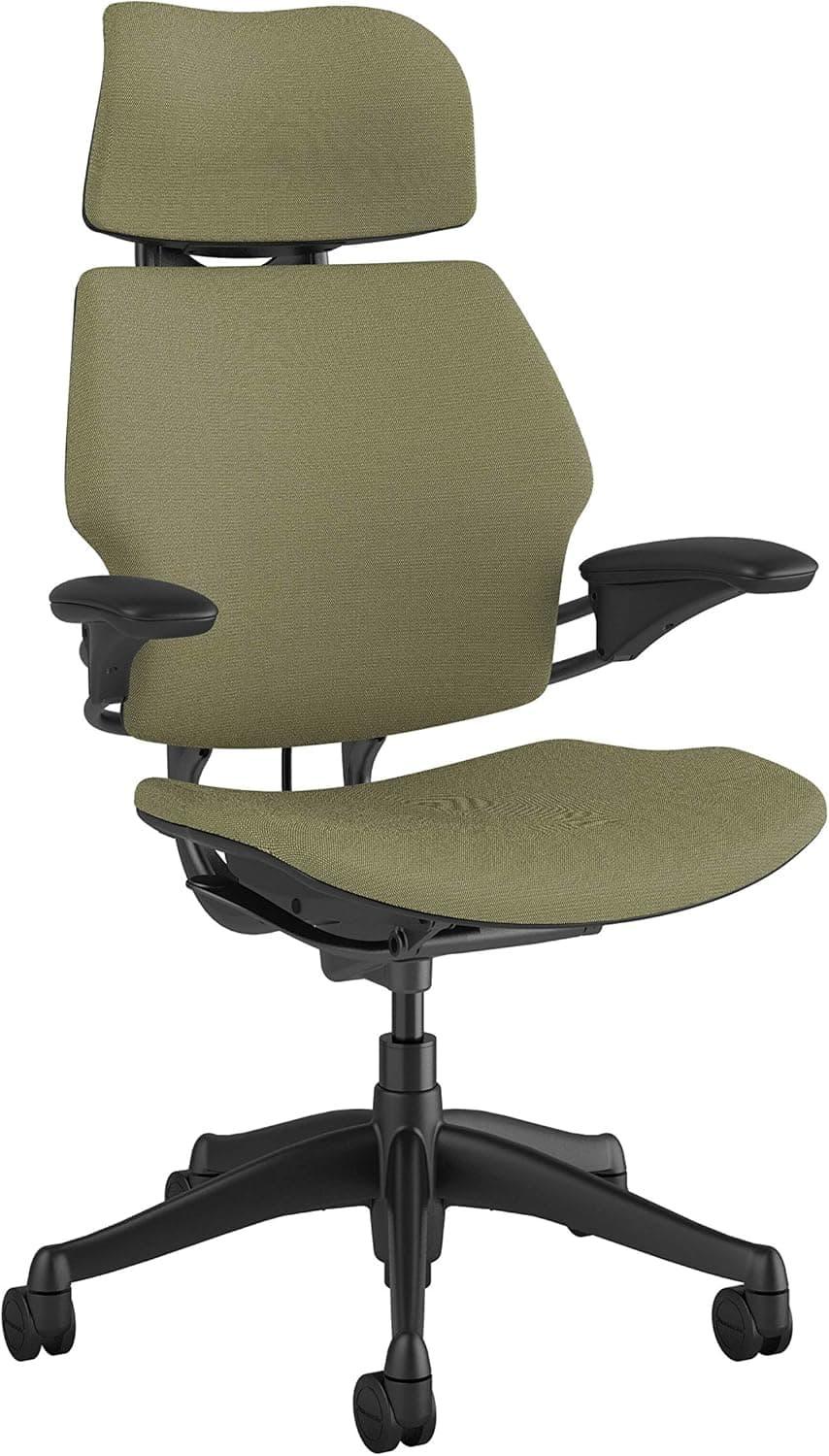
4. Humanscale Freedom Chair — Best for Automatic Lumbar Adjustment

The Humanscale Freedom is built around a different design philosophy than most ergonomic chairs. Instead of giving you multiple manual adjustments to configure, it uses counterbalanced recline mechanics and a self-adjusting lumbar support that automatically changes position as you recline.
The lumbar support moves with you. As you lean back, it pivots to maintain contact with the curve of your lower back regardless of your recline angle. This means you always have lower back support whether you are sitting upright, slightly reclined, or in a deep recline, without needing to readjust anything manually.
For people with lower back pain who find that their support disappears when they lean back, the Freedom solves that problem elegantly. It is expensive, but it is one of the few chairs that genuinely earns a premium through mechanical innovation rather than just branding.
Best for: Users who recline frequently, people who want self-adjusting lumbar support, those who find manual adjustment systems frustrating.
Key specs:
Seat height: 16 to 20.5 inches
Weight capacity: 300 lbs
Lumbar: Auto-adjusting, pivots with recline
Warranty: 15 years
Price: $1,200 to $1,600
Pros: Self-adjusting lumbar support, elegant recline mechanics, 15-year warranty, minimal adjustment required
Cons: Expensive, fewer manual controls than competing chairs, limited color options
👉 Check Latest Price on Amazon
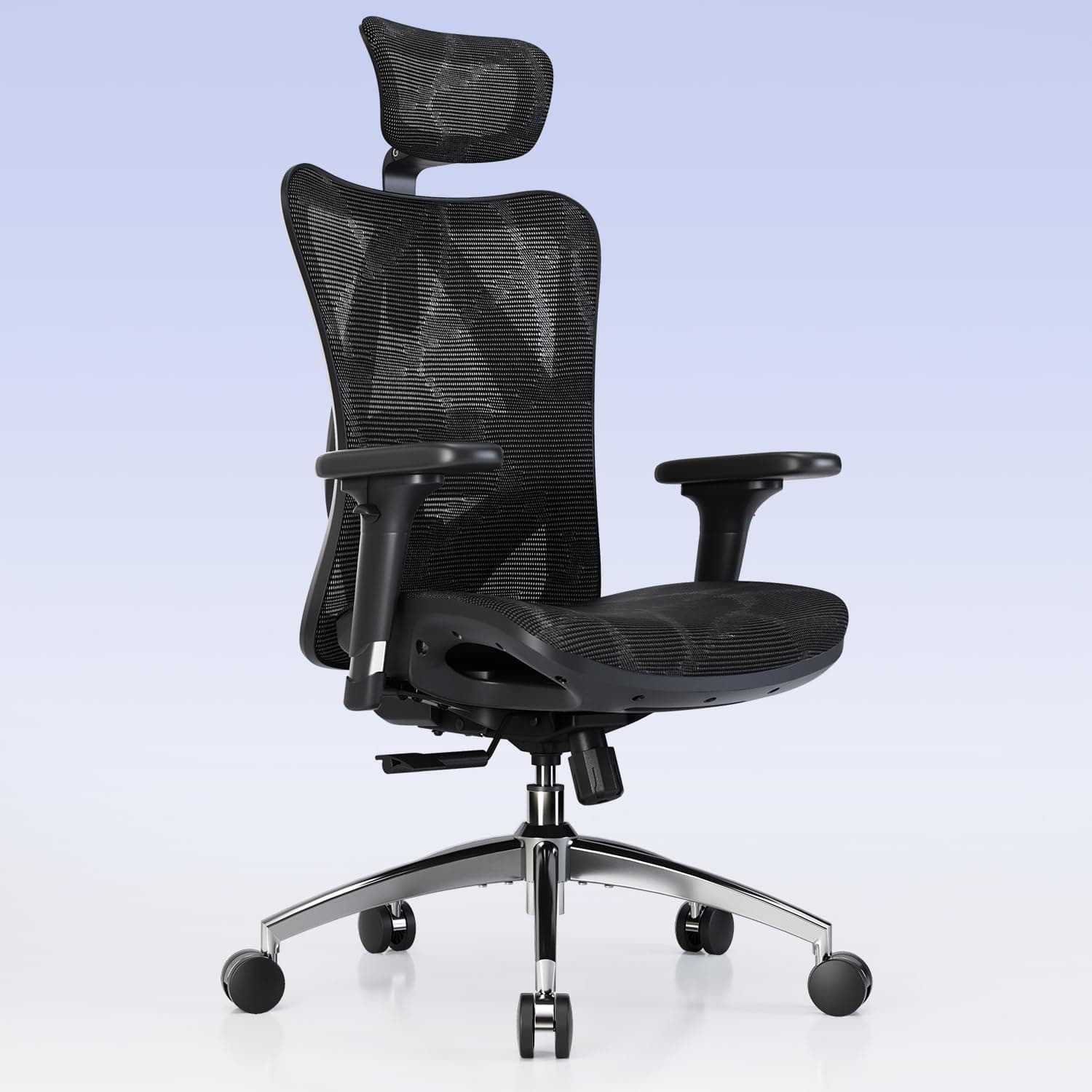
5. Sihoo M57 — Best Budget Chair for Lower Back Pain

For users who cannot stretch to mid-range pricing, the Sihoo M57 is the most ergonomically capable option under $300 for lower back pain. It includes adjustable lumbar height and depth, which is genuinely unusual at its price point, along with a headrest, mesh back, and recline with tension adjustment.
The lumbar support on the M57 is not as precise or refined as what you get from Branch or premium options, but the fact that you can adjust both its position and its projection means you have a real chance of getting it in the right place for your spine. That is more than most budget chairs offer.
The build quality reflects the price. Components are lighter and less refined than mid-range options. But if lower back pain is your primary concern and your budget is limited, the M57 gives you more of the right tools than any alternative at this price.
Best for: Budget-constrained buyers with lower back pain, first-time ergonomic chair buyers who need adjustable lumbar.
Key specs:
Seat height: 17 to 20.5 inches
Weight capacity: 250 lbs
Lumbar: Adjustable height and depth
Warranty: 3 years
Price: $199 to $259
Pros: Adjustable lumbar height and depth, headrest included, affordable, mesh back
Cons: Lighter build quality, lower weight capacity, mechanisms less refined
👉 Check Latest Price on Amazon
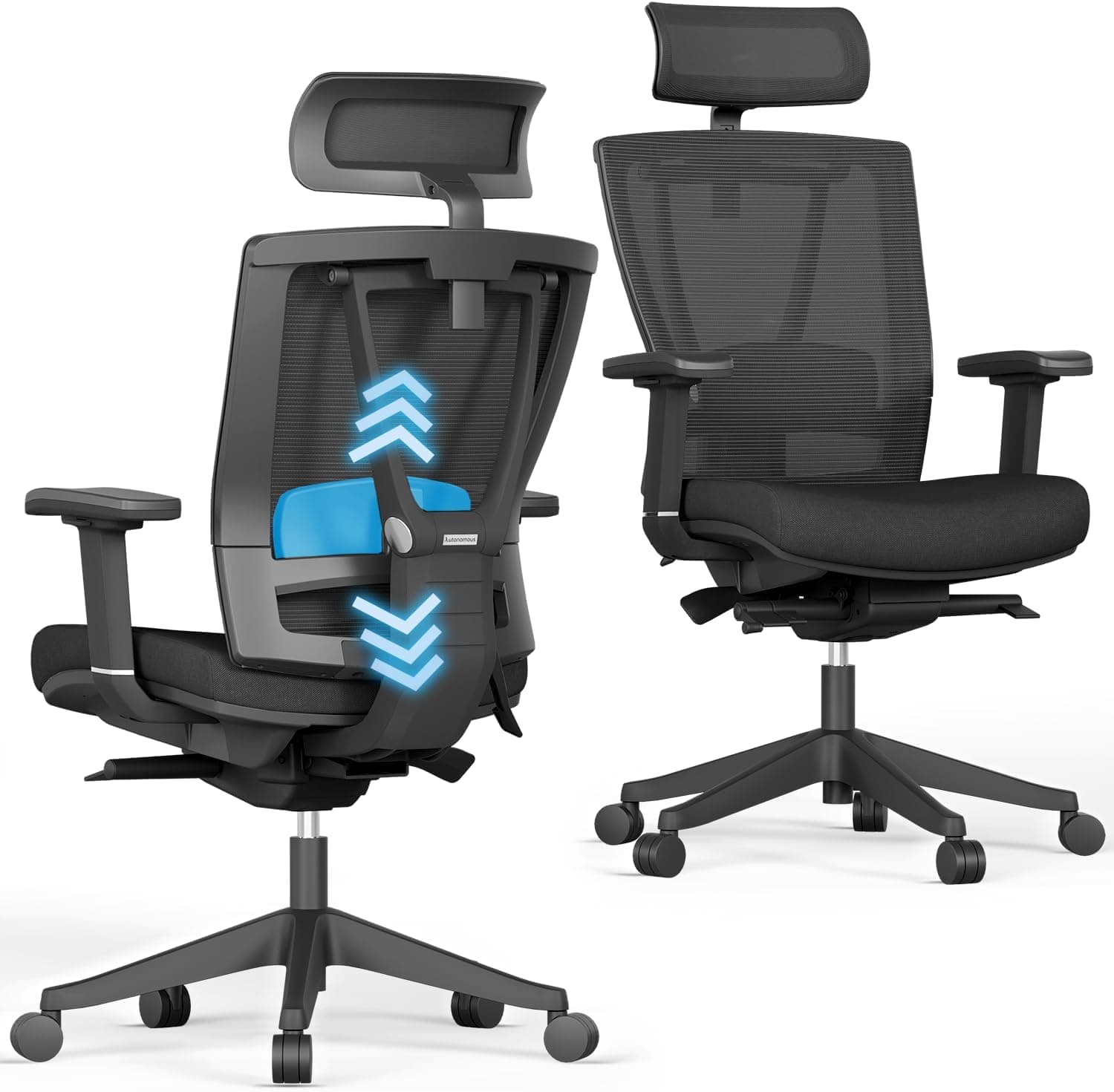
6. Autonomous ErgoChair Pro — Best Feature Set for the Price

The Autonomous ErgoChair Pro sits in a strong position between budget and mid-range. It offers a fully adjustable mesh back with separate lumbar height adjustment, a headrest, recline to 130 degrees, seat height adjustment, and armrest adjustment, all for under $500.
The lumbar support knob on the ErgoChair Pro gives you height control and some depth control, which covers the most important variables for lower back pain management. The mesh back is breathable enough for long sessions, and the chair is visually clean and professional looking for a home office.
Its limitations are a relatively low weight capacity and a shorter warranty than premium options, but for the price, the feature set is difficult to match.
Best for: Home office workers on a mid-range budget who want a headrest and adjustable lumbar without the premium price.
Key specs:
Seat height: 17 to 20 inches
Weight capacity: 250 lbs
Lumbar: Adjustable height and depth
Warranty: 2 years
Price: $349 to $469
Pros: Fully adjustable mesh back, headrest included, adjustable lumbar, clean design
Cons: Lower weight capacity, 2-year warranty is shorter than competitors, build not at premium level
👉 Check Latest Price on Amazon
How to Make Sure Your Chair Is Actually Helping Your Lower Back
Buying a chair with good lumbar support is only part of the equation. The chair has to be set up correctly to deliver that support to the right place on your spine.
Position the Lumbar at the Right Height
The lumbar support should contact the inward curve of your lower back, which is typically around the belt line. If the support is too high, it pushes against the middle of your back and can actually worsen your posture. If it is too low, it misses the lumbar curve entirely and provides no meaningful benefit.
Sit All the Way Back
Many people sit toward the front edge of their chair out of habit, which means the backrest and lumbar support are not touching them at all. Sitting fully back in the chair, so your back is in contact with the backrest, is a prerequisite for the lumbar support to function.
Adjust Seat Depth So You Can Sit Back
If the seat is too deep and the front edge presses into the back of your knees when you sit all the way back, you will naturally slide forward to relieve that pressure. On chairs with seat depth adjustment, reducing the depth until there is a two to three finger gap between the seat edge and the back of your knee makes sitting fully back comfortable and sustainable.
Allow a Slight Recline
Locking your chair fully upright actually increases disc pressure in the lower back compared to a modest recline. Setting the chair to recline gently between 100 and 110 degrees reduces that pressure and lets your lower back muscles relax slightly. Combine this with a correctly positioned lumbar support and the difference in end-of-day back fatigue can be significant.
What If the Chair Is Not Enough?
A good ergonomic chair reduces and helps prevent lower back pain from desk work, but it is not a medical treatment. If you have existing lower back conditions such as disc herniation, spinal stenosis, or sciatica, a chair adjustment is one piece of a larger management approach.
Regular movement breaks every 45 to 60 minutes take load off your lumbar discs and prevent the muscle fatigue that builds up from static sitting. Targeted stretching for the hip flexors and lower back, which tighten significantly during prolonged sitting, addresses the muscular component that a chair cannot reach. For chronic or severe pain, working with a physical therapist to address the underlying cause is far more effective than any chair purchase alone.
Think of the chair as harm reduction. A good one prevents your desk work from making things worse. Resolving existing pain usually requires active intervention alongside better seating.
Lower Back Pain Chair Comparison at a Glance
Chair | Price | Lumbar Type | Best For |
$1,395 to $1,795 | PostureFit SL (sacrum + lumbar) | Chronic back pain, full-time professionals | |
$1,295 to $1,595 | LiveBack, adjustable firmness | Dynamic sitters, pain from static posture | |
$329 to $499 | Adjustable knob (height + depth) | Mid-range budget, home office | |
$1,200 to $1,600 | Auto-adjusting with recline | Frequent recliners, minimal adjustment preference | |
$199 to $259 | Adjustable height and depth | Tight budget, first ergonomic chair | |
$349 to $469 | Adjustable height and depth | Mid-range, wants headrest too |
Final Thoughts
Lower back pain from desk work is one of the most common and most preventable occupational health problems, and the right ergonomic chair is one of the most effective tools for addressing it. The key is choosing a chair with adjustable lumbar support you can actually position correctly for your spine, and then taking the time to configure it properly.
The Herman Miller Aeron and Steelcase Leap V2 are the strongest options for serious lower back pain. The Branch Ergonomic Chair and Autonomous ErgoChair Pro offer strong mid-range value. The Sihoo M57 is the best option if budget is a hard constraint.
Whatever chair you choose, remember that the lumbar support only works when you are sitting fully back in the chair with it correctly positioned. A five-minute setup session when the chair arrives will do more for your back than the chair spec sheet alone ever will.
Ready to explore more specific recommendations? The guides below cover chairs for specific conditions, body types, and budgets, so you can find exactly the right fit for your situation.
Disclosure: This post contains recommendations based on research and expert analysis. Some links may be affiliate links.

Written by
Alex Rivera
I'm Alex Rivera, a certified ergonomics consultant with over 8 years of experience helping remote workers build healthier, more productive home office setups. I've personally tested hundreds of ergonomic chairs, height-adjustable desks, and standing desk accessories, and I know firsthand how much the right setup can change your workday. My background in occupational health means I don't just look at specs. I evaluate how a product actually supports your posture, reduces fatigue, and protects your body over the long term. Whether you're setting up your first home office or upgrading your current one, I'm here to help you invest wisely in your comfort and productivity.


