Best Ergonomic Office Chairs in 2026: Expert Reviews
Sitting for long hours without the right support can wreck your back, your posture, and your productivity. In this expert-reviewed guide, we break down the best ergonomic office chairs of 2026 across every budget and body type, so you can finally sit comfortably and work without pain.

Our Top Picks
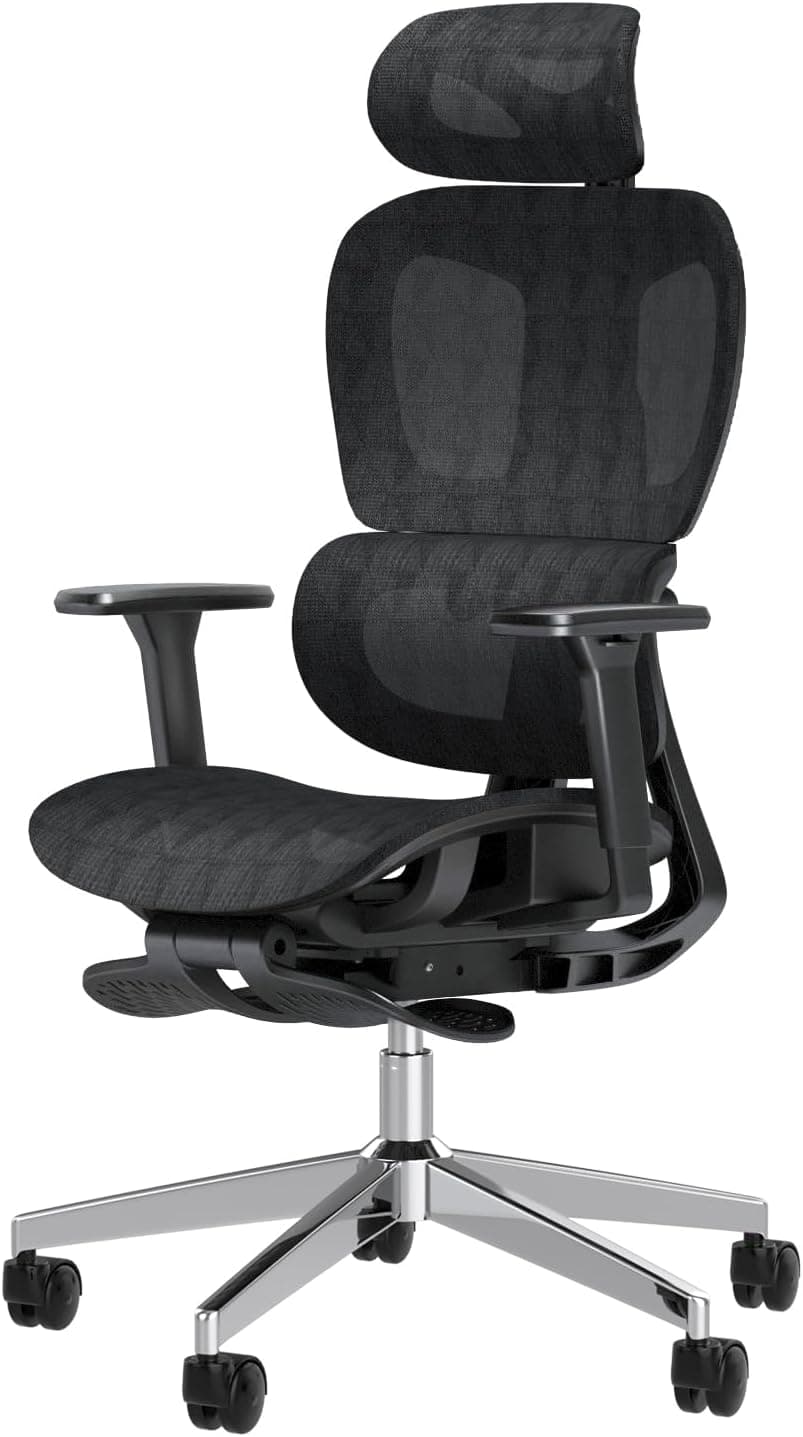
If you spend more than six hours a day at a desk, your chair is not just a piece of furniture. It is a health decision. A poorly designed chair puts pressure on your lumbar spine, tightens your hip flexors, and can quietly cause chronic pain that follows you off the clock. The right ergonomic chair, on the other hand, supports your natural posture, distributes your weight properly, and makes long work sessions far less damaging to your body.
In 2026, the ergonomic chair market has matured significantly. You no longer have to spend over a thousand dollars to get a chair that actually works. From premium options like the Herman Miller Aeron to solid mid-range picks and surprising budget finds, there are great options at every price point.
This guide covers the best ergonomic office chairs available in 2026, reviewed with attention to lumbar support, adjustability, build quality, and long-term comfort. Whether you are dealing with back pain, working from home full-time, or simply want a better seat, this guide will help you make the right call.
What Makes a Chair Truly Ergonomic?
The word "ergonomic" gets used loosely in marketing, but a genuinely ergonomic chair has specific, measurable features that support your body during long sitting sessions. Here is what actually matters:
Lumbar Support
Your lower back has a natural inward curve. When you sit without support, that curve flattens, which puts stress on your lumbar discs over time. A proper ergonomic chair either has adjustable lumbar support that you can position at the right height and depth, or a flex-back design that adapts to your spine's natural curve.
Seat Height Adjustment
Your feet should sit flat on the floor with your knees at roughly a 90-degree angle. If your chair is too high or too low, it shifts the pressure unevenly onto your thighs or lower back. Most quality chairs offer a pneumatic height adjustment range that covers users from about 5 feet to 6 feet 4 inches.
Seat Depth and Width
The seat pan should be deep enough to support most of your thigh without pressing into the back of your knees. A good rule is to have two to three finger-widths of space between the front edge of the seat and the back of your knee. Seat depth adjustment is one of the most underrated features in ergonomic chairs.
Armrest Adjustability
Armrests should support your forearms without shrugging your shoulders. Ideally, you want 4D armrests that adjust in height, width, depth, and angle. At minimum, height-adjustable armrests are necessary to avoid shoulder and neck tension.
Backrest Recline and Tension
Sitting fully upright all day is actually more fatiguing than a slight recline. A good chair allows you to recline between 100 and 130 degrees with adjustable tension so the recline matches your body weight. Synchro-tilt mechanisms that recline the seat and back together are generally preferred over simple back-only tilts.
Breathable Materials
Foam cushions compress over time and trap heat. Mesh backs and seats allow airflow, which reduces heat buildup and maintains their shape longer. If you tend to sit for many hours in one stretch, mesh is almost always the better material choice.
Best Ergonomic Office Chairs in 2026: Our Top Picks
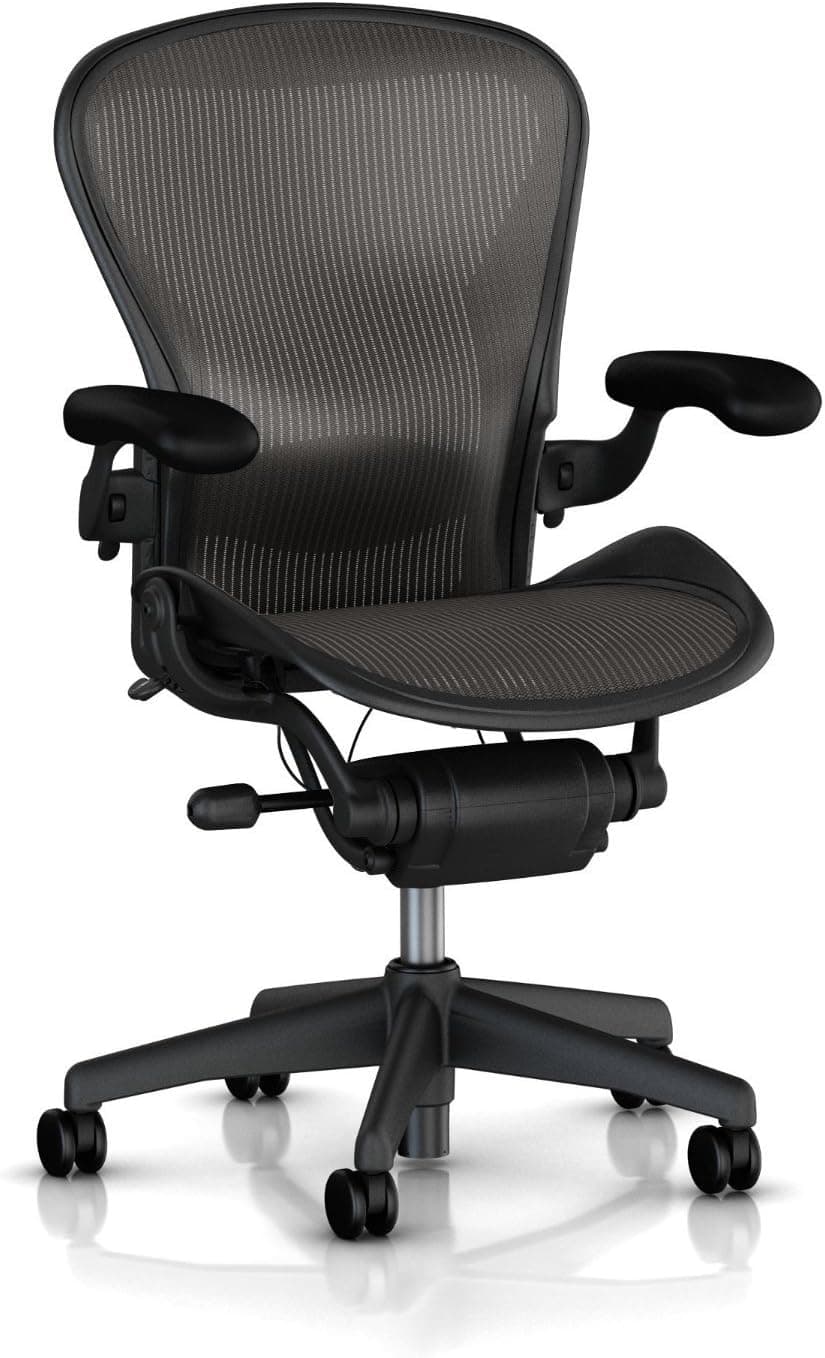
1. Herman Miller Aeron — Best Overall Ergonomic Chair
The Herman Miller Aeron has been the benchmark for ergonomic seating for decades, and it remains the top recommendation in 2026 for good reason. It is not cheap, but every dollar goes toward a chair that is exceptionally well-engineered.
The Aeron features PostureFit SL lumbar support that targets both the sacrum and lumbar spine simultaneously, which is something most chairs simply do not do. The 8Z Pellicle mesh is divided into zones of different tension across the seat and back, providing firmer support where you need it and more flex where you do not.
It comes in three sizes (A, B, and C) so you can properly fit the chair to your body rather than adjusting a one-size chair to approximate your dimensions. The forward tilt feature is particularly useful for people who lean toward their monitor while working.
Best for: Full-time remote workers, people with chronic back pain, anyone who wants the best long-term seating investment.
Key specs:
Seat height: 14.75 to 18.75 inches
Weight capacity: 350 lbs (Size C)
Warranty: 12 years
Price range: $1,395 to $1,795
Pros: Exceptional lumbar support, highly adjustable, proven durability, multiple size options
Cons: High price, no headrest included, requires sizing knowledge before purchasing

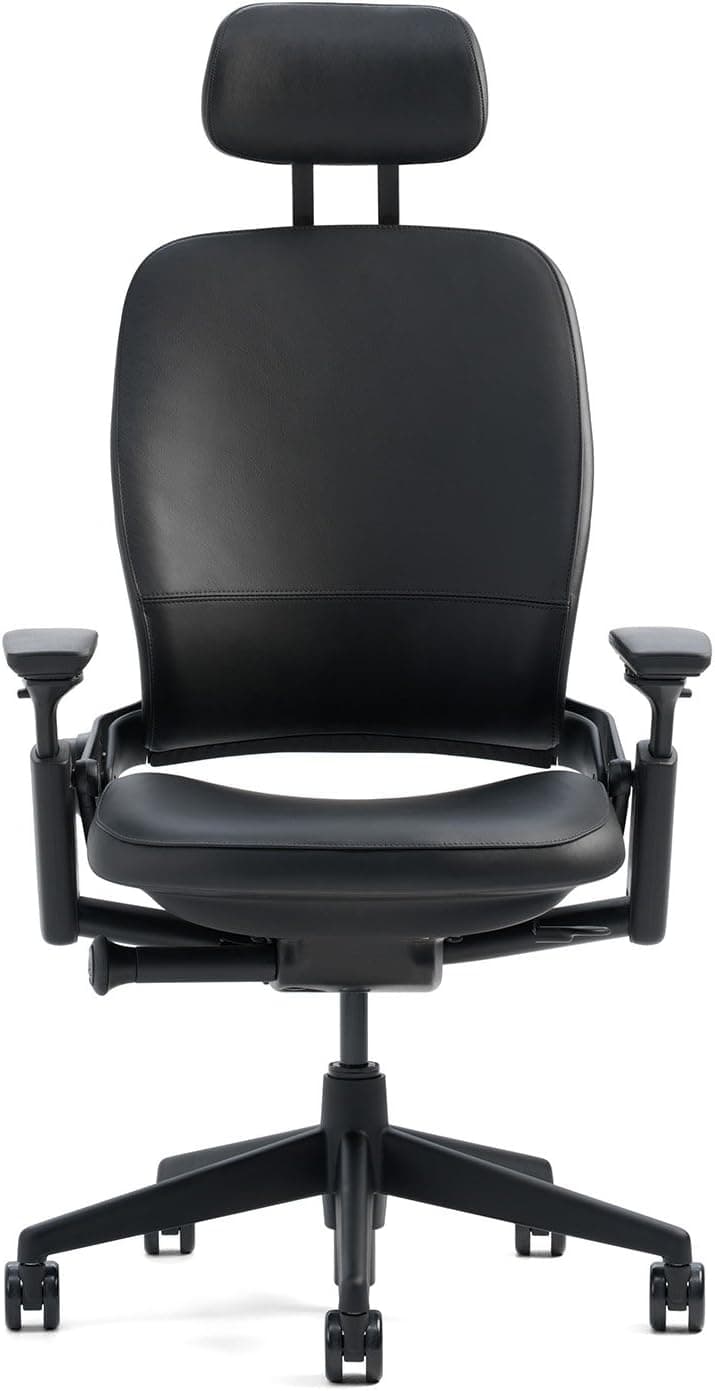
2. Steelcase Leap V2 — Best for Active Sitters
The Steelcase Leap V2 is the chair most often recommended by ergonomics professionals and physical therapists when the goal is dynamic, active sitting. Unlike chairs that lock you into one posture, the Leap is designed to move with you.
Its LiveBack technology flexes and adapts to the shape and movements of your spine throughout the day. The lower back firmness control lets you increase or decrease support to match your preference, and the Natural Glide System allows the seat to move forward as you recline, keeping you close to your work without hunching.
The Leap is especially suitable for people who shift positions frequently or who cannot stay still in a standard chair. It handles movement better than almost any other chair on the market.
Best for: People who move a lot while working, those who need adaptive lumbar support, professionals who sit 8 to 10 hours daily.
Key specs:
Seat height: 15.5 to 20.5 inches
Weight capacity: 400 lbs
Warranty: 12 years
Price range: $1,295 to $1,595
Pros: Adaptive lumbar support, excellent for dynamic sitters, durable build, wide weight capacity
Cons: Heavy chair, expensive, lower back firmness adjustment takes time to dial in.

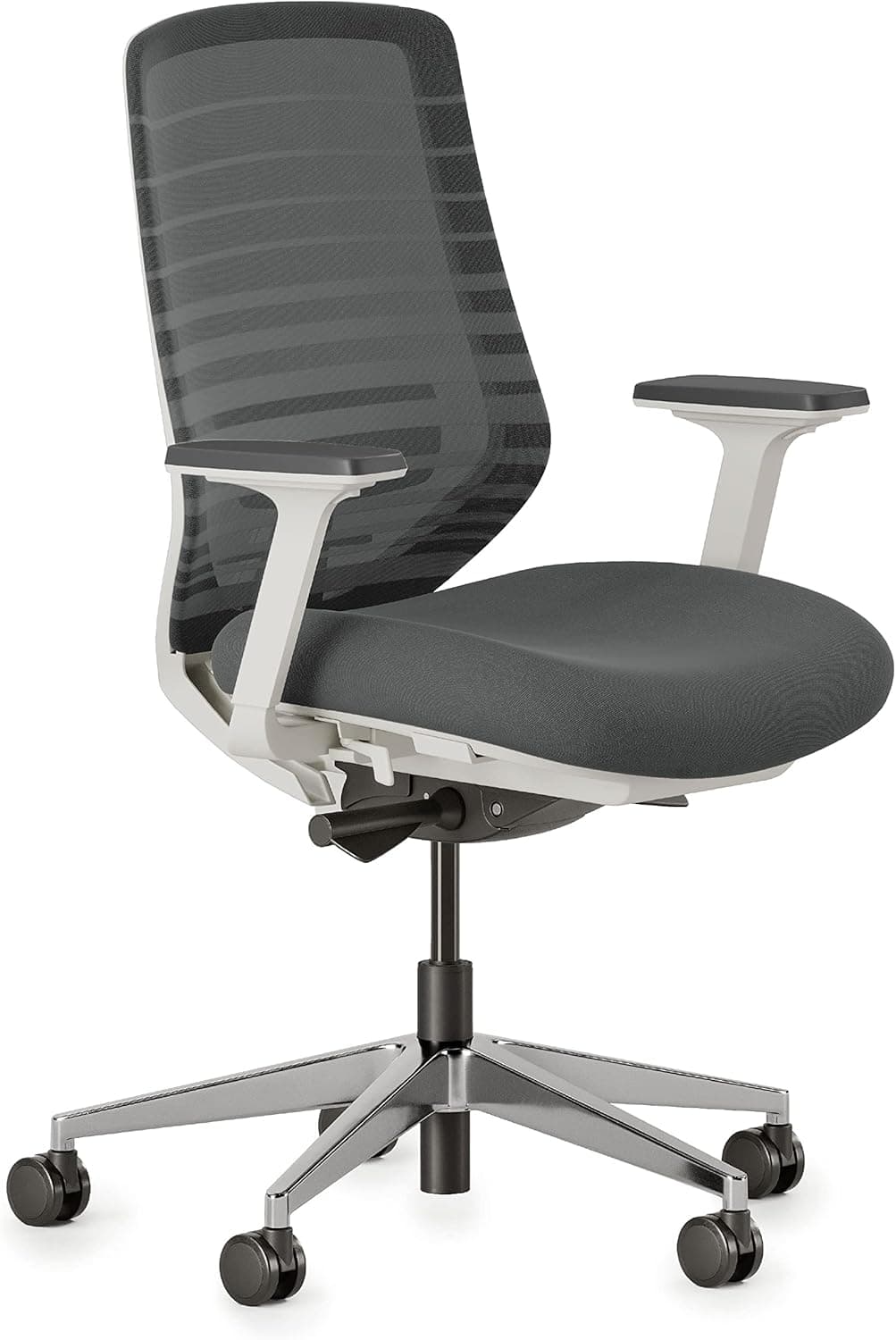
3. Branch Ergonomic Chair — Best Mid-Range Pick
Branch has built a strong reputation in the mid-range ergonomic market, and the Branch Ergonomic Chair is one of the most complete packages you can get under $500. It includes features typically reserved for chairs costing twice as much, including adjustable lumbar support, 4D armrests, seat depth adjustment, and a breathable mesh back.
The build quality is solid without feeling plasticky, and the adjustment range covers a wide variety of body types. For home office workers who want genuine ergonomic function without the premium price tag, the Branch chair is consistently one of the top recommendations.
Best for: Home office workers, people upgrading from a basic chair, anyone with a mid-range budget.
Key specs:
Seat height: 17 to 21 inches
Weight capacity: 275 lbs
Warranty: 5 years
Price range: $329 to $499
Pros: Excellent value, 4D armrests, seat depth adjustment, good lumbar support
Cons: Not ideal for users over 275 lbs, recline tension can feel stiff initially

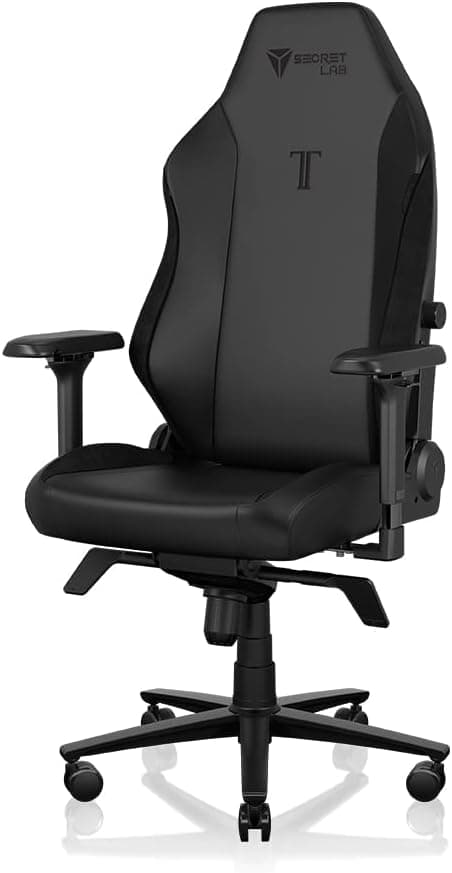
4. Secretlab Titan Evo — Best for Gamers Who Also Work
The Secretlab Titan Evo is the rare gaming chair that takes ergonomics seriously. Most gaming chairs prioritize aesthetics over function, but the Titan Evo includes a magnetic memory foam lumbar pillow, a fully adjustable 4D armrest system, and a recline range that goes up to 165 degrees for breaks between work sessions.
It is available in multiple sizes (Small, Regular, and XL) and supports weights up to 395 lbs. The cold-cure foam seat retains its shape better than most gaming chairs, and the NEO Hybrid Leatherette upholstery holds up well over time.
If you split your chair time between work and gaming, this is the most ergonomic gaming chair available in 2026.
Best for: Gamers who work from home, people who want a reclining option, users who prefer a structured foam seat over mesh.
Key specs:
Seat height: Varies by size
Weight capacity: 395 lbs
Warranty: 5 years
Price range: $429 to $549
Pros: Multi-size options, excellent recline range, magnetic lumbar support, good build quality
Cons: Foam seat traps heat, not as adjustable as office-first chairs, aesthetics may not suit professional settings

5. Autonomous ErgoChair Pro — Best Budget Ergonomic Chair
The Autonomous ErgoChair Pro punches well above its price class. At under $500, it offers a fully adjustable mesh back, seat depth control, adjustable lumbar support, and a headrest, which is unusual at this price point. The recline goes to 130 degrees and the tension is adjustable.
It does not match premium chairs in build quality or long-term durability, but for someone setting up a home office on a budget who still wants proper ergonomic function, it is one of the most feature-complete options available.
Best for: Budget-conscious buyers, students, people setting up a first proper home office.
Key specs:
Seat height: 17 to 20 inches
Weight capacity: 250 lbs
Warranty: 2 years
Price range: $349 to $469
Pros: Affordable, includes headrest, adjustable lumbar, mesh back, seat depth control
Cons: Lower weight capacity, shorter warranty, build quality is not at premium level

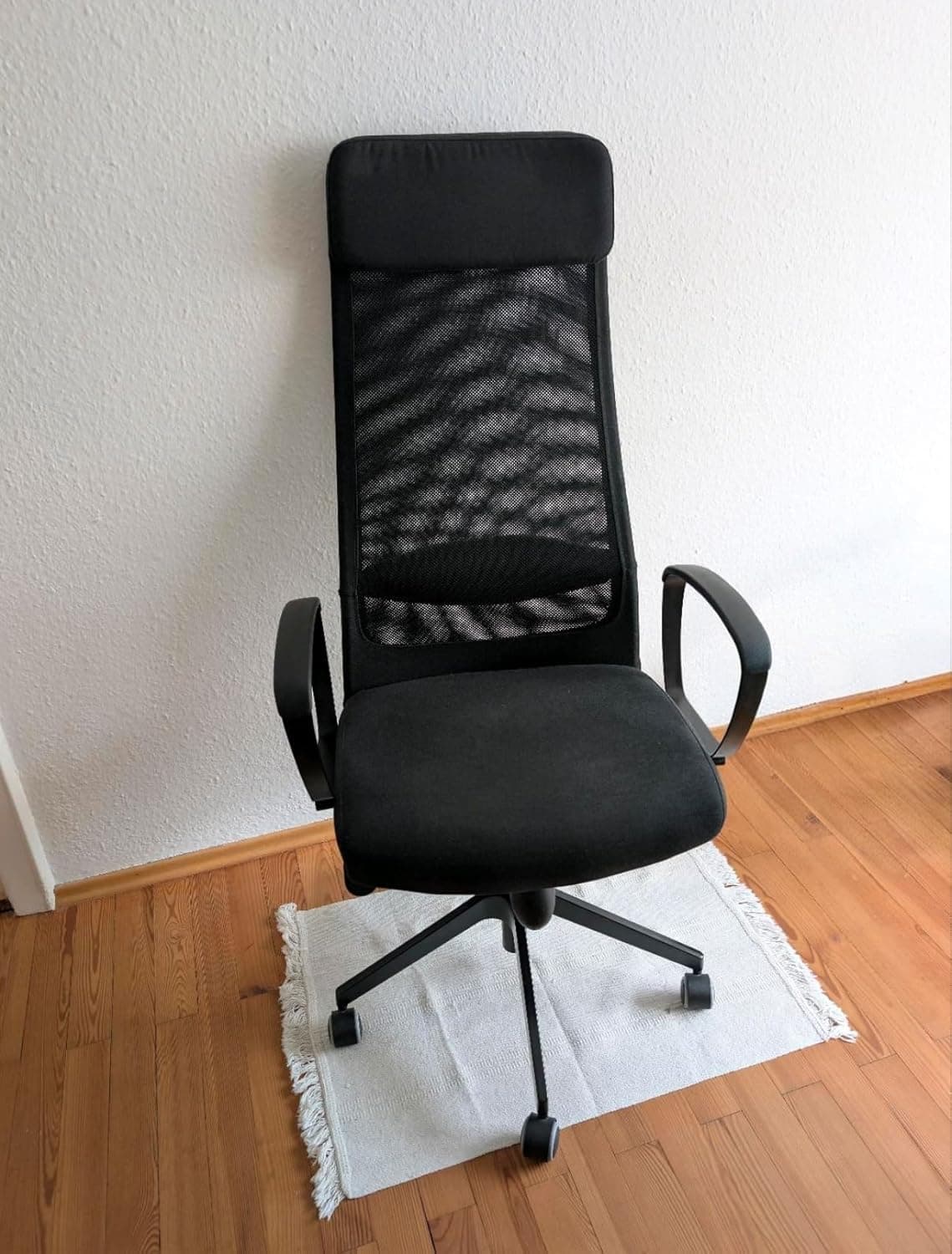
6. IKEA MARKUS — Best Chair Under $200
The IKEA MARKUS is the most recommended budget ergonomic chair in 2026 for one simple reason: it does the basics well at a price almost anyone can afford. The built-in lumbar support is fixed rather than adjustable, but it is positioned in a way that works well for most average-height users.
The mesh back provides good airflow, the seat is generously padded, and the chair feels solid despite its low price. It lacks the adjustability of more expensive options, but for someone on a tight budget who needs to upgrade from a dining chair, the MARKUS is an excellent starting point.
Best for: Students, first-time buyers, secondary workstations, anyone with under $200 to spend.
Key specs:
Seat height: 17 to 21 inches
Weight capacity: 242 lbs
Warranty: 10 years (IKEA)
Price range: $149 to $229
Pros: Great price, decent lumbar support, mesh back, surprisingly durable
Cons: Non-adjustable lumbar, limited armrest adjustability, not ideal for tall or large users

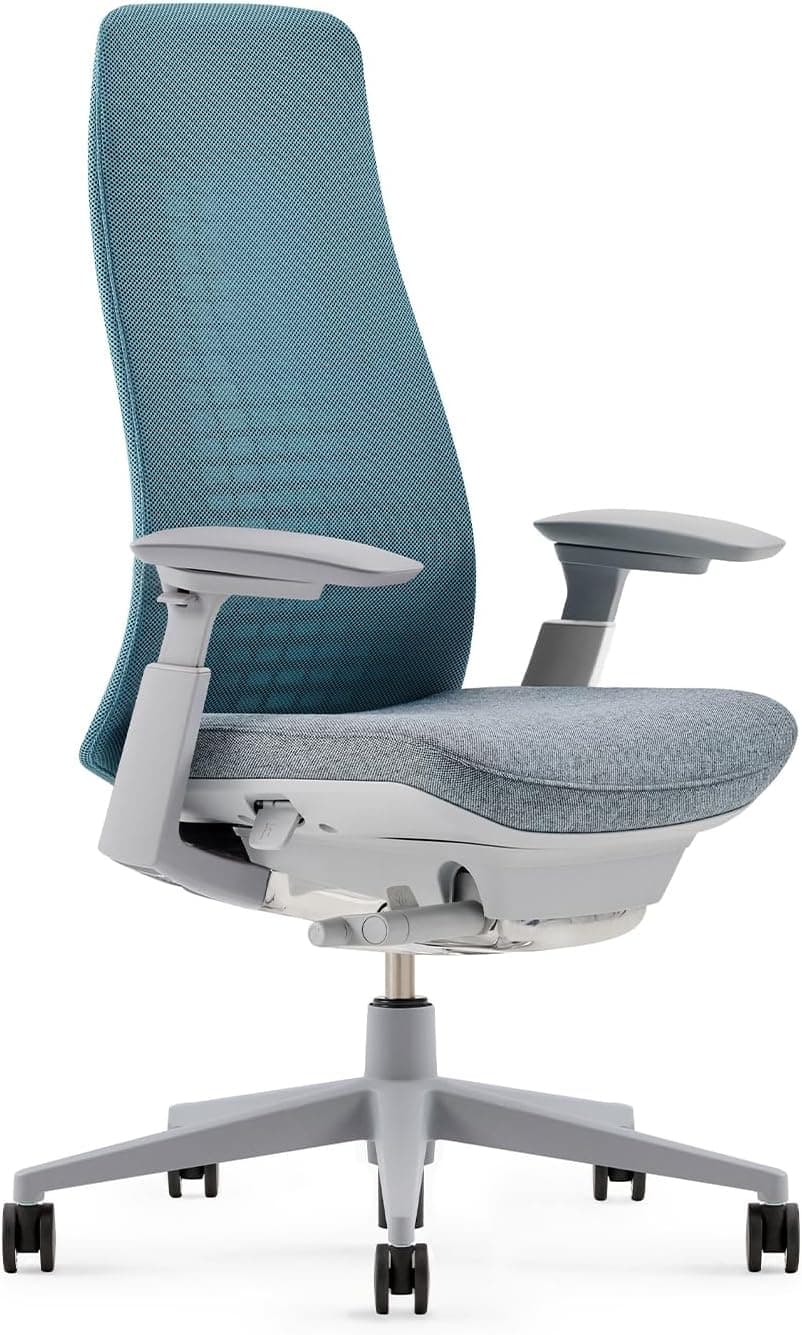
7. Haworth Fern — Best Ultra-Premium Chair
The Haworth Fern is the choice for those who want the absolute best regardless of cost. Its frond-inspired back flexes in multiple directions simultaneously, adapting to your every movement without any manual adjustment. There are no knobs or levers for the back, it simply responds to you.
The Fern is one of the few chairs that delivers genuine passive ergonomics, meaning it works without you needing to configure anything. It is also strikingly beautiful in a way that most office chairs are not. If you want a chair that functions at the highest level and looks exceptional doing it, the Fern is in a category of its own.
Best for: Premium buyers, people who want zero-adjustment ergonomics, design-conscious professionals.
Key specs:
Weight capacity: 350 lbs
Warranty: 12 years
Price range: $1,795 to $2,200+
Pros: Passive adaptive ergonomics, stunning design, extremely high build quality
Cons: Very expensive, takes adjustment period to get used to, limited manual controls

How to Choose the Right Ergonomic Chair for Your Needs
Consider Your Budget First
The ergonomic chair market is wide enough that there is a good option at almost every price point. Under $200, the IKEA MARKUS is your best bet. Between $300 and $500, the Branch Ergonomic Chair and Autonomous ErgoChair Pro offer serious value. Between $500 and $1,000, look at refurbished Steelcase or Herman Miller options. Above $1,000, the Aeron, Leap V2, and Fern are all excellent choices.
Match the Chair to Your Body Type
A chair that fits well for a 5'4" person will not work the same way for someone who is 6'3". Pay attention to seat height range, seat depth, and weight capacity. If you are taller than 6 feet, look specifically at chairs designed for tall users with higher back support and extended seat height ranges. If you are shorter than 5'5", look for chairs with a lower minimum seat height and adjustable seat depth so the seat does not cut into the back of your knees.
Prioritize the Features That Matter Most to You
If lower back pain is your main concern, lumbar adjustability should be your top priority. If you sit for 8 or more hours a day, breathability and recline quality matter more. If you have neck or shoulder tension, a chair with an adjustable headrest is worth the extra investment. Think about your specific pain points or work habits before comparing specs.
Test Before You Buy When Possible
If you have access to a showroom, testing the chair in person is always worth the trip. Sit in it for at least 10 to 15 minutes, adjust everything to your body, recline, shift around, and see how it feels. Many ergonomic benefits only become apparent after sustained sitting, so a quick test at a store is more useful than it might seem.
Common Mistakes People Make When Buying an Ergonomic Chair
Buying Based on Looks Alone
Many gaming and executive chairs look impressive but offer little in the way of actual ergonomic support. A high back and padded armrests do not automatically mean good lumbar support or proper seat depth. Always check the specific adjustment features before purchasing.
Ignoring Seat Depth
Seat depth is one of the most commonly overlooked features. A seat that is too deep forces you to sit forward, losing lumbar contact entirely. A seat that is too shallow puts all the pressure on a small area of your thighs. Adjustable seat depth is a major advantage that many mid-range and budget chairs still lack.
Spending Big Without Proper Setup
Even the best ergonomic chair in the world will not help you if your desk height, monitor position, and keyboard placement are wrong. Ergonomics is a system, not a single product. A $200 chair set up correctly will often outperform a $1,500 chair used with poor desk ergonomics.
Not Accounting for Your Sitting Style
Some people sit still for hours. Others shift constantly, cross their legs, or lean to one side. Different chairs work better for different sitting styles. The Steelcase Leap is designed for people who move. The Herman Miller Aeron works well for those who maintain a more consistent posture. Knowing your habits helps you pick the right chair.
Ergonomic Chair Setup: Getting the Most Out of Your Chair
Buying the right chair is only half the equation. Setting it up correctly is what actually prevents pain and improves posture.
Start with seat height. Adjust it so your feet rest flat on the floor and your knees are at approximately a 90-degree angle. Your thighs should be roughly parallel to the floor.
Next, set the lumbar support. Position it so it fills the inward curve of your lower back. It should feel like gentle, continuous contact, not a jab or pressure point.
Adjust your armrests so your forearms rest lightly without shrugging your shoulders. Your elbows should be at roughly the same height as your desk surface.
Set your seat depth so there is a two to three finger gap between the front edge of the seat and the back of your knee.
Finally, if your chair has a recline function, set the tension so the chair reclines with gentle, natural resistance when you lean back. A slight recline of 100 to 110 degrees while working is actually healthier than sitting perfectly upright all day.
Final Thoughts
Choosing the best ergonomic office chair in 2026 comes down to knowing your budget, understanding your body type, and prioritizing the features that matter most to your daily sitting habits. There is no single best chair for everyone, but there is a best chair for you.
If budget is not a concern, the Herman Miller Aeron and Steelcase Leap V2 are the two most consistently excellent choices on the market. For mid-range buyers, the Branch Ergonomic Chair delivers exceptional value. And if you are working within tight constraints, the IKEA MARKUS remains a genuinely solid option that beats most chairs at twice the price.
Whatever you choose, remember that the chair is just the start. Combine it with the right desk height, monitor position, and regular movement breaks, and you will be setting yourself up for a much healthier, more productive work life.
Ready to find the right chair for your specific needs? Browse our detailed guides below for in-depth reviews, comparisons, and specialized recommendations.
Disclosure: This post contains recommendations based on research and expert analysis. Some links may be affiliate links.

Written by
Alex Rivera
I'm Alex Rivera, a certified ergonomics consultant with over 8 years of experience helping remote workers build healthier, more productive home office setups. I've personally tested hundreds of ergonomic chairs, height-adjustable desks, and standing desk accessories, and I know firsthand how much the right setup can change your workday. My background in occupational health means I don't just look at specs. I evaluate how a product actually supports your posture, reduces fatigue, and protects your body over the long term. Whether you're setting up your first home office or upgrading your current one, I'm here to help you invest wisely in your comfort and productivity.