Best Headphones for Home Office in 2026: Top Picks for Every Budget
Finding the best headphones for your home office in 2026 does not have to be overwhelming. This ultimate guide breaks down the top picks across every budget, work style and use case so you can upgrade your WFH audio with confidence.

Our Top Picks
Your home office setup can be perfect in every way, the right desk, the right chair, the right monitor but if your headphones are letting you down, your entire workday suffers. Muffled calls, constant background noise, ear pain after two hours and colleagues asking you to repeat yourself are all signs that your current audio gear is not doing its job.
The best headphones for home office use in 2026 solve all of that. Whether you spend most of your day on Zoom calls, need deep focus silence for writing or coding, or want something comfortable enough to wear from 9 to 5 without discomfort, this guide covers the top picks across every budget and work style.
We have reviewed each option across noise cancellation performance, microphone clarity, comfort, battery life and value for money so you can make a confident, informed decision.

Why Home Office Headphones Matter More Than You Think
Most remote workers underestimate how much their headphones affect their daily productivity. A poor-quality pair does not just sound bad. It creates real, measurable problems throughout your workday.
Bad microphone quality makes you sound unprofessional on calls. Inadequate noise isolation breaks your concentration every time your environment gets loud. Uncomfortable ear cushions cause physical pain that compounds over hours. Weak battery life on wireless models means scrambling for a charger mid-meeting.
The best headphones for home office work in 2026 address all of these issues simultaneously. Here is what separates a genuinely great work headphone from a mediocre one.
Active Noise Cancellation
Active Noise Cancellation (ANC) uses built-in microphones to detect and neutralize ambient sound before it reaches your ears. For remote workers sharing space with family members, roommates, or street noise, quality ANC transforms a chaotic environment into a focused workspace.
Microphone Performance
Your colleagues hear you through your microphone, not your speakers. A clear, clean mic makes you sound confident and professional on calls. Look for headsets with dedicated boom microphones or multi-mic beamforming arrays for the best call clarity in noisy home environments.
All-Day Comfort
The average remote worker wears headphones for four to eight hours daily. A headphone that feels fine for 30 minutes can become genuinely painful after two hours. Prioritize plush ear cushions, a padded headband, a lightweight build and good glasses compatibility.
Wireless Connectivity
Modern wireless headphones with Bluetooth 5.0 or higher offer reliable, low-latency connections across your home. Multipoint Bluetooth the ability to connect to two devices simultaneously is particularly valuable for remote workers who switch between a laptop and a phone throughout the day. Our detailed guide on how to connect wireless headphones to multiple devices covers every method for setting this up correctly.
Battery Life
For wireless models, target at least 25 to 30 hours of continuous playback. Premium options in 2026 push well beyond that, with some models offering 40 to 50 hours between charges.
Best Home Office Headphones at a Glance
Image alt text suggestion 2: Comparison chart of best headphones for home office 2026 showing ANC, battery life and price
Headphone | Best For | ANC | Battery | Price Range |
Overall best | Excellent | 30 hrs | Premium ($280-$350) | |
Heavy call users | Excellent | 37 hrs | Premium ($380-$450) | |
All-day comfort | Excellent | 24 hrs | Premium ($250-$330) | |
Mid-range calls | Good | 37 hrs | Mid-Range ($130-$180) | |
Microsoft Teams | Good | 15 hrs | Mid-Range ($100-$150) | |
Focus work | Passive only | Wired | Mid-Range ($130-$180) | |
Budget ANC | Good | 50 hrs | Budget ($40-$60) |
Full Reviews: Best Headphones for Home Office 2026
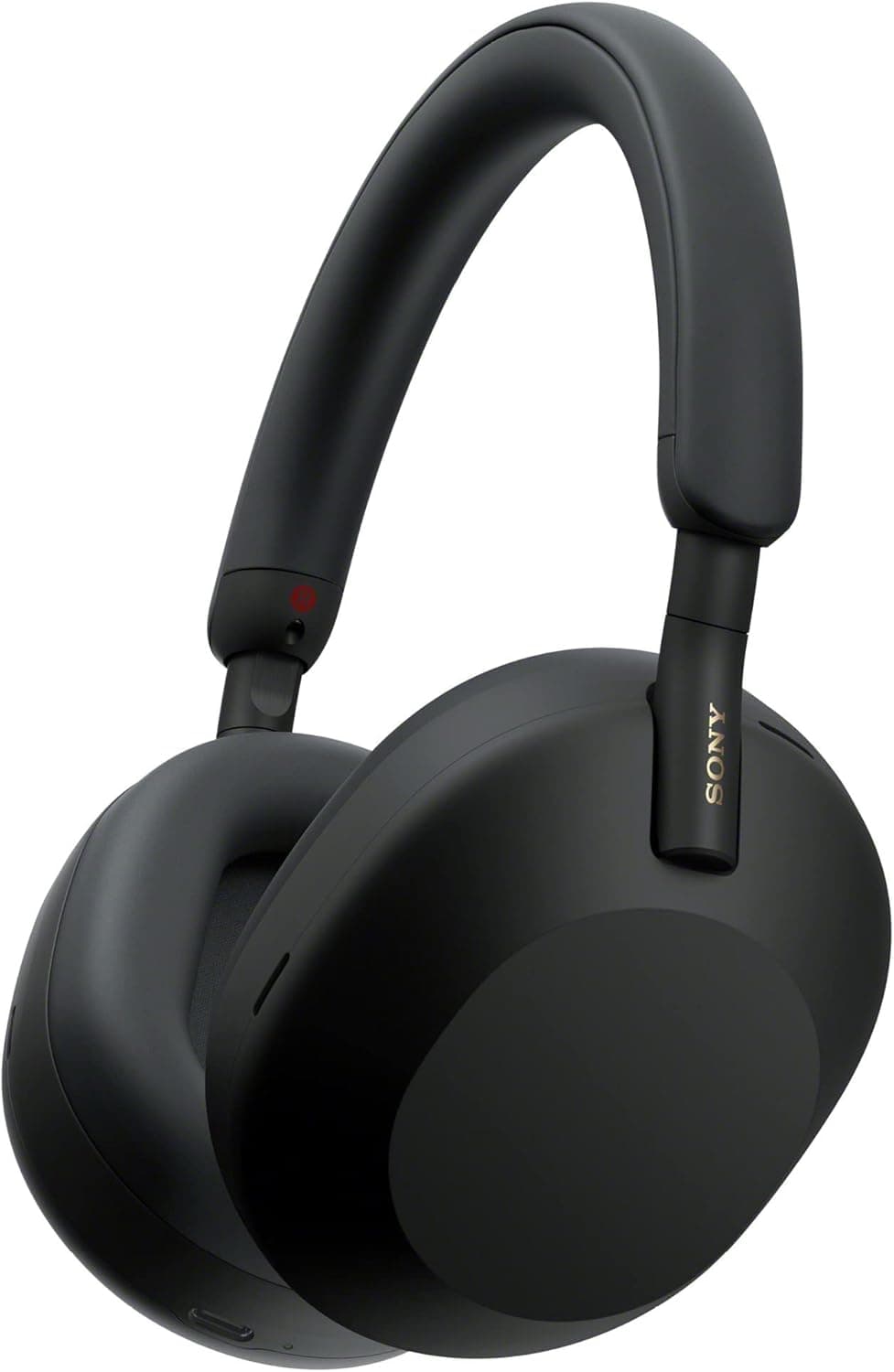
Sony WH-1000XM5: Best Overall Home Office Headphone
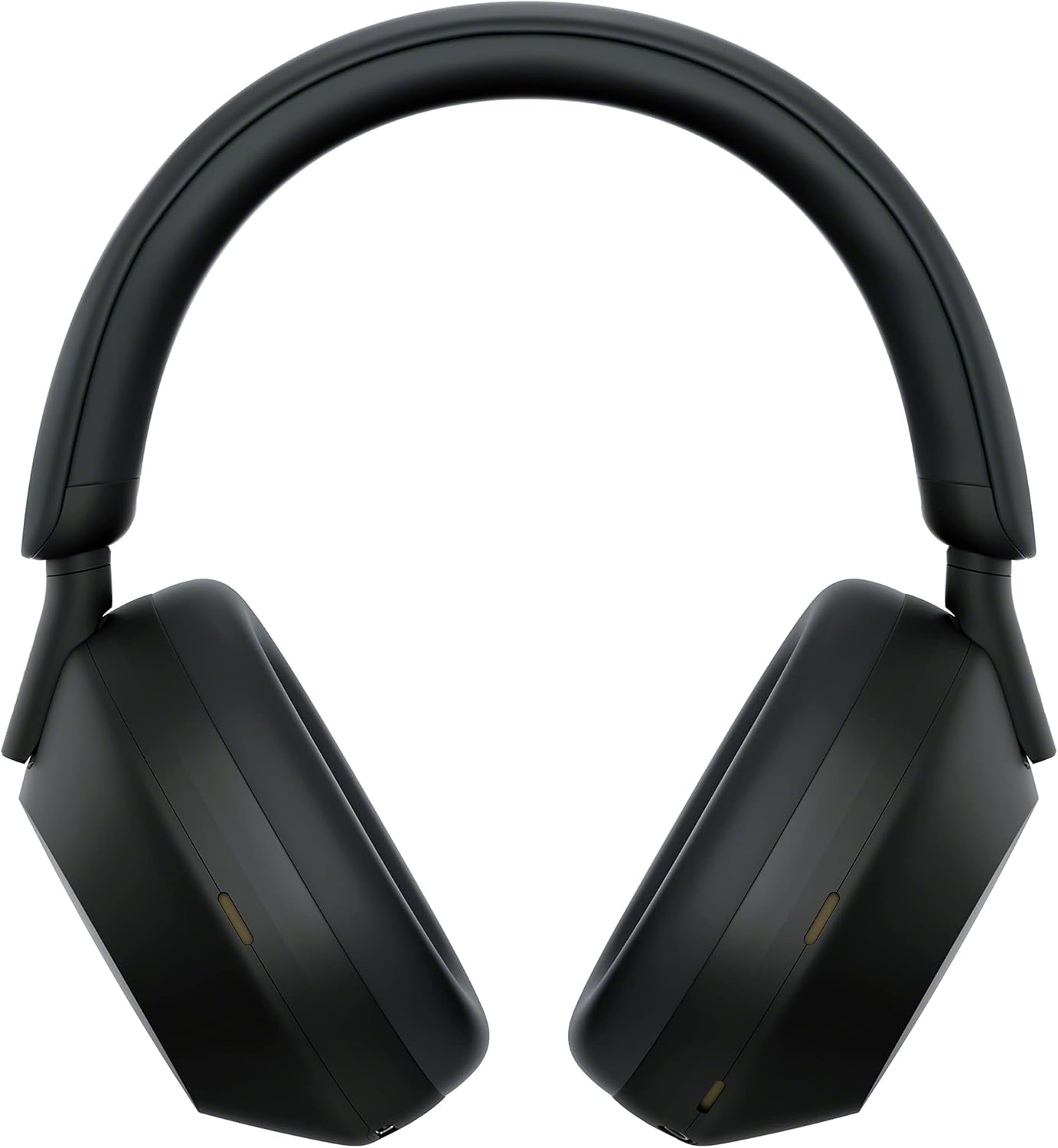
The Sony WH-1000XM5 is the benchmark by which every other consumer ANC headphone is measured in 2026. It delivers class-leading noise cancellation, outstanding sound quality for music, solid call performance and a comfortable fit that holds up across full workdays.
Key Specs:
ANC: 8-microphone system with Auto NC Optimizer
Battery: 30 hours with ANC on (3 min charge = 3 hours playback)
Connectivity: Bluetooth 5.2, multipoint connection
Weight: 250g
Microphone: 4-mic array for calls
Pros:
Best-in-class ANC performance blocks virtually all ambient noise
Multipoint Bluetooth connects laptop and phone simultaneously
Speak-to-Chat pauses audio automatically during conversations
Exceptional 30-hour battery life for full work weeks
Cons:
Does not fold flat, making travel storage slightly awkward
Call microphone quality is good but not equal to a dedicated boom mic headset
Best For: Remote workers who split their time between focused work sessions and moderate call volumes and want the best consumer ANC available.
Price Range: Premium — $280 to $350
👉 Check Latest Price on Amazon
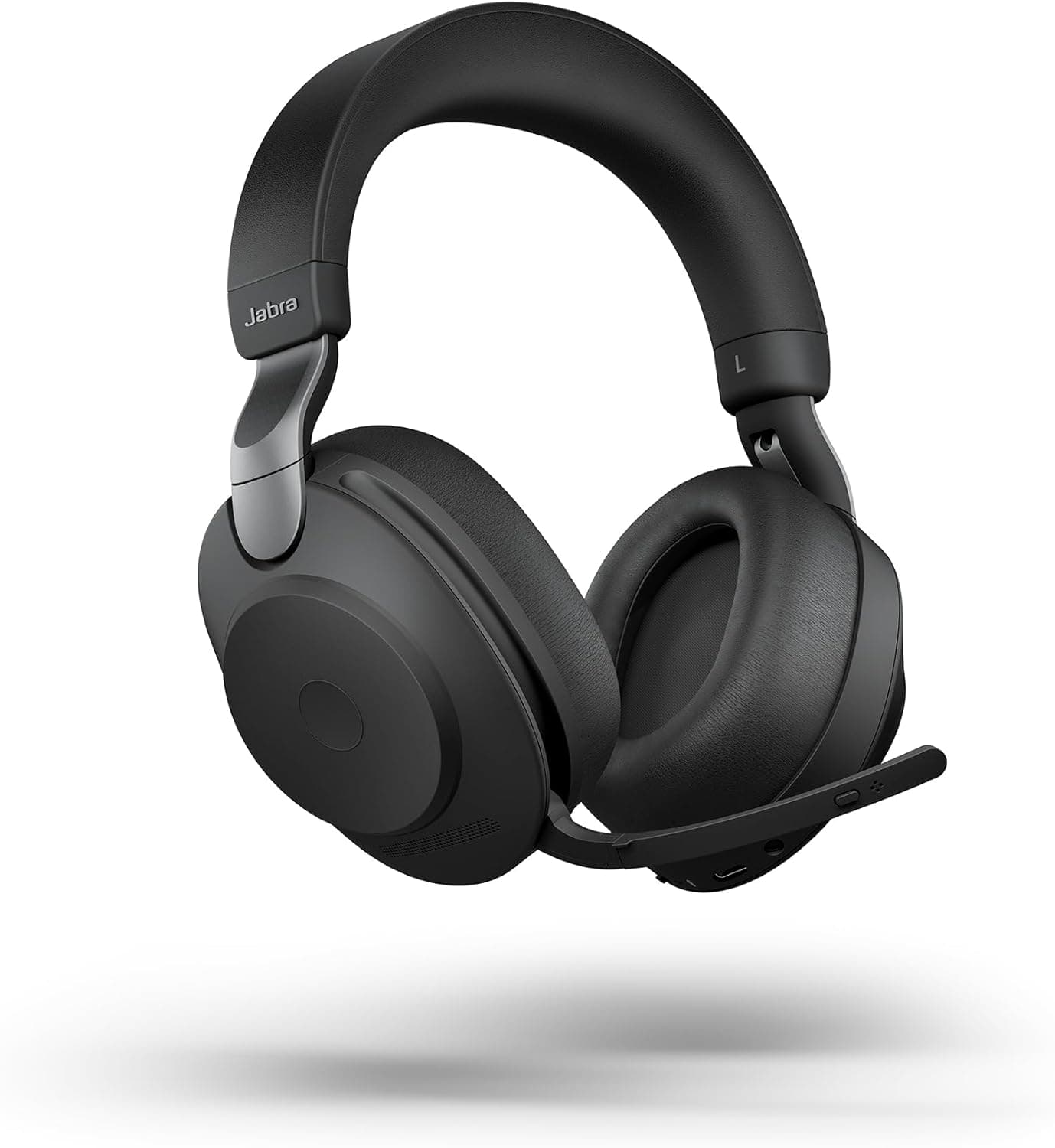
Jabra Evolve2 85: Best for Heavy Call Users

If your workday is built around back-to-back calls, the Jabra Evolve2 85 is the professional standard. This is not a consumer headphone with a decent mic, it is an enterprise-grade communication device that also happens to sound excellent for music.
Key Specs:
ANC: 10-microphone ANC system
Battery: 37 hours with ANC on
Connectivity: Bluetooth 5.0, multipoint, USB-A dongle included
Weight: 340g
Microphone: 8-mic beamforming array
Pros:
Eight-microphone beamforming isolates voice and eliminates background noise on calls with remarkable precision
Built-in busy light signals availability to people around you
37-hour battery handles a full working week on a single charge
UC certified for all major platforms including Teams, Zoom and Google Meet
Cons:
Significantly more expensive than consumer alternatives
Heavier build may cause fatigue during very long sessions
Best For: Customer service professionals, managers and remote workers on calls for three or more hours daily who need enterprise microphone performance.
Price Range: Premium — $380 to $450
👉 Check Latest Price on Amazon
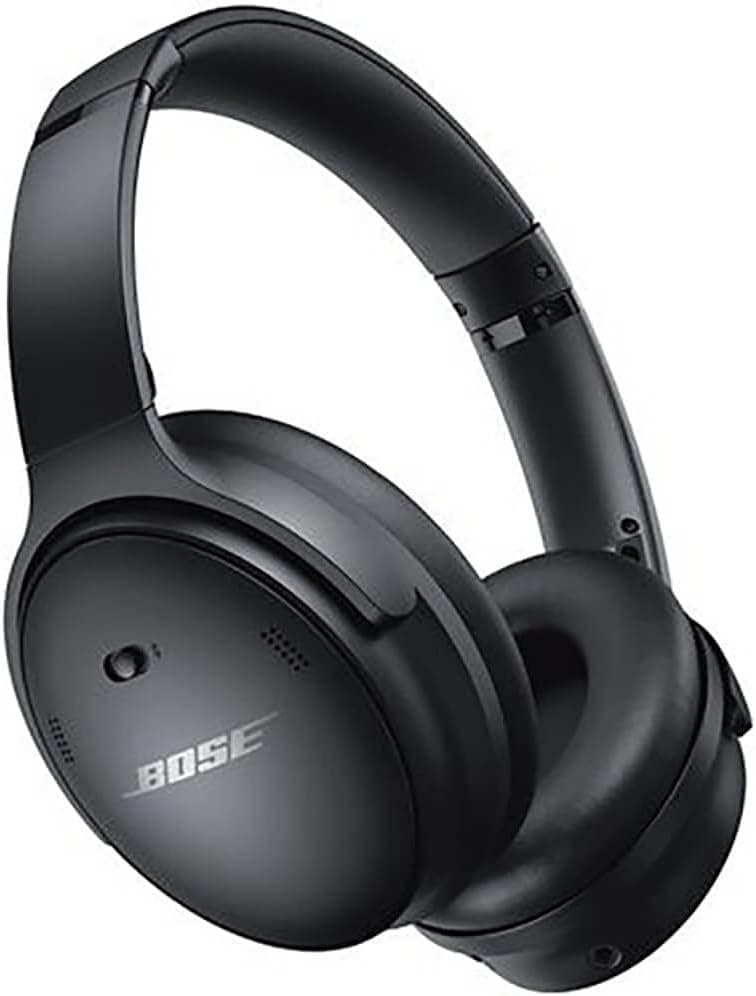
Bose QuietComfort 45: Best for All-Day Comfort

Bose defined the consumer ANC headphone category and the QuietComfort 45 represents everything the brand does best. It is not the flashiest option on this list, but for pure wearing comfort and reliable noise cancellation, nothing touches it.
Key Specs:
ANC: Bose CustomTune technology with Aware mode
Battery: 24 hours with ANC on
Connectivity: Bluetooth 5.1, multipoint
Weight: 238g
Microphone: Built-in mic array
Pros:
Lightest, softest, most forgettable fit of any headphone on this list
Excellent ANC consistently handles traffic noise, HVAC hum and household chatter
Aware mode lets ambient sound in for quick conversations without removing headphones
Lightweight build causes zero fatigue even after eight hours of continuous wear
Cons:
Shorter battery life than Sony and Jabra options
Lacks advanced smart features like adaptive sound or auto-pause
Best For: Remote workers who prioritize wearing comfort above all else and need reliable ANC for focus work throughout the day.
Price Range: Premium — $250 to $330
👉 Check Latest Price on Amazon
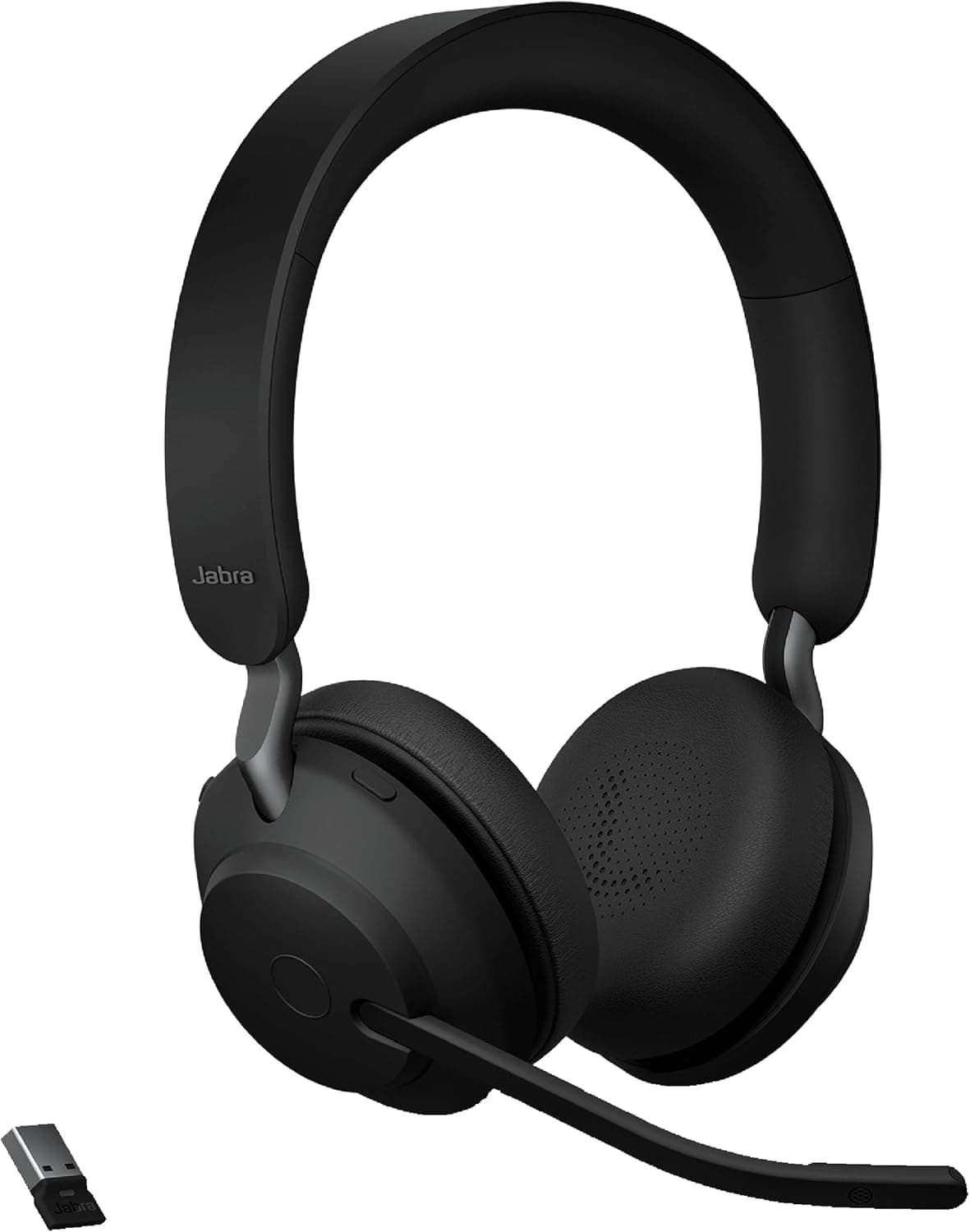
Jabra Evolve2 65: Best Mid-Range Work Headset

Not everyone needs or wants to spend $400 on a headset. The Jabra Evolve2 65 delivers professional-grade call quality at a significantly more accessible price point, making it one of the best headphones for home office use at the mid-range level.
Key Specs:
ANC: Passive noise isolation with digital hybrid ANC
Battery: 37 hours
Connectivity: Bluetooth 5.0, USB-A dongle
Weight: 175g
Microphone: 3-mic call technology
Pros:
Outstanding 37-hour battery life matches its premium sibling
Excellent microphone performance for the price point
Lightweight and comfortable for extended wear
UC certified for Teams and other major platforms
Cons:
ANC not as powerful as the Evolve2 85 or Sony XM5
Sound quality for music is functional rather than exceptional
Best For: Remote workers who need strong call quality on a mid-range budget without compromising on battery life or microphone performance.
Price Range: Mid-Range — $130 to $180
👉 Check Latest Price on Amazon
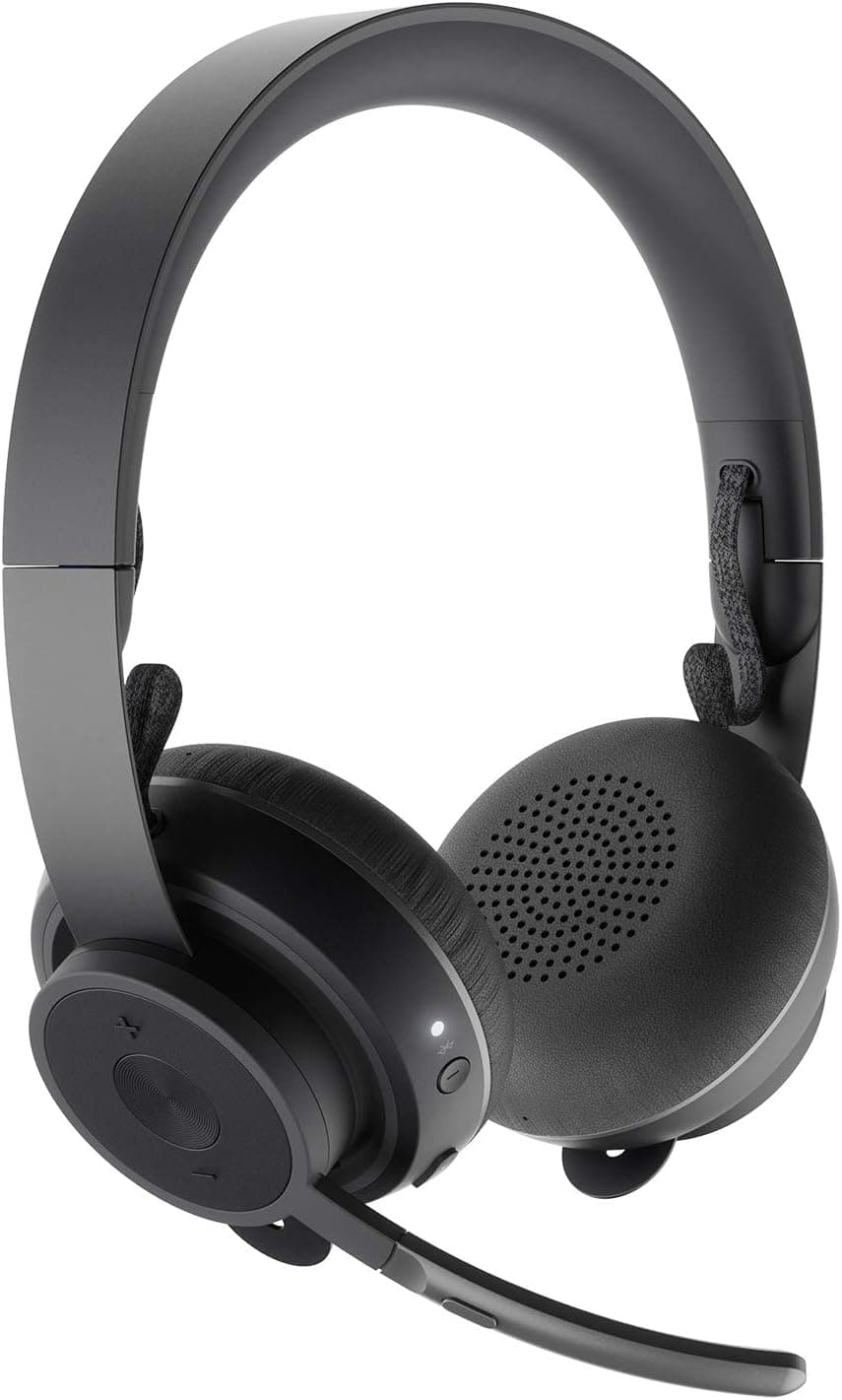
Logitech Zone Wireless: Best for Microsoft Teams Users

If your work runs entirely through Microsoft 365, the Logitech Zone Wireless offers native Teams integration that generic headphones simply cannot replicate.
Key Specs:
ANC: Active noise cancellation with sidetone
Battery: 15 hours
Connectivity: Bluetooth, USB receiver
Weight: 260g
Microphone: Noise-canceling boom mic (foldable)
Pros:
Dedicated Teams button for instant mute/unmute and app launch
Foldable boom microphone delivers strong call clarity
Microsoft Teams certified for seamless platform integration
Comfortable fit suitable for full workdays
Cons:
15-hour battery life is the shortest on this list
Sound quality for music does not match Sony or Bose at similar price points
Best For: Remote workers fully invested in the Microsoft 365 ecosystem who want one-touch Teams control.
Price Range: Mid-Range — $100 to $150
👉 Check Latest Price on Amazon
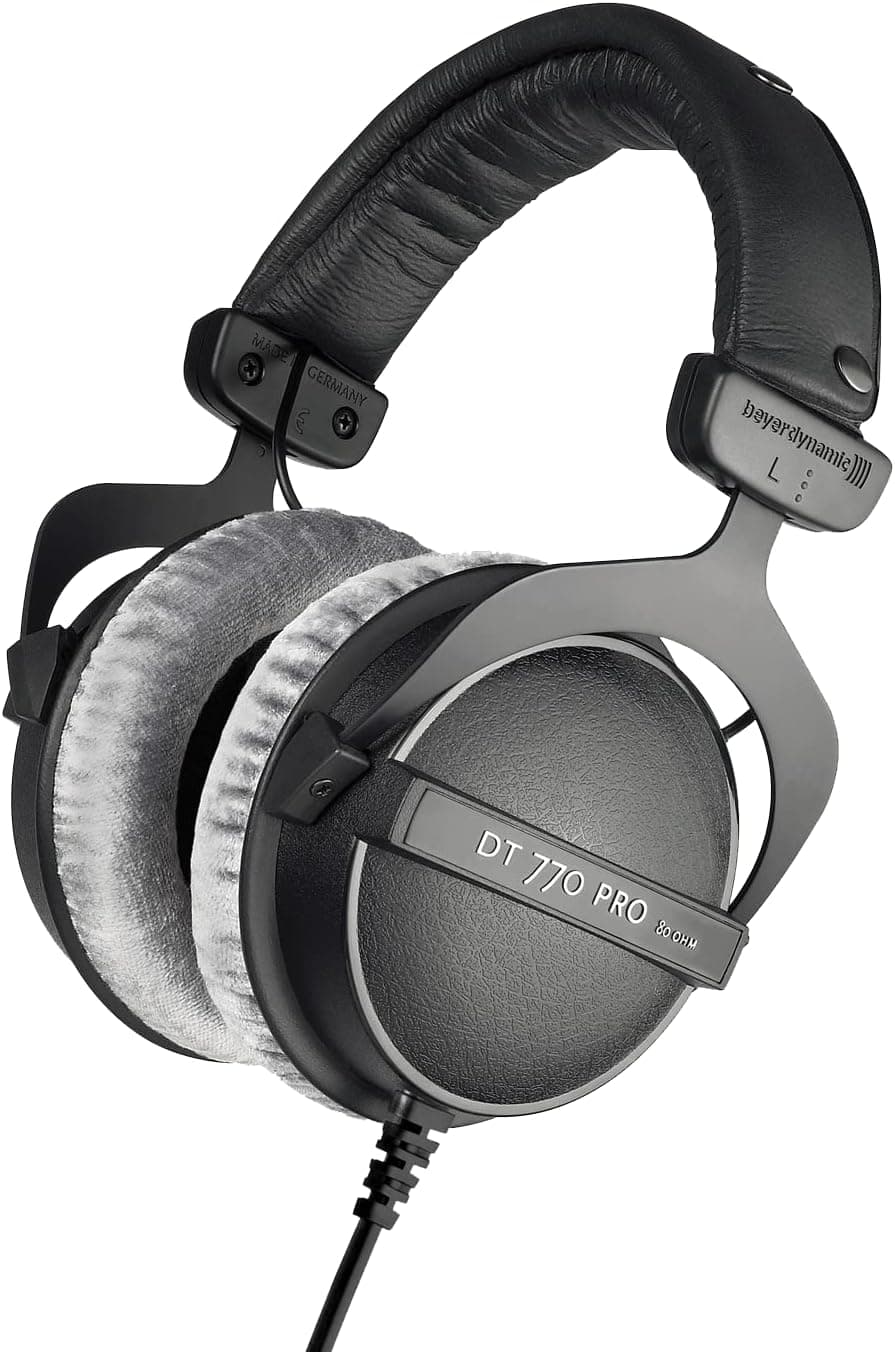
Beyerdynamic DT 770 Pro: Best for Focus Work

The Beyerdynamic DT 770 Pro is a studio classic that has earned its place in home offices across the world. If your work demands deep, uninterrupted concentration rather than heavy call volumes, this wired closed-back headphone delivers an experience that wireless options struggle to match. Before committing to a closed-back design, read our best headphone sound comparison between closed-back and open-back headphones to understand which type suits your specific workspace.
Key Specs:
Type: Closed-back, over-ear
Driver: 45mm dynamic driver
Impedance: Available in 32, 80 and 250 ohm versions
Weight: 270g
Cable: Coiled, 3m
Pros:
Exceptional passive noise isolation without relying on ANC electronics
Detailed, accurate sound profile ideal for long focus sessions
Outstanding build quality — genuinely built to last years
No battery to manage or charge
Cons:
No microphone — requires a separate mic for calls
250-ohm version requires a headphone amplifier to perform at its best
Wired only, limiting desk mobility
Best For: Writers, coders, designers and creative professionals who need excellent passive isolation and high-fidelity sound for deep work sessions.
Price Range: Mid-Range — $130 to $180
👉 Check Latest Price on Amazon
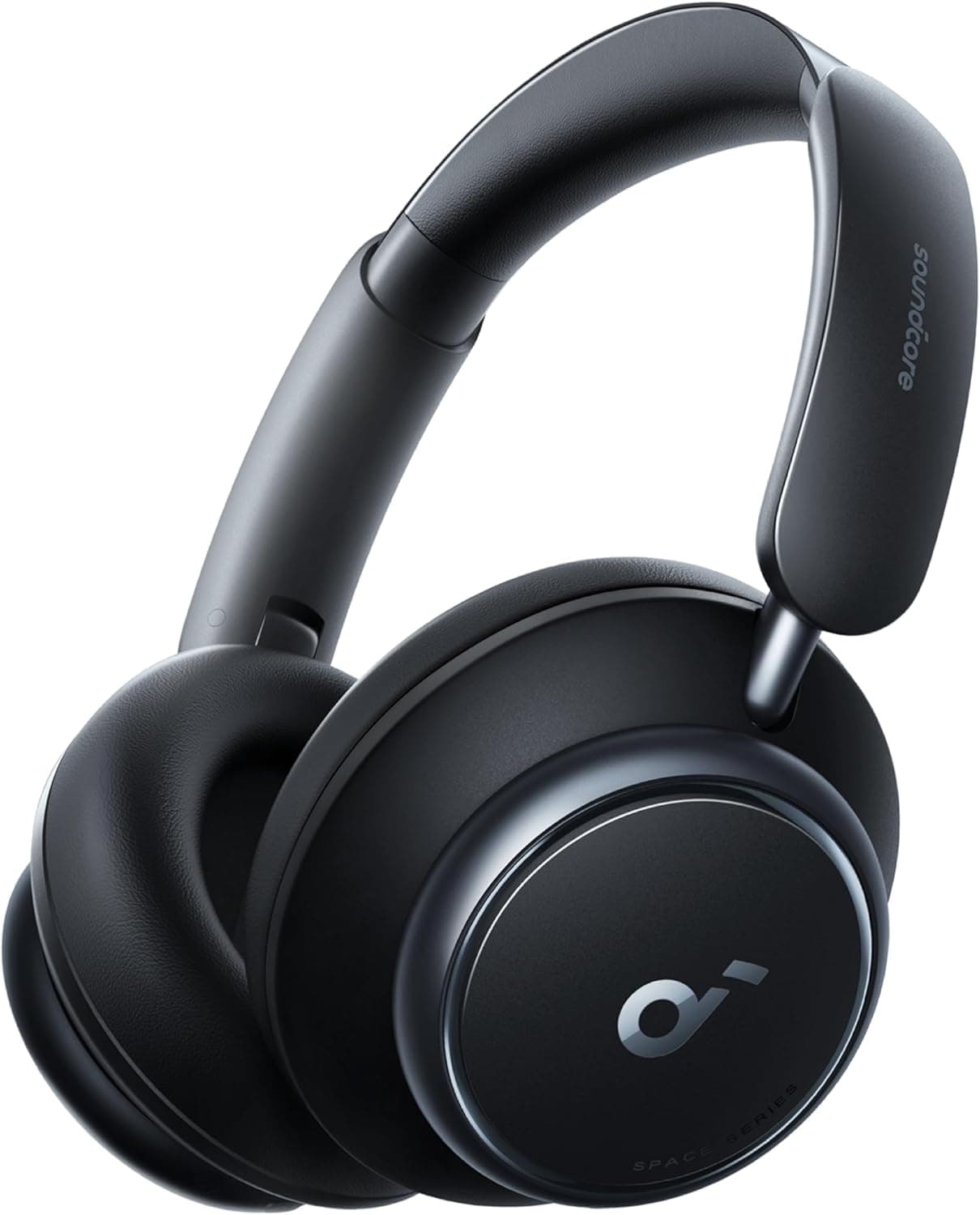
Anker Soundcore Q45: Best Budget ANC Headphone

Great noise cancellation does not require a premium price tag. The Anker Soundcore Q45 proves that budget-conscious remote workers can still enjoy effective ANC and solid sound quality without spending more than $60. If you are specifically looking for the best budget work headset under $100, this is where your search should start.
Key Specs:
ANC: Hybrid active noise cancellation
Battery: 50 hours with ANC on
Connectivity: Bluetooth 5.0, multipoint
Weight: 240g
Microphone: Built-in call mic
Pros:
Extraordinary 50-hour battery life leads this entire category
Surprisingly effective ANC for the price point
Foldable design for easy storage
Multipoint Bluetooth connects two devices simultaneously
Cons:
Microphone quality is average — better for focus work than heavy call use
ANC introduces slight pressure sensation some users find uncomfortable
Sound quality lacks the refinement of premium options
Best For: Budget-conscious remote workers who need effective ANC for focus work without spending more than $60.
Price Range: Budget — $40 to $60
👉 Check Latest Price on Amazon
What to Look for When Buying Home Office Headphones
With the product reviews covered, here is a practical buying framework that helps you match the right headphone to your specific work situation.
Call Volume: How Many Hours Per Day Are You on Calls?
This is the single most important question to answer before buying.
If you spend more than three hours daily on calls, microphone quality is your top priority. A dedicated headset with a boom microphone will outperform any consumer headphone at the same price. The Jabra Evolve2 85 or Evolve2 65 are the right choices here.
If calls take up less than two hours of your day, a premium consumer headphone like the Sony WH-1000XM5 handles calls adequately while delivering far better music and focus-work performance. Pairing it with the best earbuds for business calls as a lightweight backup option is a smart move for professionals who occasionally step away from their desk for quick calls.
Your Work Environment
Shared home spaces with family, roommates, or street noise benefit enormously from strong ANC. The mental energy saved by not fighting background noise all day translates directly into better focus and less end-of-day fatigue.
Private, quiet home offices have more flexibility. Passive isolation from a closed-back headphone like the DT 770 Pro may be entirely sufficient, freeing up budget for better sound quality.
Platform Compatibility
If your company runs on Microsoft Teams, consider a Teams-certified headset for native integration. For users on Zoom or Google Meet, most modern headphones work perfectly without any certification required.
Glasses Compatibility
Headphone comfort for glasses wearers is a real and frequently overlooked issue. Over-ear headphones with rigid cushions press glasses frames against your temples and cause significant pain over long sessions. The Bose QuietComfort 45 and Sony WH-1000XM5 both handle glasses-wearers well thanks to their deep, soft ear cups.
Setting Up Your Home Office Audio the Right Way
The right headphones are only part of a great home office audio setup. How you configure your environment matters enormously.
Fix Your Room Acoustics
Hard walls and bare floors create echo that makes your voice sound hollow and distant on calls. Adding soft furnishings, rugs, or dedicated acoustic treatment absorbs these reflections. For a full step-by-step approach, our guide on how to reduce echo and background noise on work calls covers every practical fix from simple soft furnishing placement to dedicated acoustic panels.
Add a Dedicated Microphone
For call-heavy professionals, a standalone USB microphone mounted on a best microphone arm desk setup will outperform almost any built-in headset mic at the same price point. The ergonomic positioning options a boom arm provides also let you dial in the exact mic-to-mouth distance for optimal audio clarity on every call.
Organize Your Desk Audio Setup
A clean desk supports a clear mind. A dedicated best headphone holder desk protects your headphones when not in use, prevents cable damage and keeps your workspace tidy. Combined with proper cable management, it makes your home office feel genuinely professional.
Expand Beyond Headphones
Once your headphone setup is dialed in, consider expanding your desk audio. A best compact soundbar home office setup adds room-filling sound for casual listening or speakerphone calls without requiring headphones at all. For music production or critical listening work, best studio speaker home office monitors deliver a flat, accurate sound profile that consumer soundbars cannot match.
Use Noise Suppression Software
Even excellent headset microphones pick up some residual background noise. Pairing your hardware with AI-powered noise suppression software adds a second layer of filtering that produces call audio clean enough to rival a recording studio setup. This approach works particularly well when dealing with sounds the best mute typing sounds mic hardware filtering cannot fully eliminate, such as mechanical keyboard clicks, mouse clicks, or HVAC noise.
Upgrading Your Broader Audio Setup
The headphones on this list represent the core of your home office audio. But a truly optimized WFH audio setup extends beyond just what you wear on your ears.
Earbuds as a Complement
Many remote workers keep both over-ear headphones and earbuds in rotation. Over-ear headphones for long focus sessions and primary call use, earbuds for quick calls, movement around the home, or lighter-duty listening. Check out our comparison of best earbuds for work 2026 to see the top in-ear options that pair well with the headphones covered in this guide.
Headphone Stands and Organization
The way you store your headphones between sessions matters more than most people realize. Dropping them on a desk repeatedly leads to scratches, cushion compression and cable stress at the connector point. A proper best headphone holder desk solution protects your investment and keeps your workspace looking clean and intentional.
Soundbars for Desk Use
There are moments in every workday when you want audio without wearing headphones. A best compact soundbar home office positioned behind your monitor fills the room with clear sound for video calls on speaker, casual background music, or watching training videos without the isolation of headphones.
Studio Monitors for Professionals
If your home office doubles as a music production or audio editing space, best studio speaker home office monitors provide the flat frequency response needed for accurate mixing decisions. Consumer speakers and soundbars color the sound in ways that make mixing unreliable. A pair of quality nearfield monitors solves that problem entirely.
Who Should Buy Which Headphone
Still deciding? Here is the fast-decision version.
Buy the Sony WH-1000XM5 if: You want the absolute best consumer ANC, split your time between focus work and moderate call volumes and are willing to pay for premium performance.
Buy the Jabra Evolve2 85 if: Calls dominate your workday, microphone quality is non-negotiable and you need enterprise-grade performance with a busy light for shared spaces.
Buy the Bose QuietComfort 45 if: You wear headphones all day, comfort is your primary concern and you want reliable ANC without complicated features.
Buy the Jabra Evolve2 65 if: You need strong call quality on a mid-range budget, want excellent battery life and value professional UC certification.
Buy the Logitech Zone Wireless if: Your entire workflow runs through Microsoft Teams and you want one-touch native platform integration.
Buy the Beyerdynamic DT 770 Pro if: You do deep focus work all day, make few calls and want exceptional passive isolation with audiophile-quality sound.
Buy the Anker Soundcore Q45 if: Your budget is under $60, you need effective ANC for focus work and extraordinary battery life matters more than premium microphone performance.
Ready to upgrade your home office audio? Every headphone on this list represents the best available in its category for 2026. Start with the pick that matches your work style from the section above. Once your over-ear setup is sorted, our guide to the best earbuds for work 2026 covers the top in-ear options for when you want something lighter.
Protecting Your Hearing During Long Work Sessions
Eight hours of daily headphone use adds up to thousands of hours per year. Protecting your hearing is not optional for sustainable remote work.
Follow the 60/60 Rule
Keep volume at or below 60 percent of maximum output. Take a complete listening break for at least 10 minutes every 60 minutes. This single habit dramatically reduces cumulative hearing stress over years of daily use.
Recognize Ear Fatigue Early
Ear fatigue feels like a dull ache, mild pressure, or general tiredness in or around your ears. It is your body signaling that it needs a break. When you notice it, remove your headphones immediately rather than pushing through.
Maintain Your Ear Cushions
Ear pads accumulate sweat, skin oils and bacteria over time. Clean them monthly with a lightly damp cloth and mild soap. Replace them when they start cracking or losing cushioning. Worn-out pads affect both comfort and passive noise isolation, forcing you to raise your volume to compensate, which accelerates hearing fatigue.
Consider Bone Conduction for Awareness
If you need to stay aware of your environment while listening, bone conduction headphones transmit audio through your cheekbones rather than your ear canal. This leaves your ears completely open for ambient awareness while still delivering clear audio for calls or music.
Amazon Affiliate Disclaimer: This post contains affiliate links. If you purchase through our links, we may earn a small commission at no extra cost to you.

Written by
Jordan Lee
I'm Jordan Lee, a tech reviewer and peripheral enthusiast with 7+ years of hands-on experience evaluating monitors, mechanical keyboards, wireless mice, and audio equipment. With a degree in Computer Engineering, I bring a technical yet practical perspective to every review I write. I don't just benchmark — I actually use these products daily and put them through real work scenarios. When I recommend a monitor, I've checked its color accuracy, refresh rate, and eye strain levels myself. When I suggest a keyboard, I've typed thousands of words on it. My goal is simple: help you find the right gear so you can work smarter, not just spend more.