Best OLED Ultrawide Monitor in 2026: Top Picks for Stunning Visuals
We tested and ranked the best OLED ultrawide monitors in 2026 including QD-OLED picks from Dell Alienware, LG, Samsung, and MSI. This guide covers infinite contrast technology, burn-in risk, ABL limitations, and the best picks for gaming, creative work, and home office use at every price point.

Our Top Picks
OLED technology changes what a monitor is capable of in ways that no LED panel, regardless of how good, can match. True pixel-level black, infinite contrast ratio, microsecond response times, and colors that look like light rather than a backlit approximation of light are not incremental improvements over LED technology. They represent a fundamentally different visual experience.
The catch is that OLED monitors cost significantly more than equivalent LED alternatives, carry burn-in risk that requires understanding before purchasing, and until recently were not available in the ultrawide format at all. That has changed substantially over the last two years. QD-OLED technology, which combines Samsung Display's quantum dot layer with an OLED backplane, has produced ultrawide monitors that deliver the best image quality ever available in this format.
This guide covers the best OLED ultrawide monitors available in 2026, explains the technology honestly including its limitations, and helps you decide whether the premium over LED alternatives is justified for your specific use case.
Quick Picks: Best OLED Ultrawide Monitors
Best Overall: Dell Alienware AW3425DW =====>> Check price on Amazon
Best for Gaming: LG 34GS95QE-B =====>> Check price on Amazon
Best Premium Pick: Samsung Odyssey OLED G8 =====>> Check price on Amazon
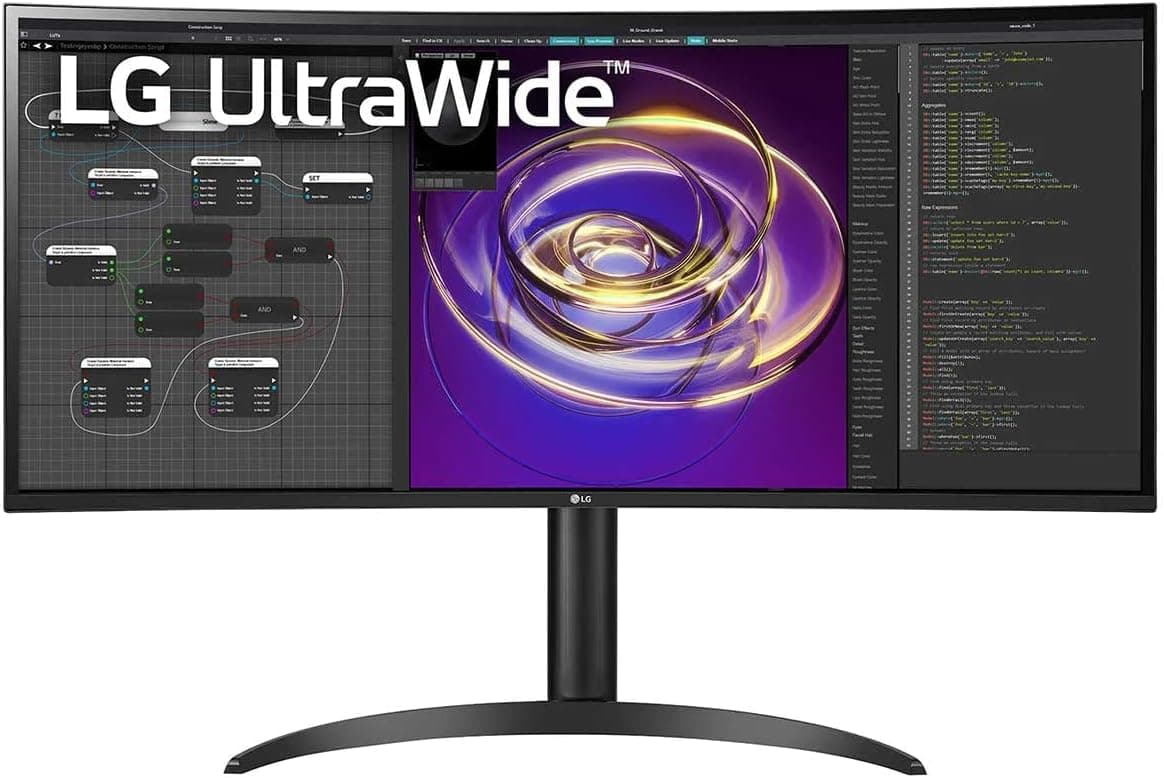
Best for Creative Work: LG 34BP85CN-B =====>> Check price on Amazon
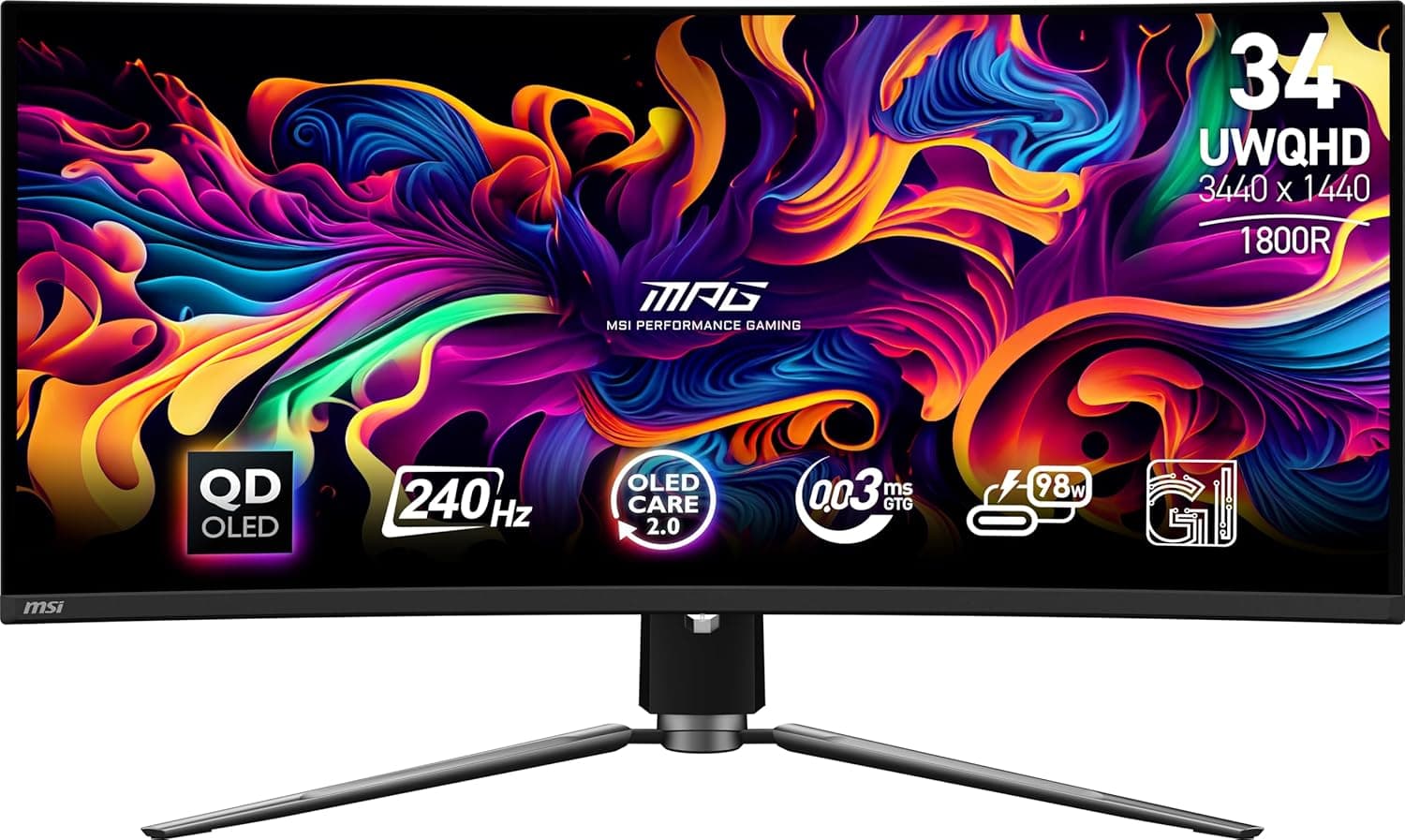
Best Value OLED Ultrawide: MSI MPG 341C QD-OLED =====>> Check price on Amazon
How We Tested These Monitors
Testing OLED ultrawide monitors requires evaluating characteristics that do not apply to LED panels and that cannot be assessed from spec sheets alone.
Panel uniformity on OLED displays was assessed differently than on LED panels. OLED panels can show ABL, which is Automatic Brightness Limiting, that reduces peak brightness when large areas of the screen display bright content. We measured how dramatically ABL affected brightness during typical productivity and gaming scenarios and whether it was noticeable during normal use.
Burn-in risk assessment involved evaluating each monitor's built-in pixel refresh and pixel shift technologies, reviewing manufacturer warranty terms for OLED burn-in coverage, and cross-referencing long-term ownership reports from verified communities.
Color accuracy was measured using a colorimeter for Delta E values, DCI-P3 coverage, and sRGB emulation accuracy. OLED panels are capable of extraordinary color accuracy but QD-OLED panels in particular have historically pushed saturation beyond accurate sRGB when used outside a calibrated profile, which matters for productivity and content creation use.
Gaming performance was evaluated for input lag, response time, and the effectiveness of each monitor's variable refresh rate implementation. At the response times OLED panels achieve, the measurement methodology requires high-speed camera verification rather than relying on manufacturer claims.
Understanding OLED Technology for Ultrawide Monitors
Before looking at specific products, understanding what OLED technology actually delivers and where its limitations lie helps you evaluate whether it suits your use case.
What Makes OLED Different
Traditional LED monitors use a backlight panel that illuminates the entire screen. Liquid crystal pixels then block or allow portions of that backlight through, creating the image. The fundamental limitation of this approach is that the backlight is always on, which means true black is impossible. Every LCD monitor, regardless of panel type or price, displays black as a very dark gray because some backlight light always bleeds through.
OLED panels work completely differently. Each pixel is an individual light source. When a pixel needs to display black, it simply turns off entirely. True black is not an approximation. It is the complete absence of light from that pixel. The contrast ratio of an OLED display is not 3000:1 or even 10000:1. It is effectively infinite because the denominator, black luminance, is measured in fractions of a nit rather than the several nits that even the best LED panels achieve.
The visual impact of this difference is most apparent in scenes with both bright and dark content simultaneously. A starfield against deep space, a face lit by a single light source in a dark room, or a user interface with bright elements against a dark background all look fundamentally more realistic on OLED than on any LED alternative.
QD-OLED: The Technology Powering Most OLED Ultrawides
Most OLED ultrawide monitors available in 2026 use QD-OLED technology developed by Samsung Display. QD-OLED adds a quantum dot layer to a blue OLED backplane to produce a wider color gamut and higher peak brightness than standard WRGB OLED panels.
The result is a panel that covers approximately 99% of DCI-P3 and achieves peak brightness of 800 to 1000 nits in small highlights, while maintaining the infinite contrast and true black of OLED technology. For gaming and media consumption, QD-OLED produces some of the most visually impressive images available on any display technology.
The known limitation of QD-OLED compared to WRGB OLED is slightly lower text rendering quality in some circumstances due to the subpixel layout. QD-OLED uses an RGB triangle subpixel arrangement rather than the traditional RGB stripe found on most monitors. This can cause subtle text fringing in some situations, though at the resolutions found in current 34-inch ultrawides the effect is minor for most users.
Burn-In: The Real Risk and How to Manage It
OLED burn-in is the permanent degradation of individual pixels that display static content at high brightness for extended periods. It is a real risk that requires honest assessment rather than dismissal or exaggeration.
The practical burn-in risk for typical home office and gaming use is lower than early OLED adoption history suggested. Modern QD-OLED panels include pixel shift technology that continuously moves the image by sub-pixel amounts, pixel refresh cycles that can be run manually or automatically, and ABL technology that reduces brightness when large static areas are detected.
For users who primarily game, watch video content, and use applications with frequently changing screen content, burn-in risk is low with normal usage patterns. For users who display static content at high brightness for many hours daily, such as keeping a static dashboard visible all day, leaving a paused image on screen, or displaying a persistent bright taskbar at maximum brightness, burn-in risk increases meaningfully.
Modern OLED ultrawide monitor warranties vary significantly in burn-in coverage. Some manufacturers cover burn-in under normal use conditions for a specified period. Others explicitly exclude burn-in from warranty coverage. Always check the specific burn-in warranty terms before purchasing an OLED monitor for extended daily use.
Peak Brightness and ABL
OLED panels achieve extremely high peak brightness in small highlight areas, often exceeding 800 to 1000 nits on current QD-OLED monitors. However, when larger areas of the screen display bright content, Automatic Brightness Limiting reduces the peak brightness to protect the panel.
For gaming and HDR video with mostly dark content and bright highlights, ABL is rarely triggered and peak brightness figures are achievable. For productivity work with largely white or bright content, such as a white document on a white background, ABL reduces the maximum achievable brightness significantly.
Full-screen white brightness on most QD-OLED ultrawide monitors ranges from approximately 150 to 250 nits, which is lower than most quality LED monitors achieve at maximum brightness. In a bright room with significant ambient light, this can make the screen harder to see than a high-brightness LED alternative.
For users who work in bright rooms with windows nearby, the ABL limitation of OLED panels is a practical consideration that should factor into the purchasing decision.
What to Look for in an OLED Ultrawide Monitor
Panel Generation and Manufacturer
Current OLED ultrawide monitors use first or second generation QD-OLED panels from Samsung Display. Second generation panels deliver meaningfully higher peak brightness and improved ABL behavior compared to first generation alternatives. When evaluating OLED ultrawide monitors, verifying which panel generation is used helps predict real-world brightness performance.
Burn-In Protection Features
Evaluate each monitor's built-in burn-in protection features before purchasing. Pixel shift, which continuously moves the image by sub-pixel amounts, is the most important protection feature. Pixel refresh cycles that run during standby or manually initiated maintenance routines help maintain panel uniformity over time. Screensaver triggers that activate after a user-configurable idle period reduce static image retention risk during productivity use.
Refresh Rate and Response Time
OLED panels achieve pixel response times of 0.03ms or below, which is faster than any LED panel regardless of claimed specifications. This eliminates motion blur completely and makes OLED panels the best available technology for fast-moving content in gaming and video.
The variable refresh rate implementation matters for gaming use. FreeSync Premium Pro support combined with G-Sync Compatible certification covers the full AMD and NVIDIA GPU ecosystem. The effective variable refresh rate range determines how well the monitor handles frame rate drops below the monitor's typical operating range.
Color Calibration and Profiles
QD-OLED panels are capable of extraordinary color accuracy but require proper calibration profiles for productivity and creative use. Out of the box, many QD-OLED monitors display colors that are slightly oversaturated for sRGB content because the panels are tuned to showcase their wide gamut capability.
Monitors with multiple picture modes including a properly calibrated sRGB mode allow users to switch between the vivid gaming and media presentation mode and an accurate color mode for productivity and creative work. This flexibility is important for users who need the monitor to serve both purposes.
USB-C and Connectivity
OLED ultrawide monitors at premium prices should include USB-C connectivity with adequate Power Delivery for laptop users. Thunderbolt connectivity is available on some professional-oriented OLED monitors. For users who connect a laptop to their OLED ultrawide for both gaming and productivity use, USB-C connectivity is a practical necessity rather than a nice-to-have at this price tier.
The Best OLED Ultrawide Monitors in 2026
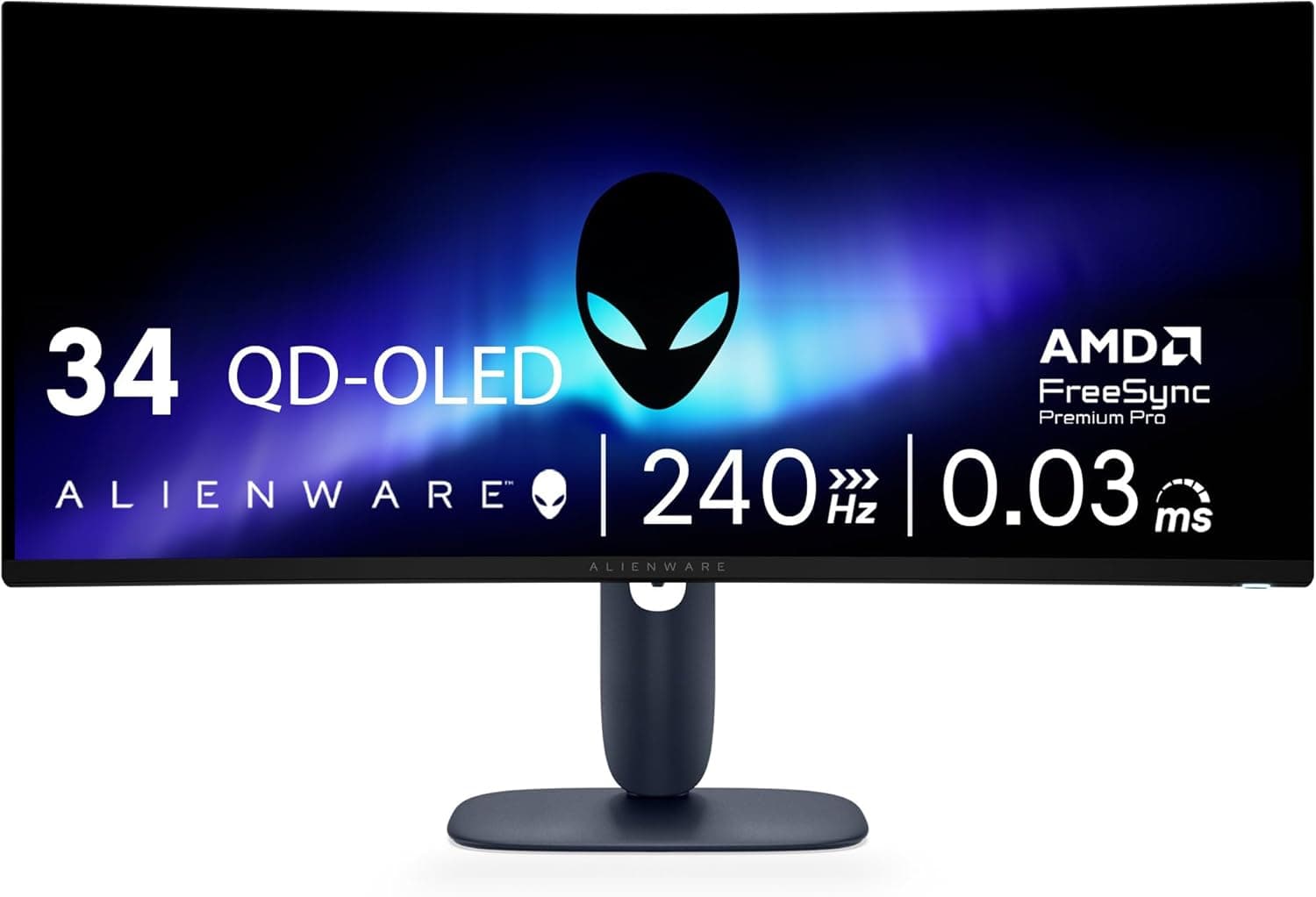
1. Dell Alienware AW3425DW — Best Overall OLED Ultrawide

Quick Specs
Feature | Detail |
Screen size | 34 inches |
Resolution | 3440x1440 (UWQHD) |
Panel type | QD-OLED |
Refresh rate | 175Hz |
Response time | 0.03ms GtG |
Color gamut | 99.3% DCI-P3 |
Delta E | Below 2 (factory calibrated) |
USB-C charging | 90W Power Delivery |
Connectivity | USB-C, 2x HDMI 2.1, DisplayPort 1.4, 4x USB-A |
Curve | 1800R |
VESA | 100x100mm |
HDR | DisplayHDR True Black 400 |
The Dell Alienware AW3425DW is the best overall OLED ultrawide available in 2026 for users who want the complete package of gaming performance, color accuracy, practical connectivity, and build quality in a single monitor.
The QD-OLED panel delivers what no LED monitor can match: genuine infinite contrast with true pixel-level black alongside 99.3% DCI-P3 color coverage. The visual experience in HDR-enabled games and video content is unlike anything a standard LED panel produces. Dark scenes show shadow detail with natural rendering rather than crushed blacks. Bright highlights in games pop with an intensity that LED backlights approximate but never match.
Factory calibration to Delta E below 2 is unusual on a gaming monitor and reflects Alienware's positioning of this monitor as suitable for both gaming and creative work. The sRGB emulation mode produces accurate colors for productivity use and content creation without the oversaturation that uncalibrated QD-OLED panels can show in standard color space content.
The 175Hz refresh rate combined with 0.03ms response time makes this the most responsive 34-inch ultrawide monitor available. Variable refresh rate support through both FreeSync Premium Pro and G-Sync Compatible certification covers every GPU configuration. Input lag at native resolution is among the lowest measured on any monitor in any category.
The 1800R curve is more practical than the 1000R found on many gaming monitors for users who also use this display for productivity work. The gentler curve suits extended document reading and productivity sessions better than aggressive 1000R alternatives while still providing a satisfying wraparound quality during gaming.
USB-C at 90W Power Delivery handles the 14-inch MacBook Pro completely and provides adequate charging for the 16-inch model during moderate workloads. The four USB-A ports on the back cover most peripheral connectivity needs without a separate hub.
Dell's burn-in warranty coverage for the AW3425DW is worth verifying at purchase. Dell has historically offered reasonable burn-in coverage terms on its Alienware OLED monitors, which provides meaningful peace of mind for users concerned about long-term OLED ownership.
Pros
QD-OLED panel delivers infinite contrast and true pixel-level black
Factory calibrated to Delta E below 2 for gaming and creative work
175Hz with 0.03ms response time for exceptional gaming performance
90W USB-C for single-cable laptop connectivity
1800R curve suits both gaming and productivity use
DisplayHDR True Black 400 certification backed by genuine OLED capability
Cons
Most expensive monitor on this list
ABL limits full-screen brightness in bright room conditions
QD-OLED subpixel layout can cause minor text fringing at small font sizes
Burn-in risk requires understanding and manageable usage habits
Who should buy this: Gamers and creative professionals who want the absolute best image quality available in a 34-inch ultrawide and are ready to manage OLED ownership responsibly.
💸💸💸 Check price on Amazon 💸💸💸
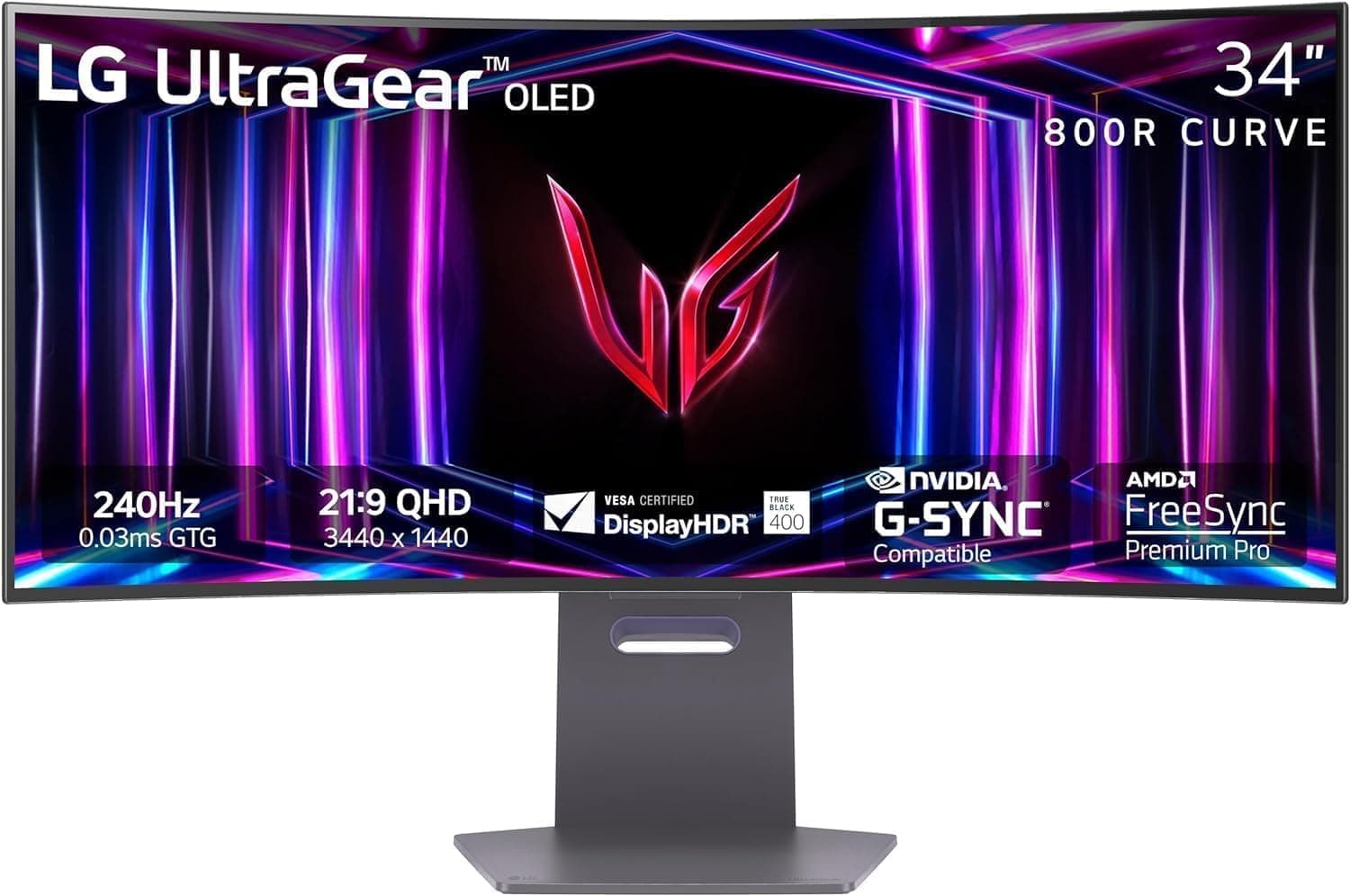
2. LG 34GS95QE-B — Best OLED Ultrawide for Gaming

Quick Specs
Feature | Detail |
Screen size | 34 inches |
Resolution | 3440x1440 (UWQHD) |
Panel type | QD-OLED |
Refresh rate | 240Hz |
Response time | 0.03ms GtG |
Color gamut | 98.5% DCI-P3 |
Delta E | Below 2 |
USB-C charging | 90W Power Delivery |
Connectivity | USB-C, 2x HDMI 2.1, DisplayPort 1.4, 2x USB-A |
Curve | 800R |
VESA | 100x100mm |
HDR | DisplayHDR True Black 400 |
The LG 34GS95QE-B pushes the gaming performance ceiling of the ultrawide format to 240Hz on a QD-OLED panel, a combination that represents the current pinnacle of what an ultrawide gaming monitor can deliver in terms of pure motion performance.
240Hz at UWQHD resolution on a QD-OLED panel with 0.03ms response time is a specification combination that eliminates every source of motion blur and display-side latency from the gaming experience. The fluidity during fast gameplay is immediately and dramatically apparent compared to any 60Hz or even 144Hz monitor, and the OLED infinite contrast makes that fast motion look more visually rich than LED gaming panels at the same refresh rate.
The 800R curve is the most aggressive on this list and creates the strongest immersive gaming effect of any monitor in this guide. At 34 inches, 800R produces a noticeable wrap-around sensation that particularly suits racing games, first-person games, and any title where peripheral vision and spatial awareness matter.
LG's implementation of pixel shift and panel care features on this monitor is thorough. The automatic pixel refresh cycle runs during standby periods and can be initiated manually. The pixel shift range is sufficient to meaningfully reduce static element retention risk during normal gaming and productivity use.
For users whose primary use case is gaming and who want the fastest, most visually impressive ultrawide monitor available, the LG 34GS95QE-B is the best choice on this list.
Pros
240Hz at UWQHD on QD-OLED is the highest gaming performance available in this format
0.03ms response time eliminates motion blur completely
800R curve creates the most immersive gaming experience on this list
OLED infinite contrast makes fast gaming scenes look extraordinary
90W USB-C for single-cable laptop connectivity
LG's thorough panel care implementation for burn-in management
Cons
800R curve is too aggressive for comfortable extended productivity use
240Hz requires a very capable GPU to utilize fully at UWQHD
ABL more noticeable than on lower refresh rate alternatives at high brightness settings
Premium pricing reflects the cutting-edge specifications
Who should buy this: Dedicated gamers who want the fastest possible ultrawide gaming experience and primarily use the monitor for gaming rather than mixed productivity work.
💸💸💸 Check price on Amazon 💸💸💸
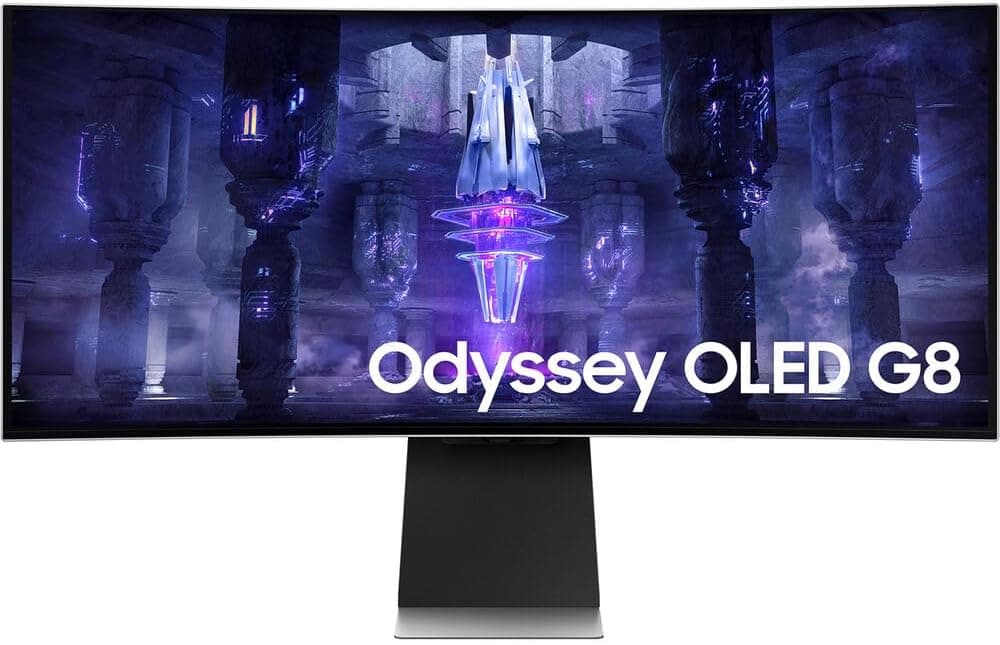
3. Samsung Odyssey OLED G8 — Best Premium OLED Ultrawide

Quick Specs
Feature | Detail |
Screen size | 34 inches |
Resolution | 3440x1440 (UWQHD) |
Panel type | QD-OLED |
Refresh rate | 175Hz |
Response time | 0.03ms GtG |
Color gamut | 99% DCI-P3 |
Delta E | Below 2 |
USB-C charging | 90W Power Delivery |
Connectivity | USB-C, 2x HDMI 2.1, DisplayPort 1.4, 2x USB-A, USB hub |
Curve | 1800R |
VESA | 100x100mm |
HDR | DisplayHDR True Black 400 |
The Samsung Odyssey OLED G8 brings Samsung's expertise in display panel manufacturing directly to a branded OLED ultrawide product. Samsung Display manufactures the QD-OLED panels used in most OLED ultrawide monitors on this list, which means Samsung has deep familiarity with the technology's capabilities and limitations from the manufacturing side.
The 175Hz QD-OLED panel delivers the same class of visual experience as the Dell Alienware above. True pixel-level black, 99% DCI-P3 coverage, and 0.03ms response time are specifications that match or exceed every LED monitor regardless of price. The visual quality during gaming and HDR video is among the best available on any monitor.
Samsung's implementation of OLED care features on the G8 includes screen saver, pixel shift, and a panel maintenance routine that Samsung calls OLED Care. The automatic maintenance runs during periods of inactivity and the user-configurable screen saver threshold helps prevent static image retention during productivity sessions.
The 1800R curve suits mixed gaming and productivity use more comfortably than the LG's 800R, and the build quality of the G8 reflects Samsung's premium product tier with a more refined aesthetic than the gaming-focused designs of other Odyssey products.
USB-C at 90W Power Delivery handles most laptop charging needs and the USB hub reduces peripheral cable complexity.
Pros
QD-OLED panel from Samsung Display with 99% DCI-P3 coverage
175Hz with 0.03ms for excellent gaming performance
1800R curve suits both gaming and productivity use
Samsung's OLED Care features for burn-in management
Premium build quality and refined aesthetic
90W USB-C charging
Cons
Premium pricing comparable to Dell Alienware alternative
ABL behavior limits full-screen brightness in brightly lit rooms
Samsung's warranty terms for burn-in should be verified before purchase
No Thunderbolt connectivity
Who should buy this: Users who want the best QD-OLED ultrawide with a premium aesthetic and refined build quality for mixed gaming and home office use.
💸💸💸 Check price on Amazon 💸💸💸
4. LG 34BP85CN-B — Best OLED Ultrawide for Creative Work

Quick Specs
Feature | Detail |
Screen size | 34 inches |
Resolution | 3440x1440 (UWQHD) |
Panel type | WRGB OLED |
Refresh rate | 60Hz |
Response time | 1ms GtG |
Color gamut | 98% DCI-P3, 99% sRGB |
Delta E | Below 2 (factory calibrated) |
USB-C charging | 96W Power Delivery |
Connectivity | Thunderbolt 4, USB-C, 2x HDMI, DisplayPort, KVM, USB hub |
Curve | Flat |
VESA | 100x100mm |
HDR | DisplayHDR True Black 400 |
The LG 34BP85CN-B is the most distinctive monitor on this list because it combines OLED image quality with the professional connectivity and productivity features that creative professionals need, rather than prioritizing gaming performance.
The WRGB OLED panel differs from the QD-OLED panels used in gaming-focused alternatives. WRGB OLED adds a white subpixel to the standard RGB arrangement, which increases peak brightness and reduces ABL impact during high-brightness productivity use. The trade-off is a slightly narrower color gamut than QD-OLED alternatives. At 98% DCI-P3, the color coverage is still professional-grade and suitable for video editing, photography, and design work.
Thunderbolt 4 connectivity is the feature that sets this monitor apart from every other OLED ultrawide on this list. Combined with factory-calibrated color accuracy and the infinite contrast of OLED technology, this monitor is the most capable display for professional video editors and photographers who want to work with the best image quality available while maintaining professional workflow connectivity.
The flat panel surface is the right choice for professional creative work. Evaluating the geometry of wide shots, panoramic images, and precise design layouts is more accurate on a flat surface than on any curved alternative. This is one of very few flat OLED ultrawide monitors available.
The 96W USB-C Power Delivery is the highest on this list and handles every MacBook Pro model for completely cable-free single-connection operation. The built-in KVM switch serves creative professionals who work across a dedicated editing machine and a separate laptop.
At 60Hz, this monitor does not compete with gaming-focused alternatives on refresh rate. For creative professionals who want OLED quality for their work rather than gaming performance, this limitation is entirely acceptable.
Pros
Thunderbolt 4 is unique among OLED ultrawide monitors
WRGB OLED delivers better full-screen brightness than QD-OLED alternatives
Factory calibrated for professional creative color accuracy
Flat panel for accurate composition and geometry evaluation
96W USB-C for complete MacBook Pro single-cable connectivity
Built-in KVM for multi-computer creative setups
Cons
60Hz only makes it unsuitable for gaming
WRGB OLED covers a slightly narrower gamut than QD-OLED alternatives
Most expensive monitor on the list when considering the professional feature set
Flat OLED ultrawide is unusual and harder to source than curved alternatives
Who should buy this: Professional video editors, photographers, and designers who want the best possible image quality for color-critical creative work with professional connectivity.
💸💸💸 Check price on Amazon 💸💸💸
5. MSI MPG 341C QD-OLED — Best Value OLED Ultrawide

Quick Specs
Feature | Detail |
Screen size | 34 inches |
Resolution | 3440x1440 (UWQHD) |
Panel type | QD-OLED |
Refresh rate | 175Hz |
Response time | 0.03ms GtG |
Color gamut | 99% DCI-P3 |
Delta E | Below 2 |
USB-C charging | 90W Power Delivery |
Connectivity | USB-C, 2x HDMI 2.1, DisplayPort 1.4, 2x USB-A |
Curve | 1800R |
VESA | 100x100mm |
HDR | DisplayHDR True Black 400 |
The MSI MPG 341C QD-OLED is the most affordable way to experience QD-OLED technology in a 34-inch ultrawide format. It uses the same generation QD-OLED panel as significantly more expensive alternatives from Dell and Samsung, which means the fundamental image quality is comparable at a lower price point.
The visual experience is the same class as every other QD-OLED monitor on this list: infinite contrast, true pixel-level black, 99% DCI-P3 color coverage, and 0.03ms response time. The 175Hz refresh rate covers the practical gaming range comfortably and the variable refresh rate implementation through FreeSync Premium Pro provides tear-free gameplay across the AMD and NVIDIA GPU ecosystem.
The price difference between this monitor and the Dell Alienware or Samsung Odyssey alternatives represents MSI's less premium brand positioning rather than a meaningful panel quality difference. MSI uses the same Samsung Display QD-OLED panel in a more affordable physical package with fewer premium features.
The trade-offs compared to more expensive alternatives are a simpler stand with less adjustment range, fewer downstream USB ports, and a less refined OSD software experience. The physical build quality is functional but not as polished as Dell or Samsung's premium implementations.
For buyers who want QD-OLED image quality without the premium price that Dell and Samsung charge for the same underlying panel technology, the MSI MPG 341C QD-OLED is the most sensible choice.
Pros
Same QD-OLED panel technology as more expensive alternatives at lower cost
175Hz with 0.03ms response time for competitive gaming
99% DCI-P3 coverage for vivid and accurate color
90W USB-C for single-cable laptop connectivity
1800R curve suits mixed gaming and productivity use
Best value entry point into QD-OLED ultrawide technology
Cons
Stand ergonomics are more limited than premium alternatives
Fewer USB ports than Dell and Samsung equivalents
OSD software is less polished than premium alternatives
MSI's warranty and support infrastructure is less established than Dell or Samsung
Who should buy this: Buyers who want QD-OLED image quality at the lowest available price and are comfortable with a less premium physical package around the same underlying panel technology.
💸💸💸 Check price on Amazon 💸💸💸
Full Comparison Table
Monitor | Panel | Hz | Burn-in Warranty | USB-C | Thunderbolt | Best For |
QD-OLED | 175 | Check terms | 90W | No | Best overall | |
QD-OLED | 240 | Check terms | 90W | No | Pure gaming | |
QD-OLED | 175 | Check terms | 90W | No | Premium pick | |
WRGB OLED | 60 | Check terms | 96W | TB4 | Creative work | |
QD-OLED | 175 | Check terms | 90W | No | Best value |
OLED vs LED Ultrawide: Is the Premium Worth It?
This is the question most buyers ask before committing to an OLED ultrawide monitor, and it deserves a direct answer based on use case.
For gaming in dark environments and HDR-enabled games, the OLED premium is worth it if you have the budget. The difference between a good LED gaming ultrawide and a QD-OLED gaming ultrawide is immediately visible in dark scenes, HDR highlights, and fast motion. If you play games that benefit from true black and genuine HDR, the OLED experience is not a marginal improvement. It is a fundamentally different level of visual quality.
For home office productivity work in a bright room, the OLED premium is harder to justify. ABL limits full-screen brightness on documents and spreadsheets to levels below what high-brightness LED monitors achieve. In a bright room with significant ambient light, a good Nano IPS LED monitor may actually look better during document work than an OLED alternative at the same price.
For professional creative work where color accuracy and infinite contrast both matter, OLED's combination of capabilities is compelling for the right professional. The LG 34BP85CN-B with Thunderbolt 4 addresses this use case specifically.
For video editing and color grading, the infinite contrast of OLED provides a more accurate representation of shadow detail and dark scene exposure than any LED monitor. The combination of accurate color and infinite contrast is genuinely useful for professional work.
The best LED alternatives to OLED ultrawide monitors are covered throughout this site. The LG 34WP85C-B and Dell U3423WE from our best ultrawide monitor for home office guide represent the best of what LED technology offers in this format. For gaming, the LG 34GP83A-B from our best ultrawide monitor for gaming under $500 guide shows how capable high-end LED has become.
OLED Ultrawide Monitor Care: Practical Ownership Guide
Owning an OLED ultrawide monitor responsibly requires understanding a few practical habits that reduce burn-in risk without significantly affecting the user experience.
Set the monitor to activate its screensaver after 15 to 30 minutes of idle time. Most OLED monitors include a built-in screensaver specifically designed for burn-in prevention. Using it consistently during productivity sessions when you step away from the desk eliminates static image accumulation during inactivity.
Use the monitor's pixel refresh feature regularly. Most OLED monitors include a maintenance cycle that recalibrates individual pixel brightness to maintain panel uniformity. Running this during extended shutdown periods, such as overnight, keeps the panel calibrated without requiring user intervention during working hours.
Avoid displaying high-brightness static content for extended periods. News tickers, persistent navigation bars at maximum brightness, and static widgets in the corner of the screen are the primary causes of OLED burn-in in monitor use. Reducing taskbar brightness in your operating system and using dynamic wallpapers rather than static ones reduces static element risk.
Run the monitor at 60% to 80% of maximum brightness rather than 100% for everyday productivity use. OLED panel longevity improves significantly at moderate brightness settings and the difference between 80% and 100% brightness is less perceptible in typical room lighting conditions than the difference between 50% and 70%.
Enable the pixel shift feature in the monitor's OSD settings. Pixel shift moves the displayed image by sub-pixel amounts on a regular cycle, distributing wear more evenly across the panel over time.
How This List Compares to Our Other Ultrawide Guides
The OLED monitors on this list represent the premium tier of the ultrawide market. They appear alongside or above the best LED alternatives in specific use cases across our other guides.
The Dell Alienware AW3425DW competes with the LG 34GP83A-B from the best ultrawide monitor for gaming under $500 guide at a higher price point with substantially better image quality. The LG 34BP85CN-B competes with the Dell U3423WE from the best ultrawide monitor for video editing guide with the addition of OLED contrast at a higher cost.
For buyers who want to understand every specification relevant to both LED and OLED ultrawide monitors before making a decision, the how to choose the best ultrawide monitor guide covers the full specification landscape.
Related Guides
Best ultrawide monitor for home office
Best ultrawide monitor for gaming under $500
Best ultrawide monitor for video editing
Best ultrawide monitor for MacBook Pro
Best ultrawide monitor for programmers
Best 49-inch super ultrawide monitor
LG vs Samsung ultrawide monitor
Dell vs LG ultrawide monitor
How to choose the best ultrawide monitor
Best ultrawide monitor deals this month
Our top pick for most buyers is the Dell Alienware AW3425DW. For pure gaming performance, the LG 34GS95QE-B is the strongest choice. Check the latest pricing on Amazon below.
Check price on Amazon — Dell Alienware AW3425DW
Check price on Amazon — LG 34GS95QE-B
Check price on Amazon — MSI MPG 341C QD-OLED
Disclosure: This post contains Amazon affiliate links. If you buy through our links, we may earn a small commission at no extra cost to you.

Written by
Jordan Lee
I'm Jordan Lee, a tech reviewer and peripheral enthusiast with 7+ years of hands-on experience evaluating monitors, mechanical keyboards, wireless mice, and audio equipment. With a degree in Computer Engineering, I bring a technical yet practical perspective to every review I write. I don't just benchmark — I actually use these products daily and put them through real work scenarios. When I recommend a monitor, I've checked its color accuracy, refresh rate, and eye strain levels myself. When I suggest a keyboard, I've typed thousands of words on it. My goal is simple: help you find the right gear so you can work smarter, not just spend more.
Written by
Jordan Lee
I'm Jordan Lee, a tech reviewer and peripheral enthusiast with 7+ years of hands-on experience evaluating monitors, mechanical keyboards, wireless mice, and audio equipment. With a degree in Computer Engineering, I bring a technical yet practical perspective to every review I write. I don't just benchmark — I actually use these products daily and put them through real work scenarios. When I recommend a monitor, I've checked its color accuracy, refresh rate, and eye strain levels myself. When I suggest a keyboard, I've typed thousands of words on it. My goal is simple: help you find the right gear so you can work smarter, not just spend more.