Best Wireless Headsets for Video Calls and Zoom Meetings in 2026
A poor headset can derail even the most important Zoom meeting. This guide covers the best wireless headsets for video calls in 2026 reviewed for microphone clarity, comfort, battery life and platform compatibility so your calls always sound professional.

Our Top Picks
You have two minutes before a client call starts. You scramble to find your headset, finally plug it in and the first thing your client hears is crackling audio followed by your colleague asking if you can hear them. Sound familiar?
Your headset is the most mission-critical piece of equipment in your home office. Not your monitor, not your chair your headset. Because when your audio fails, everything fails. Clients lose confidence, meetings run long and your professional reputation takes a quiet but real hit every single time.
The best wireless headset for video calls in 2026 eliminates all of that. Crystal-clear microphone pickup, reliable wireless connectivity, comfortable all-day wear and seamless compatibility with Zoom, Microsoft Teams and Google Meet, this guide covers every top option so you never have a bad call again.
What Makes a Great Wireless Headset for Video Calls
Not every wireless headset is built for professional communication. Consumer headphones with built-in mics cut corners on the very features that matter most for video calls. Here is what separates a genuinely great wireless call headset from one that merely gets the job done.
Microphone Quality
This is the single most important factor for call use. A great call headset microphone isolates your voice clearly from background noise, maintains consistent volume as you move your head and eliminates plosive sounds and sibilance that make voices harsh and fatiguing to listen to.
Look for headsets with dedicated boom microphones, beamforming microphone arrays, or at minimum, noise-canceling mic technology. Built-in microphones without these features produce noticeably inferior call audio.
Wireless Reliability
Dropped connections, audio dropouts and latency are unacceptable during professional calls. Premium wireless headsets use dedicated USB dongles operating on DECT or proprietary wireless frequencies rather than relying on standard Bluetooth, which delivers significantly more reliable, interference-resistant connections.
Platform Certification
Headsets certified for specific platforms Microsoft Teams, Zoom, or Google Meet integrate natively with those applications. Teams-certified headsets, for example, include a dedicated button that mutes and unmutes your mic directly in Teams without switching windows. This sounds minor until you are on your fifteenth call of the day.
All-Day Comfort
Video call professionals wear their headsets for six to eight hours daily. Comfort is not a luxury feature — it is a functional requirement. Look for lightweight builds, well-padded headbands and ear cushions that do not compress uncomfortably over long sessions.
Battery Life
Wireless headsets for professional use should deliver at least 20 hours of battery life with active use. Running out of battery mid-call is not just inconvenient for customer service professionals and account managers, it can be genuinely costly.
Best Wireless Headsets for Video Calls: Quick Comparison
Headset | Microphone Quality | Battery | Platform Certified | Price Range |
Outstanding | 37 hrs | Teams, Zoom, Meet | Premium ($380-$450) | |
Very Good | 37 hrs | Teams, Zoom, Meet | Mid-Range ($130-$180) | |
Very Good | 15 hrs | Teams, Zoom | Mid-Range ($100-$150) | |
Very Good | 19 hrs | Teams | Mid-Range ($150-$220) | |
Good | 19 hrs | Teams, Zoom | Mid-Range ($100-$150) | |
Good | 24 hrs | Universal | Budget ($50-$80) |
Full Reviews: Best Wireless Headsets for Zoom Meetings
Jabra Evolve2 85: Best Wireless Headset for Video Calls Overall
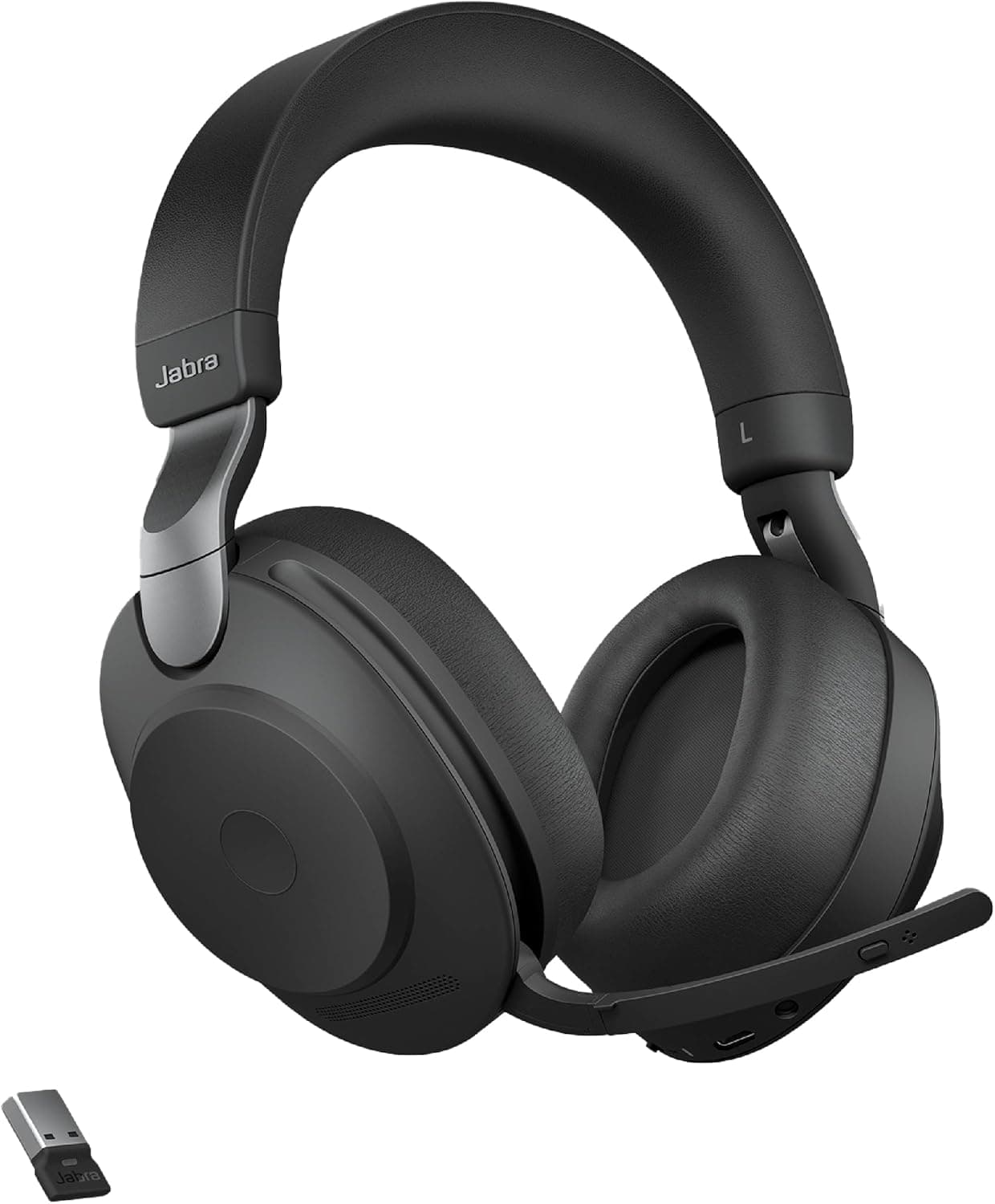
The Jabra Evolve2 85 is the gold standard for professional wireless headsets in 2026. Built from the ground up for remote and hybrid communication professionals, it combines the most powerful ANC system in its category with an eight-microphone beamforming call array that makes your voice sound studio-quality regardless of your environment.
For a complete deep-dive into its performance across every scenario, check out our full best Jabra business headset review.
Key Specs:
Microphone: 8-mic beamforming array
ANC: 10-microphone hybrid ANC system
Battery: 37 hours
Connectivity: Bluetooth 5.0, USB-A dongle
Weight: 340g
Certification: Microsoft Teams, Zoom, Google Meet
Pros:
Eight-microphone beamforming isolates voice with remarkable precision in genuinely noisy environments
Built-in busy light communicates availability to household members during calls
Outstanding 37-hour battery handles a full working week on one charge
Certified for all major video call platforms including Teams, Zoom and Google Meet
Cons:
The most expensive option on this list by a significant margin
Heavier build compared to consumer-grade wireless headsets
Best For: Call-heavy professionals, account managers, customer service leads and anyone whose livelihood depends on delivering consistently excellent call audio.
Price Range: Premium — $380 to $450
👉 Check Latest Price on Amazon

Jabra Evolve2 65: Best Mid-Range Wireless Headset for Calls
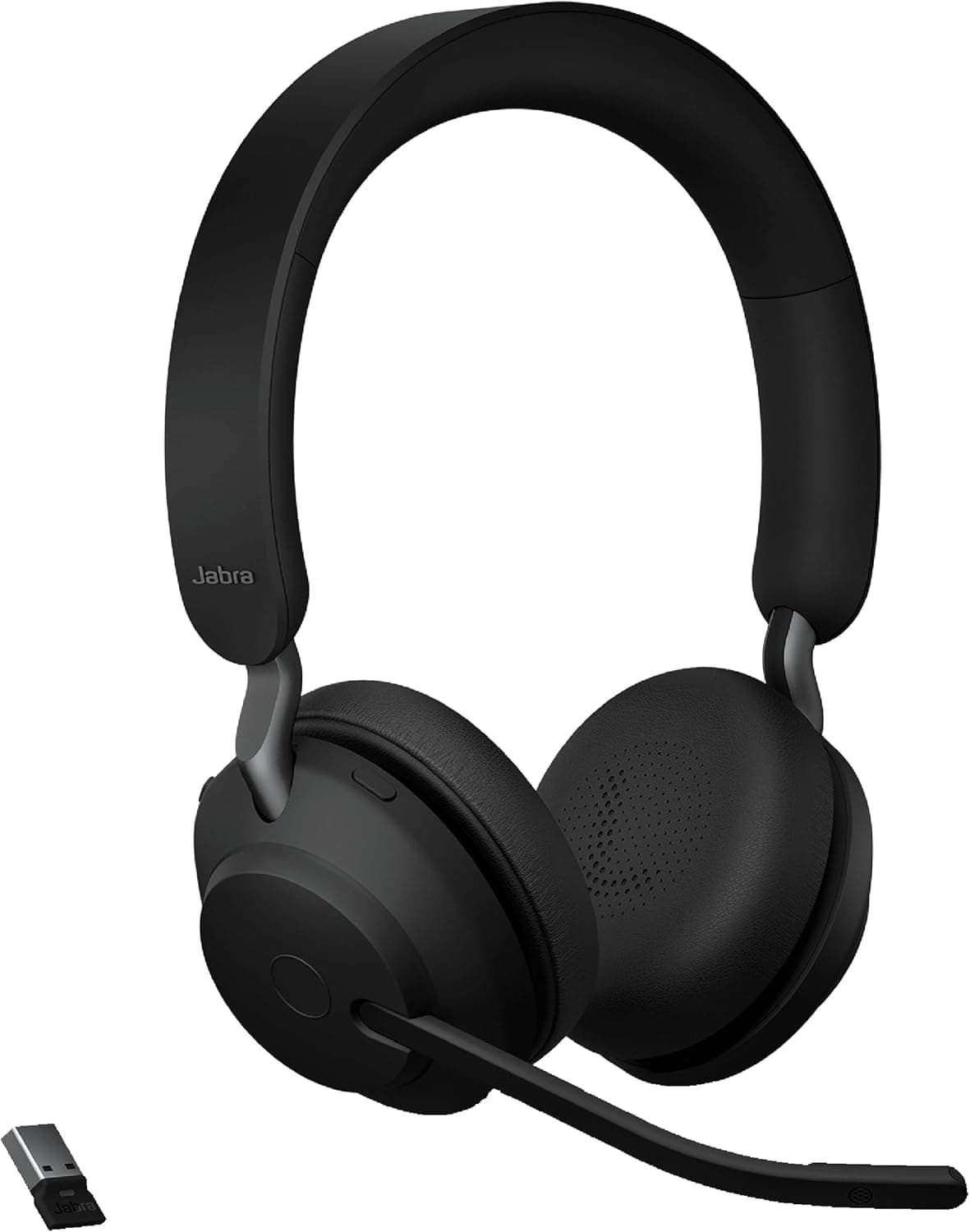
The Jabra Evolve2 65 delivers the core professional headset experience at a price point that is accessible to a much wider range of remote workers. Its three-microphone call technology and 37-hour battery life make it genuinely competitive with headsets at twice its price for most use cases.
Key Specs:
Microphone: 3-mic call technology
ANC: Digital hybrid ANC
Battery: 37 hours
Connectivity: Bluetooth 5.0, USB dongle
Weight: 175g
Certification: Microsoft Teams, Zoom, Google Meet
Pros:
Outstanding 37-hour battery matches its premium sibling at a fraction of the cost
Lightweight 175g build makes it one of the most comfortable options for all-day wear
Three-microphone call technology delivers professional-grade voice clarity
UC certified for all major platforms
Cons:
ANC less powerful than the Evolve2 85 in demanding noise environments
Sound quality for music listening functional rather than exceptional
Best For: Remote workers who need strong call performance and all-week battery life on a mid-range budget.
Price Range: Mid-Range — $130 to $180
👉 Check Latest Price on Amazon

Logitech Zone Wireless: Best Wireless Headset for Microsoft Teams Users
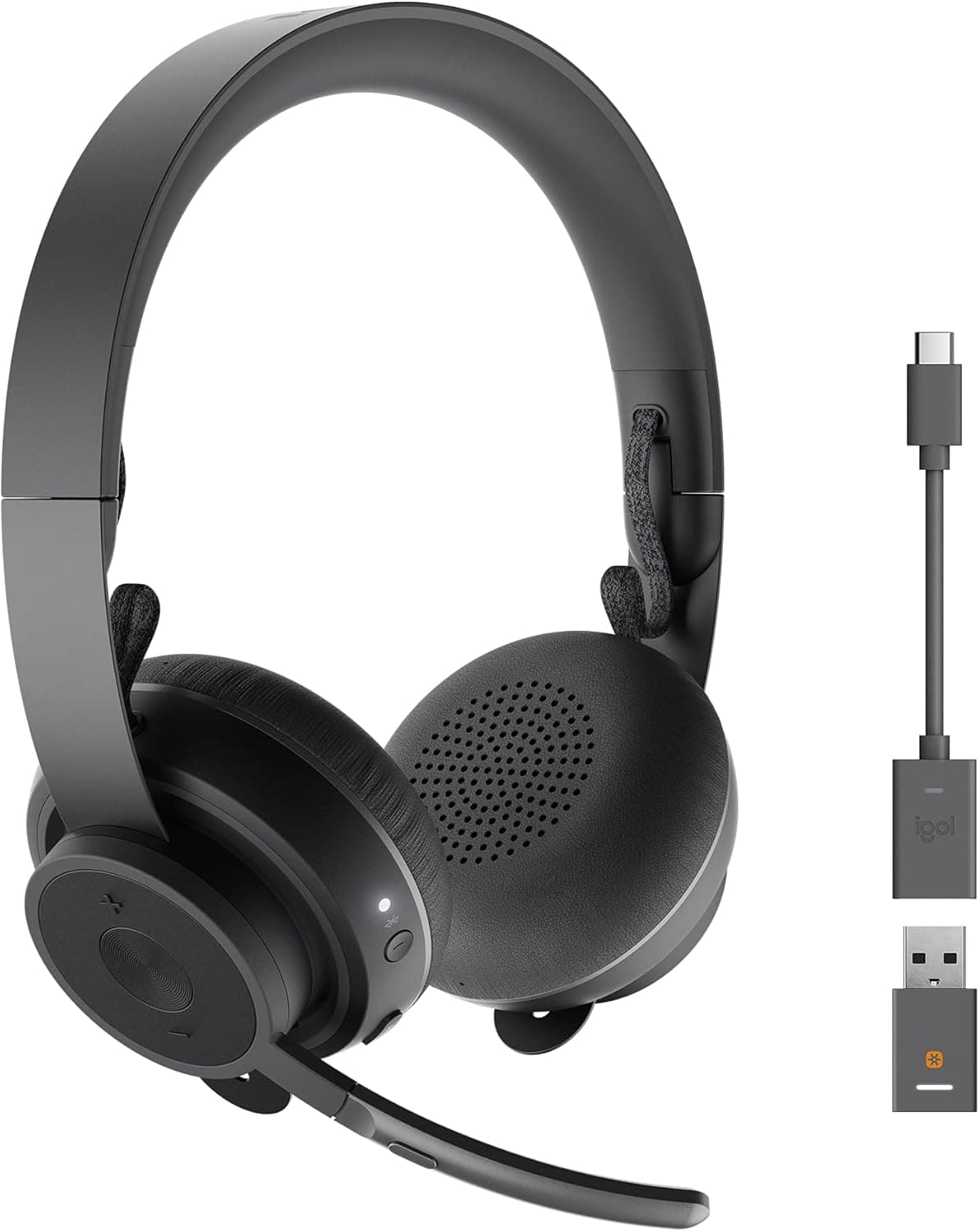
For remote workers whose entire professional life runs through Microsoft 365, the Logitech Zone Wireless delivers native Teams integration that makes every call more efficient. Its dedicated Teams button and certified compatibility turn routine call management tasks into single-button actions.
Key Specs:
Microphone: Noise-canceling boom mic (foldable)
ANC: Active noise cancellation
Battery: 15 hours
Connectivity: Bluetooth, USB receiver
Weight: 260g
Certification: Microsoft Teams, Zoom
Pros:
Dedicated Teams button for one-touch mute, unmute and app control
Foldable boom microphone delivers strong call clarity and folds away neatly
Comfortable build suitable for full workday wear
Native Teams integration reduces context-switching during calls
Cons:
15-hour battery life shortest among premium options on this list
Sound quality for music below Sony and Bose at comparable price points
Best For: Microsoft 365 power users who want seamless Teams integration with strong call microphone performance.
Price Range: Mid-Range — $100 to $150
👉 Check Latest Price on Amazon

Poly Voyager Focus 2: Best Wireless Headset for Call Centers
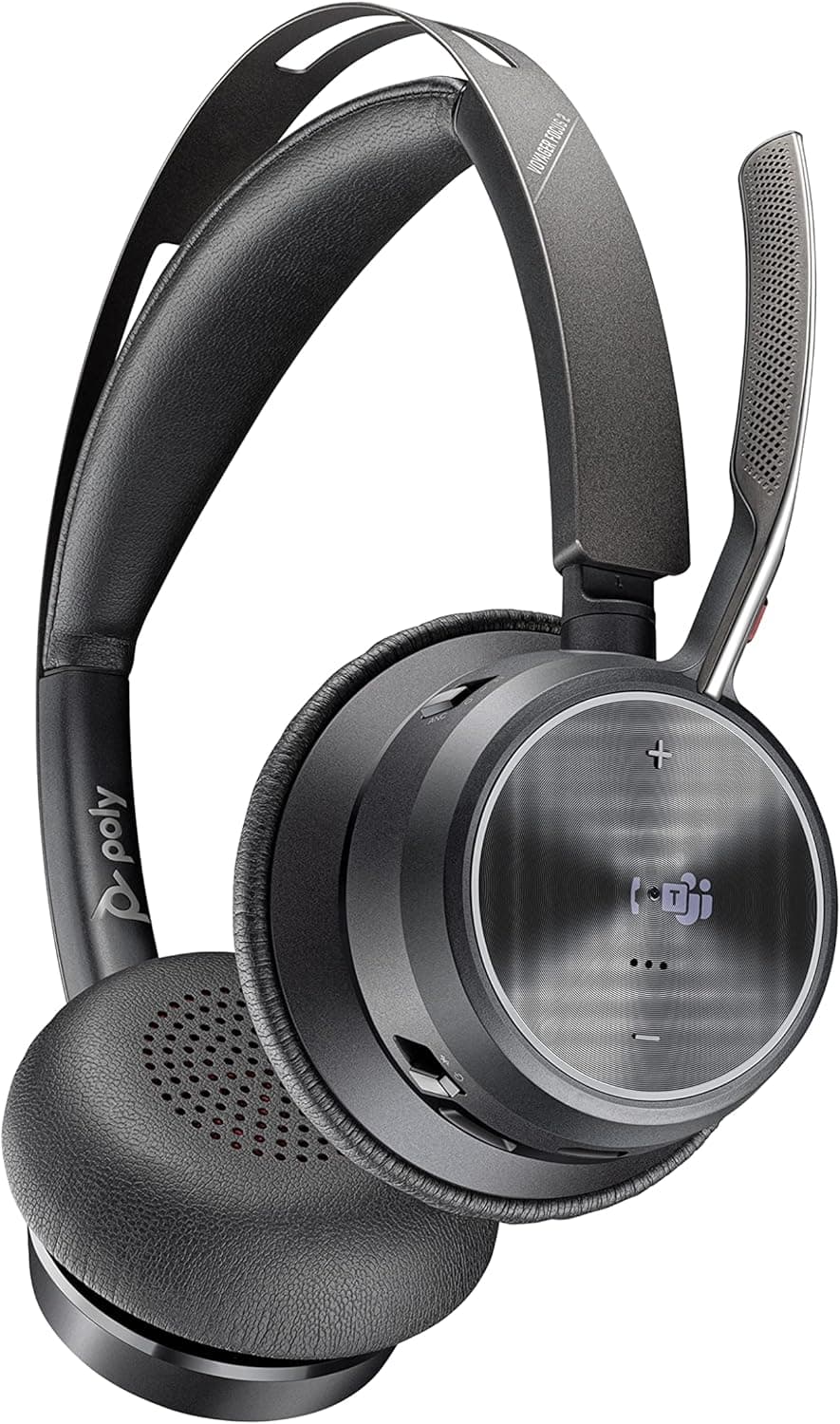
The Poly Voyager Focus 2 is engineered specifically for high-volume call environments. Its three-microphone boom arm delivers professional voice pickup while its hybrid ANC system ensures you stay focused during long call sessions. It is particularly popular among customer service professionals and call center agents working from home.
Key Specs:
Microphone: 3-mic boom arm
ANC: Hybrid active noise cancellation
Battery: 19 hours
Connectivity: Bluetooth 5.0, USB-A dongle
Weight: 195g
Certification: Microsoft Teams
Pros:
Three-microphone boom arm delivers reliable professional voice clarity
Hybrid ANC handles home office noise effectively during long call sessions
Lightweight build comfortable for extended wear
Strong wireless range up to 30 meters from the USB dongle
Cons:
19-hour battery requires more frequent charging than Jabra options
Teams certification only — no dedicated Zoom or Meet certification
Best For: Home-based call center agents and customer service professionals who need reliable call performance across very long daily call volumes.
Price Range: Mid-Range — $150 to $220
👉 Check Latest Price on Amazon

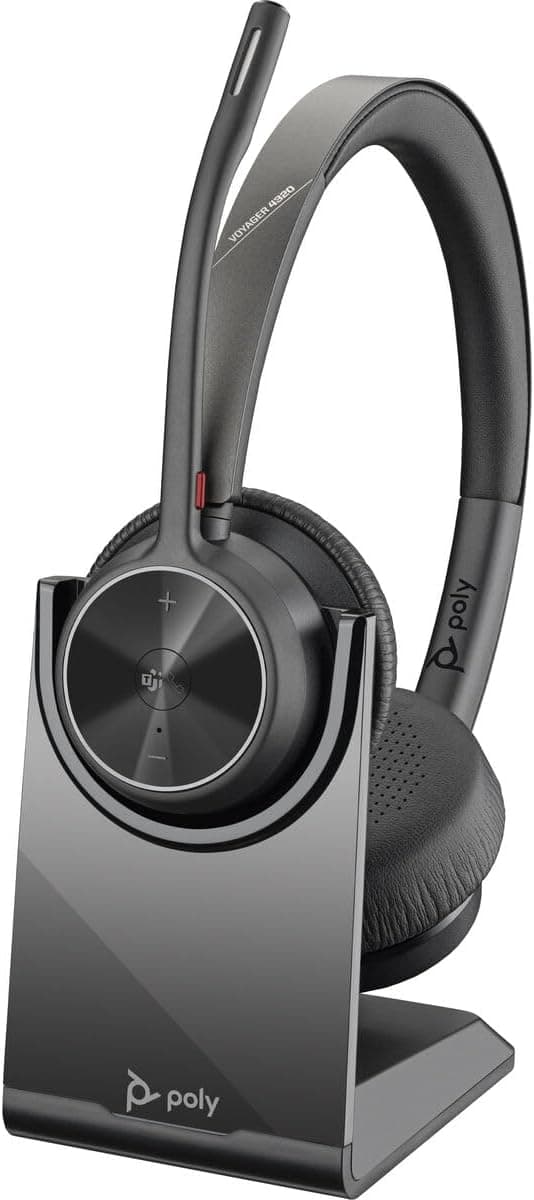
Plantronics Voyager 4320: Best Affordable Professional Wireless Headset
The Plantronics Voyager 4320 — now sold under the Poly brand — represents the sweet spot between professional call performance and accessible pricing. It delivers the core features remote workers need for daily Zoom and Teams calls without the premium headset price tag.
Key Specs:
Microphone: Dual-mic noise canceling
ANC: Passive noise isolation
Battery: 19 hours
Connectivity: Bluetooth 5.2, USB-A dongle
Weight: 166g
Certification: Microsoft Teams, Zoom
Pros:
Dual-microphone noise canceling delivers clear voice pickup in moderately noisy environments
Lightest headset on this list at 166g for exceptional all-day comfort
Teams and Zoom certified for native platform integration
Very competitive price for a certified professional wireless headset
Cons:
Passive isolation only — no active noise cancellation
Microphone quality a step below Jabra options in demanding noise environments
Best For: Remote workers who need a certified professional wireless headset for daily Zoom and Teams calls on a budget-conscious mid-range spend.
Price Range: Mid-Range — $100 to $150
👉 Check Latest Price on Amazon

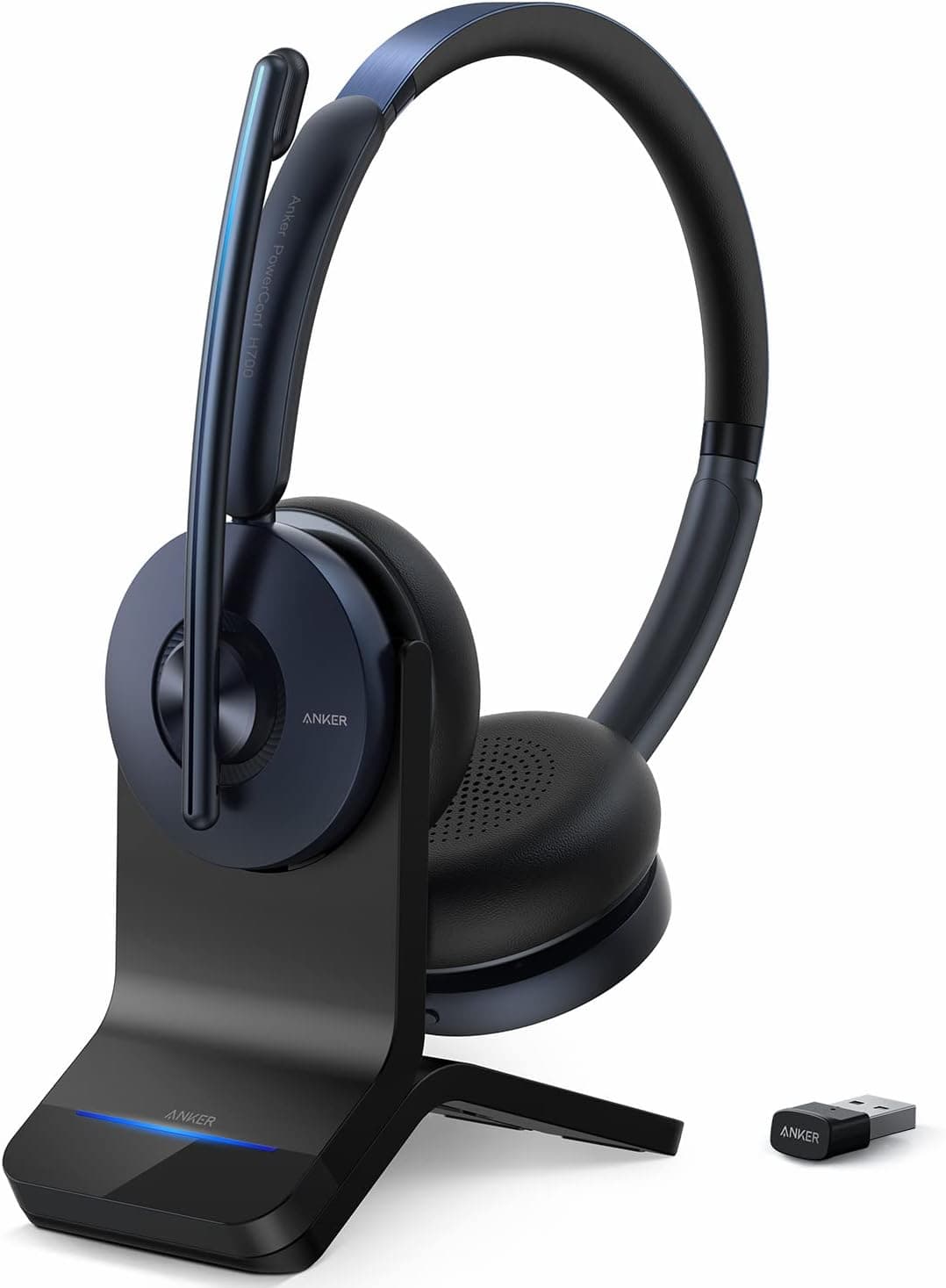
Anker PowerConf H700: Best Budget Wireless Headset for Video Calls
For remote workers who need a reliable wireless headset for video calls without spending more than $80, the Anker PowerConf H700 delivers a surprisingly capable package. Its six-microphone array and 24-hour battery make it the most feature-rich budget option available. If you are specifically hunting for the best budget work headset under $100 that still handles professional calls, start here.
Key Specs:
Microphone: 6-mic array with AI noise reduction
ANC: Hybrid active noise cancellation
Battery: 24 hours
Connectivity: Bluetooth 5.0, USB dongle
Weight: 220g
Certification: Universal (not platform-certified)
Pros:
Six-microphone AI noise reduction delivers impressive call clarity for the price point
24-hour battery outperforms several mid-range options
Hybrid ANC meaningful for a budget category headset
Comfortable build for extended wear
Cons:
No platform certification for Teams or Zoom
AI noise reduction occasionally over-processes voice in certain acoustic environments
Build quality noticeably below premium options
Best For: Budget-conscious remote workers who need effective wireless call performance without platform certification requirements.
Price Range: Budget — $50 to $80
👉 Check Latest Price on Amazon
Platform Compatibility: Zoom vs Teams vs Google Meet
Platform certification matters more than most buyers realize. Here is what each certification level actually delivers.
Microsoft Teams Certified
Teams-certified headsets include a dedicated button that controls muting, call answering and Teams app functions directly from the headset. Call status indicators, volume controls and firmware updates are all managed natively through the Teams interface. For organizations running entirely on Microsoft 365, this level of integration meaningfully reduces friction across dozens of daily calls.
Zoom Certified
Zoom-certified headsets integrate with the Zoom app for direct call controls, mute management and audio optimization. The integration is slightly less deep than Teams certification but still delivers a meaningfully smoother call experience than generic Bluetooth headphones.
Google Meet Compatible
Most professional wireless headsets work seamlessly with Google Meet without specific certification. The Jabra lineup in particular delivers excellent Meet performance through its USB dongle connectivity.
Universal Headsets
Budget options like the Anker PowerConf H700 work with all platforms through standard Bluetooth or USB audio without platform-specific integration features. For users whose calls are spread across multiple platforms or who do not need dedicated button controls, universal compatibility is entirely sufficient.
What to Look for When Buying a Wireless Call Headset
With the reviews covered, here is the practical buying framework that narrows down the right choice for your specific situation.
Call Volume: Light, Moderate, or Heavy?
Light call users fewer than two hours daily can get excellent results from mid-range options like the Plantronics Voyager 4320 or Logitech Zone Wireless. Moderate users spending two to four hours on calls daily will appreciate the Jabra Evolve2 65's combination of strong microphone performance and all-week battery life. Heavy call users spending more than four hours daily on calls should seriously consider the Jabra Evolve2 85, its microphone performance at that call volume justifies the premium.
Single Platform or Multi-Platform?
If your organization runs exclusively on Teams, a Teams-certified headset delivers maximum value. If you jump between Zoom, Teams and Meet throughout the day, a universally compatible headset or one certified for multiple platforms like the Jabra Evolve2 65 is the smarter choice.
Boom Mic or Built-In Array?
Boom microphones consistently outperform built-in mic arrays for call clarity because they position the mic close to your mouth, reducing the distance sound has to travel and improving pickup accuracy. For call-heavy users, a boom mic headset is worth the slightly bulkier form factor.
Wireless Range
Most wireless headsets operate comfortably within 10 meters of their paired device. If you need to move around your home during calls — to the kitchen, another room, or an outdoor space — look for headsets with extended wireless range. The Poly Voyager Focus 2 offers up to 30 meters of wireless range, which is exceptional for home office use.
Multipoint Bluetooth
Staying connected to both your laptop and phone simultaneously prevents missed calls and eliminates the frustration of manual device switching during your workday. Our full guide on how to connect wireless headphones to multiple devices covers every approach for setting up multipoint connections across different headset models.
Setting Up Your Headset for the Best Call Audio
The right headset is the foundation. These setup steps ensure you get maximum performance from whatever you choose.
Position Your Boom Mic Correctly
Place your boom microphone approximately two finger-widths from the corner of your mouth, angled slightly away from the direct path of your breath. This positioning reduces plosive sounds (the harsh P and B sounds that cause audio spikes) and minimizes breath noise while maintaining consistent voice volume.
Mount a Backup Microphone for Critical Calls
For calls where audio quality is non-negotiable, consider pairing your wireless headset with a dedicated USB microphone mounted on a best microphone arm desk setup. The combination of a quality headset for listening and a dedicated desk mic for voice pickup produces call audio that genuinely rivals a professional recording studio setup.
Treat Your Room Acoustics
Your headset microphone picks up not just your voice but the acoustic character of your room. Hard walls and bare floors create echo and reverb that makes your voice sound unprofessional regardless of how good your microphone is. Our comprehensive guide on how to reduce echo and background noise on work calls covers every practical fix from soft furnishing placement to dedicated acoustic treatment.
Manage Your Desk Setup
A tidy desk supports better audio habits. A best headphone holder desk stand keeps your headset protected and properly stored when not in use. When you do need to step away from your desk mid-call, knowing your headset is within immediate reach on a dedicated stand eliminates the frantic searching that leads to missed call starts.
Consider Your Full Audio Environment
Beyond your headset, think about your complete desk audio picture. A best compact soundbar home office gives you speaker audio for times when headset use is not practical. For calls where multiple people in your room need to hear and participate, best studio speaker home office monitors with a dedicated microphone create a more collaborative audio environment than a personal headset allows.
Suppress Keyboard and Background Noise in Software
Even the best headset microphone picks up some keyboard noise and ambient sound. Software-level noise suppression adds a powerful second layer of filtering. This is particularly valuable for eliminating the best mute typing sounds mic interference that mechanical keyboard users experience on calls.
Who Should Buy Which Headset
Buy the Jabra Evolve2 85 if: Calls are the core of your workday, you share your space with others and you need the absolute best microphone performance available in a wireless headset package.
Buy the Jabra Evolve2 65 if: You need professional call quality and all-week battery life on a mid-range budget and your call volume is moderate to heavy.
Buy the Logitech Zone Wireless if: Microsoft Teams is your primary platform and you want native one-touch Teams integration with solid call performance.
Buy the Poly Voyager Focus 2 if: You are a home-based call center agent or customer service professional handling very high daily call volumes who needs reliable professional performance on a mid-range budget.
Buy the Plantronics Voyager 4320 if: You want a certified professional wireless headset for daily Zoom and Teams calls at the most accessible price point among certified options.
Buy the Anker PowerConf H700 if: Your budget is under $80, platform certification is not required and you want the most capable budget wireless headset for video calls available.
Stop letting poor audio undermine your professional reputation. Every headset on this list delivers a meaningfully better call experience than a consumer headphone with a built-in mic. Choose the option that matches your call volume and budget, then check out our guide comparing the best earbuds for work 2026 if you want a lightweight in-ear alternative for lighter call days.
Discloser: This post contains affiliate links. If you purchase through our links, we may earn a small commission at no extra cost to you.

Written by
Jordan Lee
I'm Jordan Lee, a tech reviewer and peripheral enthusiast with 7+ years of hands-on experience evaluating monitors, mechanical keyboards, wireless mice, and audio equipment. With a degree in Computer Engineering, I bring a technical yet practical perspective to every review I write. I don't just benchmark — I actually use these products daily and put them through real work scenarios. When I recommend a monitor, I've checked its color accuracy, refresh rate, and eye strain levels myself. When I suggest a keyboard, I've typed thousands of words on it. My goal is simple: help you find the right gear so you can work smarter, not just spend more.
Written by
Jordan Lee
I'm Jordan Lee, a tech reviewer and peripheral enthusiast with 7+ years of hands-on experience evaluating monitors, mechanical keyboards, wireless mice, and audio equipment. With a degree in Computer Engineering, I bring a technical yet practical perspective to every review I write. I don't just benchmark — I actually use these products daily and put them through real work scenarios. When I recommend a monitor, I've checked its color accuracy, refresh rate, and eye strain levels myself. When I suggest a keyboard, I've typed thousands of words on it. My goal is simple: help you find the right gear so you can work smarter, not just spend more.

