Best 49-inch Super Ultrawide Monitor in 2026: Is It Actually Worth It?
We tested and ranked the best 49-inch super ultrawide monitors in 2026 and give you the honest breakdown on whether the format is worth it. This guide covers Samsung, Dell and LG options for home office, gaming and professional creative work at every price point.
Our Top Picks
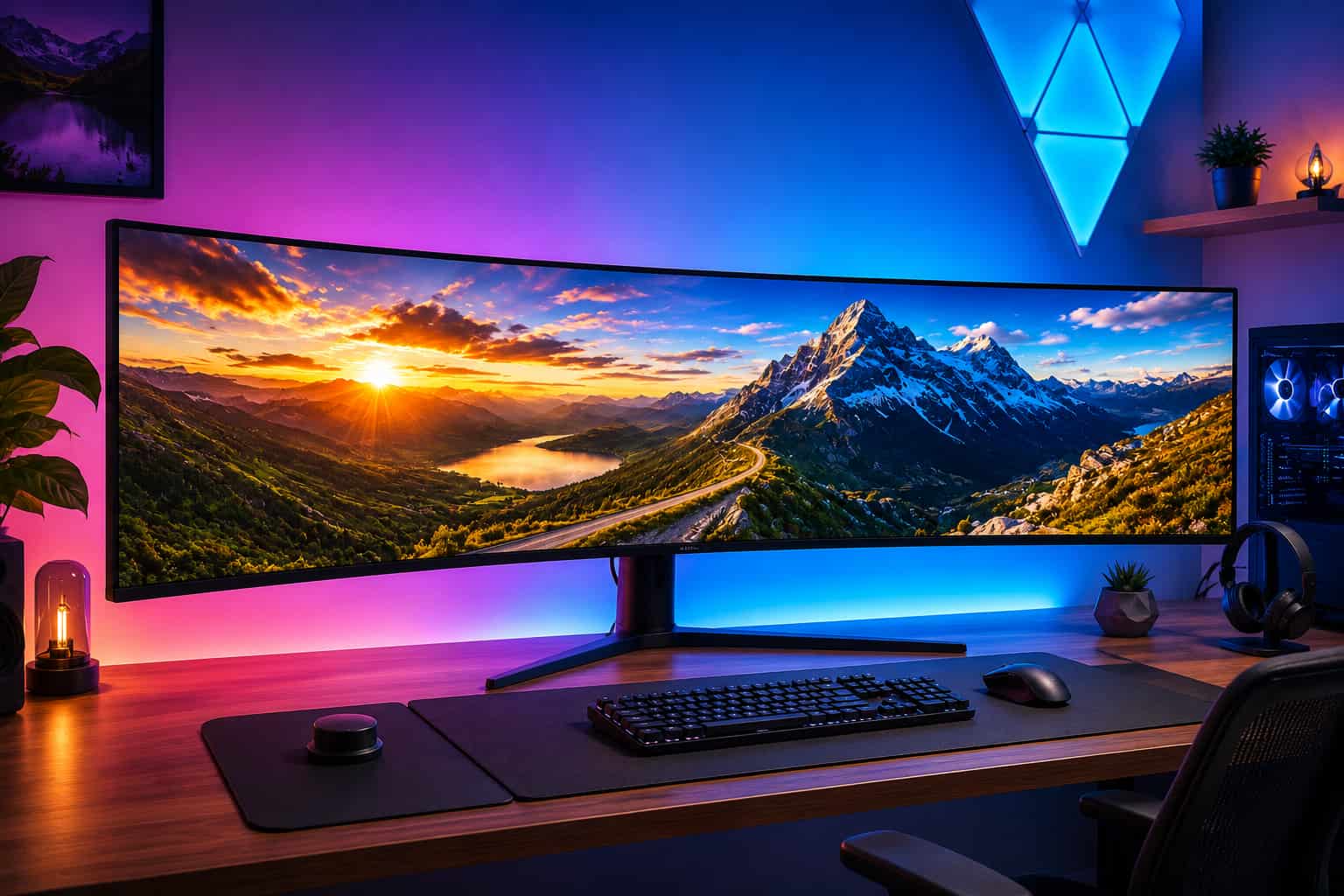
The 49-inch super ultrawide is the most extreme mainstream monitor format available. It is wider than two 27-inch monitors placed side by side, curves around your field of view and delivers a desktop experience that genuinely has to be seen in person to fully appreciate.
It is also a monitor that a significant number of buyers regret purchasing. Not because it is bad, but because they bought it without understanding what the format actually demands from a desk, a GPU and a daily workflow.
This guide covers the best 49-inch super ultrawide monitors available right now, gives you an honest assessment of whether the format is right for you before you spend $600 to $1,500 and explains exactly what to expect if you decide to make the jump.
Quick Picks: Best 49-inch Super Ultrawide Monitors
Best Overall: Samsung Odyssey G9 (G95SC) — Check price on Amazon
Best for Home Office: Dell U4924DW — Check price on Amazon
Best Budget Super Ultrawide: LG 49WL95C-W — Check price on Amazon
Best for Gaming: Samsung Odyssey Neo G9 — Check price on Amazon
Best Flat Super Ultrawide: LG 49WQ95C-W — Check price on Amazon
How We Tested These Monitors
Testing 49-inch super ultrawide monitors requires evaluating them across scenarios that standard monitor testing does not cover.
We assessed each monitor in real desk environments with varying depths to understand the minimum desk requirements for comfortable use. We measured the effective viewing angles at the edges of each panel from a standard seated position to evaluate how much head movement each monitor requires during normal use.
Application compatibility was tested across productivity software, creative tools, development environments and video conferencing platforms to identify which applications handle the 32:9 aspect ratio well and which require workarounds or manual window management.
Gaming performance was evaluated on titles with native 32:9 support and on titles that do not support the format to understand how well each monitor handles unsupported content. We measured input lag, response time and the effectiveness of adaptive sync implementations across multiple GPU configurations.
Panel quality was assessed using a colorimeter for color accuracy and gamut coverage measurements and with a high-speed camera for response time verification against manufacturer claims.
Is a 49-inch Super Ultrawide Actually Worth It?
This question deserves a direct answer before you read any further.
A 49-inch super ultrawide is worth it if you genuinely use multiple applications simultaneously throughout your workday, have a desk that is at least 60 inches wide and 30 inches deep, own a GPU capable of driving the resolution and work primarily in software that handles 32:9 well.
It is not worth it if you primarily use one application at a time, have a standard desk with limited depth, own an older or mid-range GPU, or work heavily in enterprise software that does not support ultrawide aspect ratios.
The format is extraordinary for the right person and genuinely problematic for the wrong one. The rest of this guide helps you figure out which category you fall into before spending the money.
What to Know Before Buying a 49-inch Super Ultrawide
The Resolution You Are Actually Getting
Most 49-inch super ultrawides run at 5120x1440 resolution. This is the equivalent of two 2560x1440 monitors placed side by side. At 49 inches, this produces a pixel density of around 109 pixels per inch, which is similar to a 27-inch 1440p monitor and delivers sharp, comfortable text rendering.
Some premium models including the Samsung Odyssey Neo G9 run at 7680x2160 resolution, which is the equivalent of two 4K monitors side by side. The pixel density at this resolution on a 49-inch panel reaches around 163 pixels per inch, which is genuinely Retina-quality and represents a substantial visual upgrade over standard 5120x1440 panels.
The GPU requirements between these two resolutions are dramatically different, which is the most important practical consideration when choosing between them.
GPU Requirements: This Is Critical
Driving a 49-inch super ultrawide puts significant demands on your GPU, especially at higher refresh rates.
At 5120x1440 resolution targeting 60Hz, a mid-range GPU like an RTX 3060 or RX 6600 handles productivity work and moderate gaming adequately. At 120Hz or 144Hz in demanding games at this resolution, an RTX 3080 or RX 6800 XT class GPU is the minimum for a smooth experience.
At 7680x2160 resolution on the Neo G9, even a high-end RTX 4090 struggles to push high frame rates in demanding modern games. For productivity work at this resolution, a mid-range current-generation GPU handles it adequately, but gaming at native resolution requires serious hardware investment.
Before buying any super ultrawide monitor, verify that your current GPU can drive it at the resolution and refresh rate you intend to use. Running a super ultrawide at below its native resolution because your GPU cannot keep up produces a worse visual result than simply using a standard monitor at native resolution.
Desk Requirements
A 49-inch super ultrawide monitor is approximately 44 to 47 inches wide physically. For comfortable use, you need to sit far enough away that the edges of the screen are within comfortable viewing range without excessive head movement.
Most ergonomic recommendations suggest sitting 30 to 40 inches from a 49-inch super ultrawide. At this distance, a desk depth of at least 30 inches is necessary to position the monitor correctly. A standard office desk that is 24 inches deep is too shallow for comfortable use with this monitor format.
The monitor also needs a stand or arm rated for its weight. 49-inch monitors weigh significantly more than standard displays and not all monitor arms are rated for the weight and width. Before purchasing a monitor arm for a super ultrawide, verify the arm's weight capacity and width rating specifically.
Application Compatibility at 32:9
This is the most frequently overlooked consideration when buying a super ultrawide monitor. Not every application handles 32:9 well.
Most modern productivity tools including Microsoft Office, Google Workspace, web browsers, Slack and Zoom work correctly. They either display at the full width or allow you to resize windows to whatever layout suits you.
Video conferencing tools including Zoom and Microsoft Teams work fine for daily calls but sharing your screen during a call shows the full 32:9 desktop to other participants, which can look very wide on their standard monitors. Sharing a specific window rather than the full desktop addresses this.
Gaming compatibility varies significantly. Many modern single-player and open-world games support 32:9 natively with an extended field of view. Competitive multiplayer games including CS2, Valorant and many battle royale titles cap the aspect ratio at 21:9 or 16:9, displaying black bars on the sides of a super ultrawide. Always check 32:9 game compatibility for your most-played titles before purchasing.
Some enterprise software, proprietary business tools and older applications stretch incorrectly across 32:9 resolution or display at a fixed width in the center with empty space on the sides. If your work relies on specific business software, test compatibility before buying.
What to Look for in a 49-inch Super Ultrawide Monitor
Panel Type: VA vs IPS at This Size
Most 49-inch super ultrawide monitors use VA panels. The deep contrast and rich blacks that VA delivers suit the immersive, wide-format experience that this monitor category is designed for. Dark scenes in games, moody cinematic content and interfaces set to dark mode all benefit from the higher contrast ratio that VA provides.
IPS super ultrawides do exist, including the Dell U4924DW on this list and offer better color accuracy and wider viewing angles. The trade-off is the lower contrast ratio characteristic of IPS technology.
For mixed home office and gaming use, VA is the more common and generally preferred choice. For professional creative work where color accuracy matters more than contrast, IPS is worth seeking out.
Refresh Rate
49-inch super ultrawides are available at 60Hz, 120Hz and 144Hz refresh rates. For home office use, 60Hz is sufficient. For gaming, 120Hz or higher makes a meaningful difference to smoothness and competitive performance.
Higher refresh rates at 5120x1440 require significantly more GPU bandwidth than at standard resolutions. Ensure your GPU can drive your chosen refresh rate at the monitor's native resolution before prioritizing a high refresh rate model.
Curved vs Flat
Almost all 49-inch super ultrawide monitors are curved. At this screen width, a curve is practically necessary to keep the edges of the panel at a comfortable viewing distance. A flat 49-inch panel would require sitting so far back that the center of the screen would appear small and the overall experience would feel disconnected.
The most common curve radii for super ultrawides are 1800R and 1000R. An 1800R curve is subtler and suits users who prioritize a natural feel for productivity work. A 1000R curve is more dramatic and creates the most immersive gaming experience. Most home office users prefer 1800R for the balance it strikes between immersion and practicality.
KVM Switch
A KVM switch built into the monitor is particularly valuable in a super ultrawide home office setup. The wide format makes it especially tempting to connect two computers and divide the screen between them, with one computer driving the left half and the other driving the right half. A built-in KVM switch makes switching keyboard and mouse control between the two machines seamless.
Several monitors on this list include this feature. For home office users who run a work computer alongside a personal machine, prioritizing a model with a built-in KVM switch is worth the price consideration.
The Best 49-inch Super Ultrawide Monitors
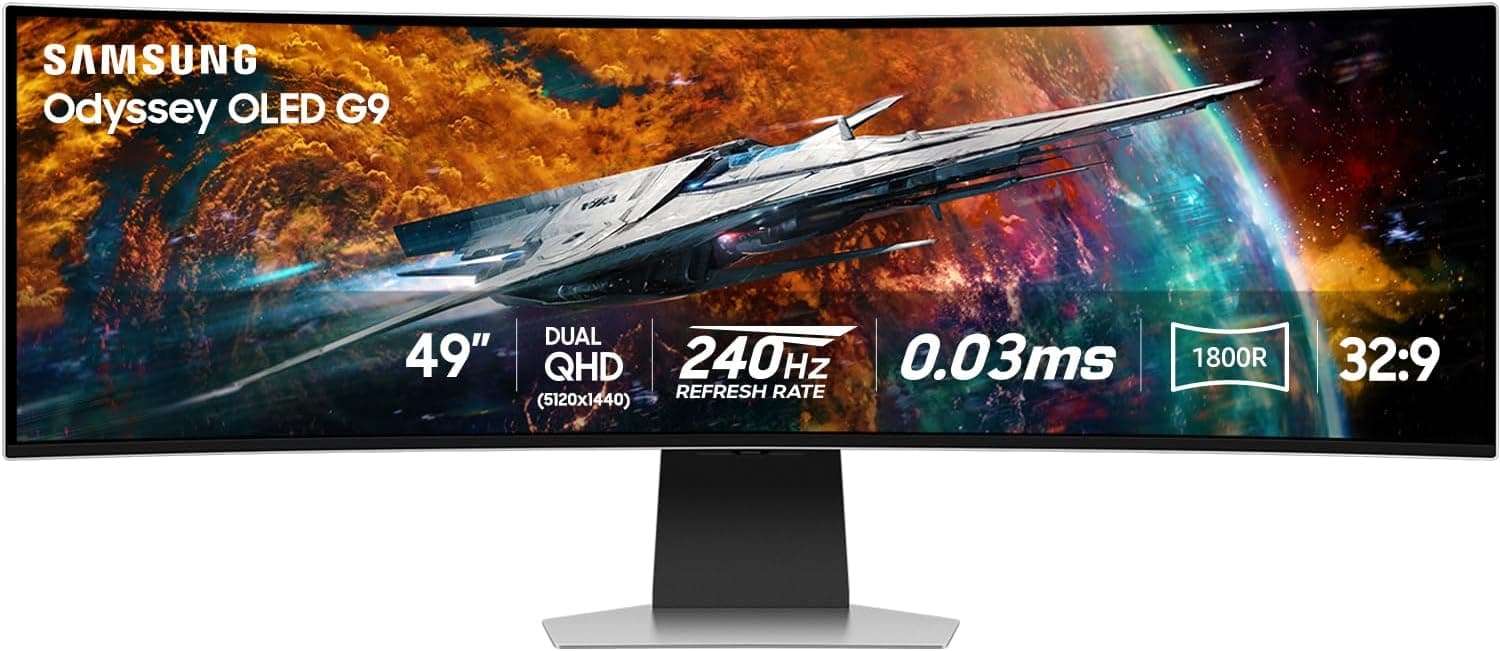
1. Samsung Odyssey G9 G95SC — Best Overall Super Ultrawide

Quick Specs
Feature | Detail |
Screen size | 49 inches |
Resolution | 5120x1440 |
Panel type | VA (Quantum Mini LED) |
Refresh rate | 240Hz |
Response time | 1ms GtG |
Adaptive sync | FreeSync Premium Pro, G-Sync Compatible |
Connectivity | DisplayPort 1.4, 2x HDMI 2.1, 2x USB-A, USB-B |
Curve | 1000R |
VESA | 100x100mm |
HDR | DisplayHDR 1000 |
The Samsung Odyssey G9 G95SC is the best all-around 49-inch super ultrawide available in 2026 for users who want a monitor that handles both serious gaming and daily productivity work at the highest performance level.
The Quantum Mini LED backlight with DisplayHDR 1000 certification is the feature that genuinely separates this monitor from everything below it on this list. Mini LED backlighting uses thousands of small LED zones rather than a handful of large zones, which allows dramatically more precise local dimming. The result is HDR content that looks genuinely impressive rather than the mediocre HDR experience most monitors deliver. Bright highlights in supported games and video content pop against truly dark backgrounds in a way that standard LED monitors cannot match.
The 240Hz refresh rate at 5120x1440 is the highest available in the super ultrawide category and makes competitive gaming on this format genuinely viable. Combined with the 1ms GtG response time and FreeSync Premium Pro with G-Sync Compatible certification, gaming performance is as capable as this format allows.
The 1000R curve is the most aggressive available in this category. At 49 inches, this curve creates an experience that wraps around your peripheral vision more completely than any other monitor format. For gaming, the immersion is extraordinary. For productivity work, the curve takes some adjustment but most users adapt within a week.
For home office use specifically, the 240Hz refresh rate is far beyond what productivity work requires. The value of this monitor for office users lies primarily in the panel quality, HDR performance and build quality rather than the gaming-focused specifications. Users who primarily work from home and game occasionally may find the Dell U4924DW below a more practical choice.
Pros
Quantum Mini LED with DisplayHDR 1000 delivers genuinely impressive HDR
240Hz at 5120x1440 for the highest gaming performance available
1ms GtG response time
FreeSync Premium Pro with G-Sync Compatible certification
Exceptional build quality and a premium feel
1000R curve creates the most immersive super ultrawide experience available
Cons
Most expensive option on this list
Requires a high-end GPU to take advantage of 240Hz at this resolution
1000R curve may feel too aggressive for users who primarily work in documents
No USB-C connectivity
Built-in stand is difficult to adjust and many users replace it with a monitor arm
Who should buy this: Enthusiast gamers who want the best gaming super ultrawide available and are willing to pay for it and power users who want the highest performance monitor regardless of cost.
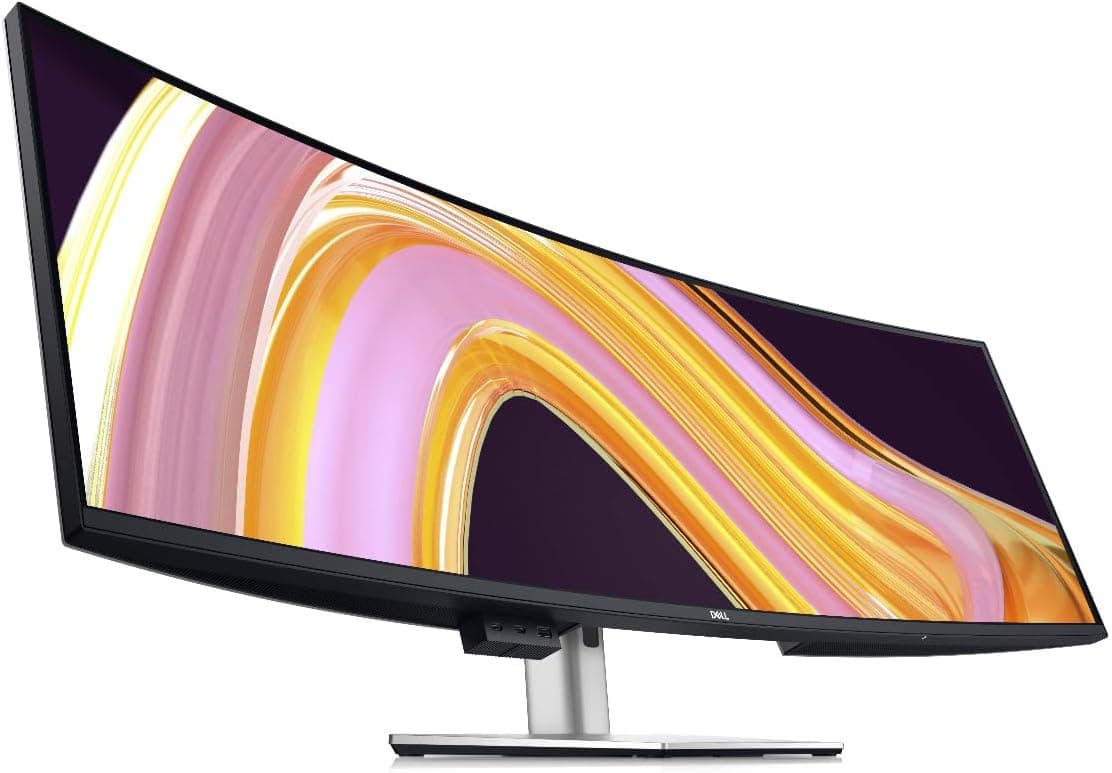
2. Dell U4924DW — Best 49-inch Super Ultrawide for Home Office

Quick Specs
Feature | Detail |
Screen size | 49 inches |
Resolution | 5120x1440 |
Panel type | IPS |
Refresh rate | 60Hz |
Response time | 8ms GtG |
Adaptive sync | No |
Connectivity | Thunderbolt 4, USB-C (90W), 2x HDMI, DisplayPort, RJ45, USB hub, KVM |
Curve | 1800R |
VESA | 100x100mm |
HDR | DisplayHDR 400 |
The Dell U4924DW is the super ultrawide we recommend most confidently for home office users who want the format for productivity rather than gaming. Where the Samsung Odyssey focuses on gaming performance, the Dell focuses entirely on professional usability and delivers a connectivity and feature set that no gaming super ultrawide can match.
Thunderbolt 4 connectivity is a feature that stands alone in the 49-inch super ultrawide category. The full 40Gbps bandwidth enables daisy-chaining to additional displays, high-speed external storage access and seamless MacBook Pro single-cable operation. For professional users who work with large files or need a docking station in their workflow, Thunderbolt 4 at this screen size is a combination that simply does not exist elsewhere.
The built-in KVM switch on the Dell U4924DW is the most capable implementation on this list. It supports Picture-by-Picture mode, which lets you split the 49-inch panel into two sections each driven by a different computer. This effectively gives you two 24.5-inch 2560x1440 workspaces side by side on one seamless panel, each controlled by the same keyboard and mouse. For users who run a work computer alongside a personal machine, this is an extraordinarily clean and functional setup.
The IPS panel delivers factory-calibrated color accuracy that matches the professional standard Dell's UltraSharp line is known for. Delta E below 2 means colors are verified accurate for any color-sensitive work. The 1800R curve is subtle enough to feel natural during document-heavy work without sacrificing the immersive quality the super ultrawide format provides.
The built-in ethernet port, extensive USB hub with downstream Thunderbolt port and 90W USB-C Power Delivery complete a connectivity package that turns this monitor into a comprehensive docking station. A laptop user can connect one Thunderbolt cable and have access to ethernet, USB peripherals, charging and the full 49-inch display simultaneously.
The 60Hz refresh rate and 8ms response time make this monitor unsuitable for serious gaming. It is designed entirely for professional productivity use and should be evaluated on those terms.
Pros
Thunderbolt 4 with daisy-chain support is unique in the super ultrawide category
Built-in KVM with Picture-by-Picture for true dual-computer operation
Factory-calibrated IPS panel with Delta E below 2
Built-in ethernet and comprehensive USB hub
90W USB-C Power Delivery for laptop users
1800R curve suits productivity work without feeling aggressive
Cons
60Hz and 8ms response time make it unsuitable for gaming
Most expensive monitor on this list
IPS contrast ratio trails VA competitors for immersive media consumption
Very heavy and large, requires a substantial desk and strong monitor arm
Who should buy this: Professional home office users who want the most capable super ultrawide for productivity work, particularly those with multiple computers or who need the best connectivity available in this format.
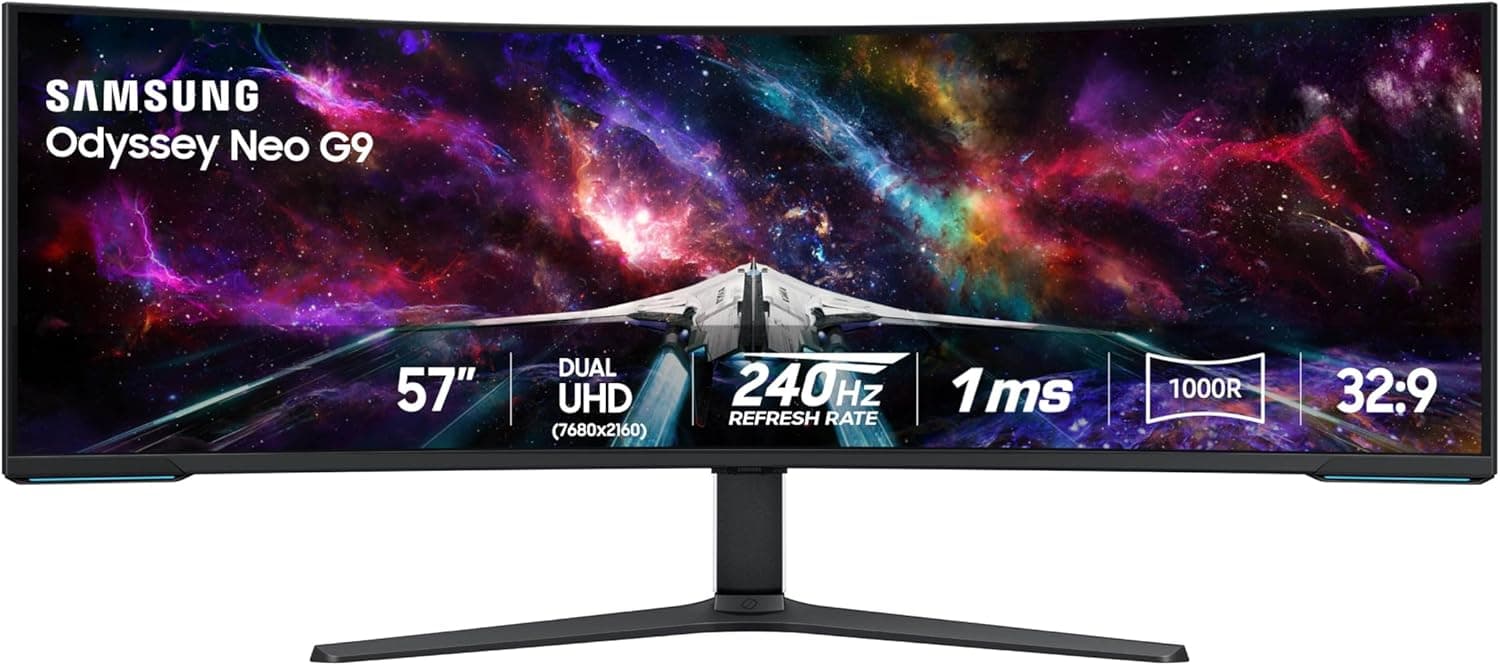
3. Samsung Odyssey Neo G9 — Best Super Ultrawide for Maximum Performance

Quick Specs
Feature | Detail |
Screen size | 57 inches |
Resolution | 7680x2160 (Dual 4K) |
Panel type | VA (Quantum Mini LED) |
Refresh rate | 240Hz |
Response time | 1ms GtG |
Adaptive sync | FreeSync Premium Pro, G-Sync Compatible |
Connectivity | DisplayPort 2.1, 2x HDMI 2.1, 4x USB-A |
Curve | 1000R |
VESA | 100x100mm |
HDR | DisplayHDR 1000 |
The Samsung Odyssey Neo G9 is technically a 57-inch monitor rather than a strict 49-inch, but it belongs in this comparison because it is the direct evolution of the super ultrawide format and the monitor that defines what the category can aspire to.
The 7680x2160 resolution is the specification that sets this monitor apart from everything else on this list. Running at the equivalent of two 4K monitors side by side at 57 inches produces a pixel density of approximately 163 pixels per inch, which is sharp enough for genuinely Retina-quality text rendering. The combination of this resolution with Mini LED local dimming and DisplayHDR 1000 produces a visual experience that no other monitor in any category currently matches.
DisplayPort 2.1 is required to drive 7680x2160 at 240Hz, which means GPU compatibility is limited to the most current generation of high-end graphics cards. An RTX 4090 or RX 7900 XTX is the practical minimum for gaming at native resolution at high frame rates. For productivity work at this resolution, current mid-range GPUs handle it adequately.
The practical reality is that this monitor is an aspirational purchase for most home office users. The GPU requirements and cost place it beyond what the majority of buyers can justify. For those who can, the visual experience is genuinely extraordinary.
Pros
7680x2160 resolution delivers genuinely Retina-quality pixel density
Mini LED with DisplayHDR 1000 for extraordinary HDR performance
240Hz for the highest gaming performance available at this resolution
The most visually impressive monitor available at any price
Cons
Requires a top-end GPU for gaming at native resolution
Extremely expensive
57-inch physical size demands a very large desk
Very few current games support 32:9 at 4K resolution natively
Who should buy this: Enthusiasts who want the absolute pinnacle of monitor technology regardless of cost and have the hardware to drive it.
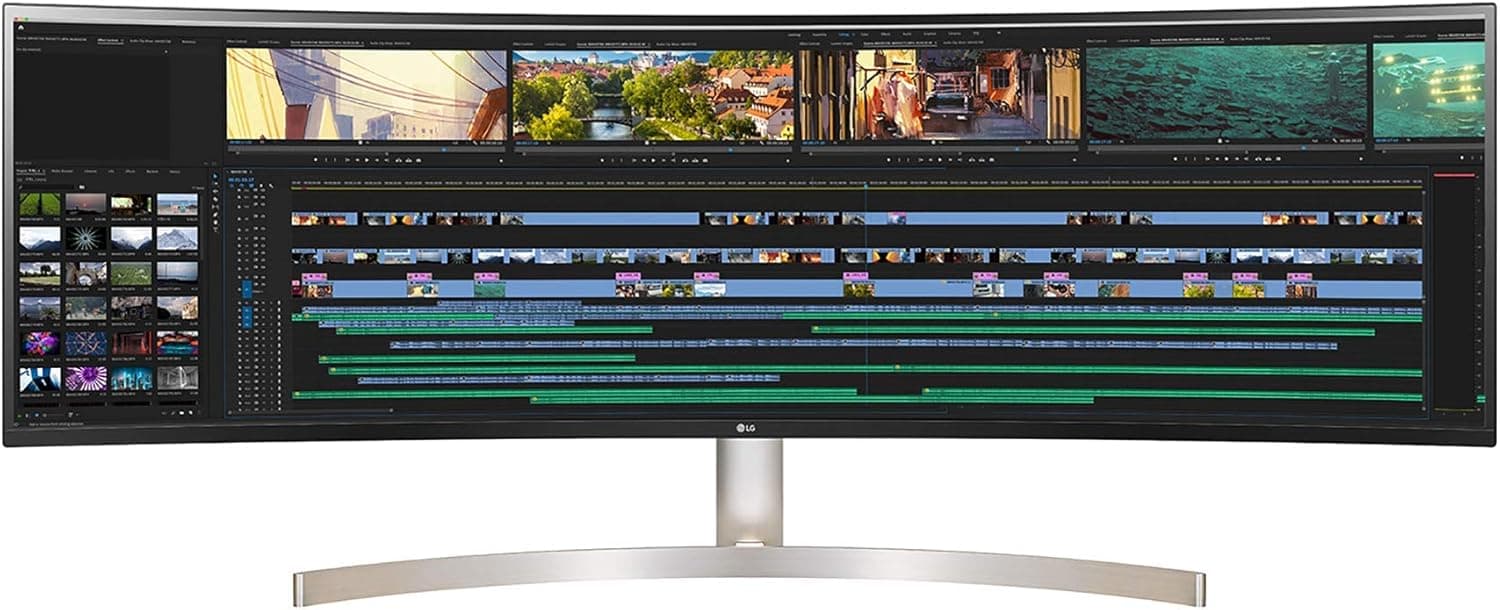
4. LG 49WL95C-W — Best Budget 49-inch Super Ultrawide

Quick Specs
Feature | Detail |
Screen size | 49 inches |
Resolution | 5120x1440 |
Panel type | IPS |
Refresh rate | 60Hz |
Response time | 5ms GtG |
Adaptive sync | AMD FreeSync |
Connectivity | Thunderbolt 3, USB-C (85W), 2x HDMI, DisplayPort, USB hub |
Curve | 3800R |
VESA | 100x100mm |
HDR | HDR10 |
The LG 49WL95C-W is the most accessible entry point into the 49-inch super ultrawide category for home office users. It prioritizes connectivity and productivity features over gaming performance, which makes it a sensible choice for buyers who want the format primarily for work.
Thunderbolt 3 connectivity with 85W USB-C Power Delivery handles MacBook Pro and most USB-C laptops with single-cable operation. For home office users who connect a laptop, the Thunderbolt port combined with the built-in USB hub provides a comprehensive desk docking experience.
The 3800R curve is the most subtle on this list and at 49 inches it barely registers as a curve during normal use. This is intentional. LG designed this monitor for productivity users who want the wide format without the aggressive curve that gaming-focused alternatives use. The result feels more like a very wide flat monitor than the immersive wrap-around experience of the Samsung Odyssey.
The IPS panel delivers accurate colors and wide viewing angles that suit color-sensitive work. Combined with the Thunderbolt connectivity, this monitor is a practical productivity tool at a price that is significantly more accessible than the Dell U4924DW above.
The main limitations are the 60Hz refresh rate and the absence of a built-in KVM switch, which means users with multiple computers need an external KVM solution.
Pros
Most affordable super ultrawide with Thunderbolt connectivity
IPS panel with accurate colors for productivity work
85W USB-C Power Delivery for laptop users
Subtle 3800R curve suits productivity work
Built-in USB hub for peripheral connectivity
Cons
No built-in KVM switch
60Hz only, not suitable for gaming
85W charging may not fully sustain 16-inch MacBook Pro under load
3800R curve reduces the immersive quality the format can deliver
Who should buy this: Home office users and laptop users who want a budget-accessible super ultrawide with Thunderbolt connectivity primarily for productivity work.
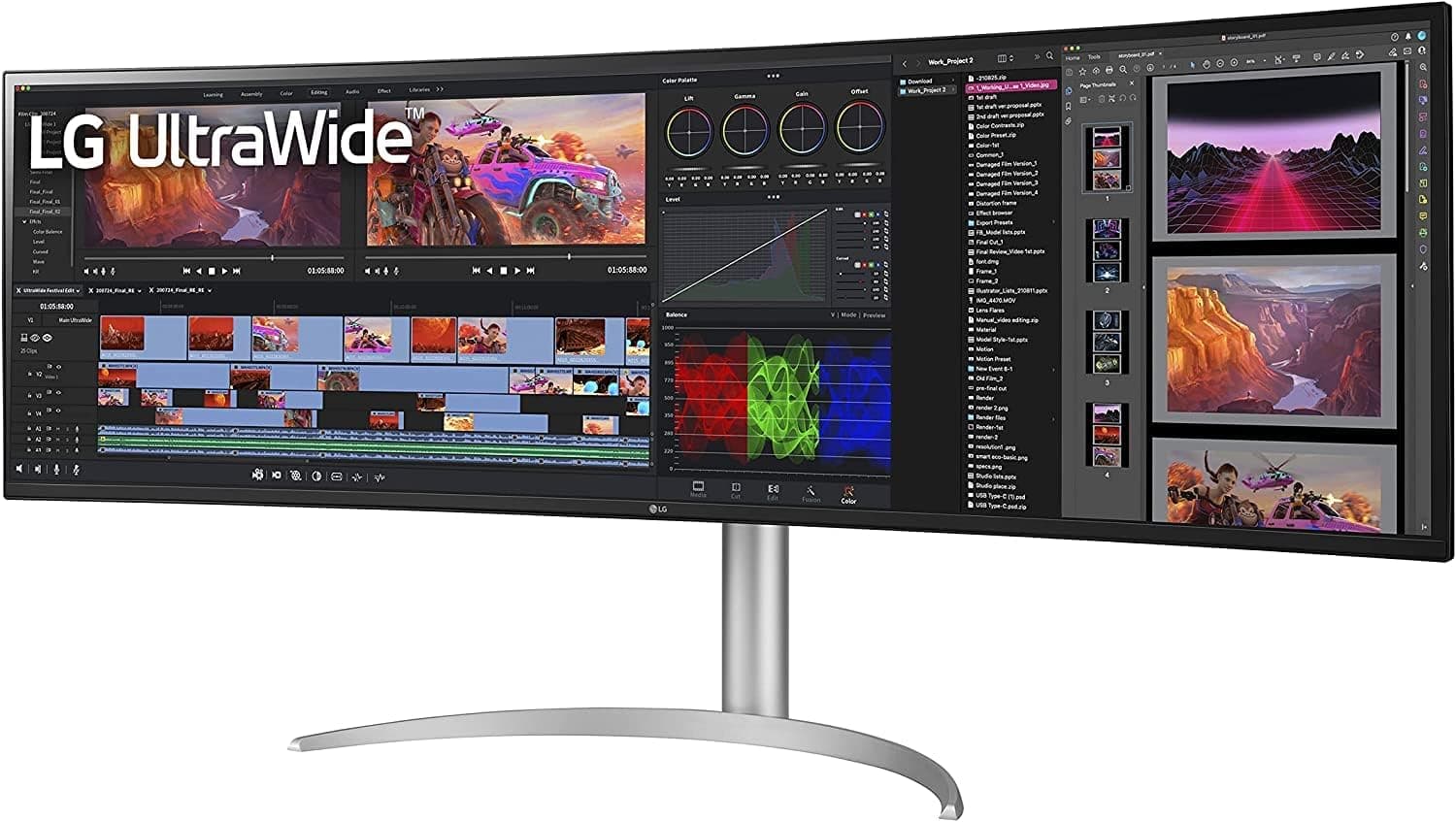
5. LG 49WQ95C-W — Best Flat Super Ultrawide for Professional Work

Quick Specs
Feature | Detail |
Screen size | 49 inches |
Resolution | 5120x1440 |
Panel type | IPS |
Refresh rate | 60Hz |
Response time | 5ms GtG |
Adaptive sync | AMD FreeSync |
Connectivity | Thunderbolt 4, USB-C (96W), 2x HDMI, DisplayPort, RJ45, USB hub |
Curve | Flat |
VESA | 100x100mm |
HDR | HDR10 |
The LG 49WQ95C-W occupies a unique position in the super ultrawide category as one of the very few flat 49-inch monitors available. The completely flat surface is a deliberate design choice that suits professional creative work and color-accurate environments where the edge distortion that curved panels can introduce is undesirable.
Thunderbolt 4 at 96W USB-C Power Delivery is an excellent connectivity package. The built-in ethernet port and comprehensive USB hub complete a docking station experience that handles MacBook Pro single-cable operation seamlessly.
The flat IPS panel is the central reason to choose this monitor over alternatives. For video editors, photographers and designers who use this monitor for color-critical evaluation of wide shots and panoramic images, the flat surface provides a more geometrically accurate representation than any curved alternative.
At 49 inches flat, the experience is noticeably different from a curved super ultrawide. The edges of the panel feel further away and require slightly more head movement to view comfortably compared to a curved alternative at the same size. Most professional users adapt quickly and prefer the flat surface for its accuracy benefits.
Pros
Flat panel is preferred by professional colorists and photographers
Thunderbolt 4 with 96W USB-C charging
Built-in ethernet port
IPS panel with accurate colors and wide viewing angles
Clean professional aesthetic without the gaming-focused design of curved alternatives
Cons
Flat panel at 49 inches requires more head movement than curved alternatives
60Hz only
More expensive than curved alternatives at similar specifications
No built-in KVM switch
Who should buy this: Professional photographers, video editors and designers who want a super ultrawide for color-critical work and specifically require a flat panel surface.
Full Comparison Table
Monitor | Resolution | Panel | Hz | Thunderbolt | USB-C | KVM | Best For |
5120x1440 | VA Mini LED | 240 | No | No | No | Best overall | |
5120x1440 | IPS | 60 | TB4 | 90W | Yes | Home office | |
7680x2160 | VA Mini LED | 240 | No | No | No | Max performance | |
5120x1440 | IPS | 60 | TB3 | 85W | No | Budget pick | |
5120x1440 | IPS | 60 | TB4 | 96W | No | Flat professional |
Who Should Actually Buy a 49-inch Super Ultrawide
After everything covered in this guide, the decision comes down to a few clear categories of buyer.
You should buy a super ultrawide if you run three or more applications simultaneously throughout your workday and constantly feel constrained by your current screen space. If you have a deep desk of at least 30 inches, a GPU that can drive the resolution you are targeting and your primary software handles 32:9 well, this format will transform your daily workflow.
You should consider a standard 34-inch ultrawide instead if your desk is shallow, your GPU is mid-range or older, or you primarily use one or two applications at a time. Our best ultrawide monitor for home office guides covers the best 34-inch options at every price point.
You should consider a dual monitor setup instead if your workflow specifically benefits from independent display positioning or if your primary software does not handle ultrawide aspect ratios well. The full breakdown of this comparison lives in our ultrawide vs dual monitor setup guide.
Related Guides
Best ultrawide monitor for home office
Best ultrawide monitor for gaming under $500
Best ultrawide monitor for video editing
Best ultrawide monitor for MacBook Pro
Ultrawide vs dual monitor setup
Do you actually need an ultrawide monitor?
How to choose the best ultrawide monitor
Best ultrawide monitor deals this month
Our top recommendation for most home office users considering this format is the Dell U4924DW for its professional connectivity and productivity features. For gaming-focused buyers, the Samsung Odyssey G9 G95SC is the strongest overall performer. Check the latest pricing on Amazon below.
Check price on Amazon — Dell U4924DW
Check price on Amazon — Samsung Odyssey G9 G95SC
Check price on Amazon — LG 49WL95C-W
Disclosure: This post contains Amazon affiliate links. If you buy through our links, we may earn a small commission at no extra cost to you.

Written by
Jordan Lee
I'm Jordan Lee, a tech reviewer and peripheral enthusiast with 7+ years of hands-on experience evaluating monitors, mechanical keyboards, wireless mice, and audio equipment. With a degree in Computer Engineering, I bring a technical yet practical perspective to every review I write. I don't just benchmark — I actually use these products daily and put them through real work scenarios. When I recommend a monitor, I've checked its color accuracy, refresh rate, and eye strain levels myself. When I suggest a keyboard, I've typed thousands of words on it. My goal is simple: help you find the right gear so you can work smarter, not just spend more.
Written by
Jordan Lee
I'm Jordan Lee, a tech reviewer and peripheral enthusiast with 7+ years of hands-on experience evaluating monitors, mechanical keyboards, wireless mice, and audio equipment. With a degree in Computer Engineering, I bring a technical yet practical perspective to every review I write. I don't just benchmark — I actually use these products daily and put them through real work scenarios. When I recommend a monitor, I've checked its color accuracy, refresh rate, and eye strain levels myself. When I suggest a keyboard, I've typed thousands of words on it. My goal is simple: help you find the right gear so you can work smarter, not just spend more.