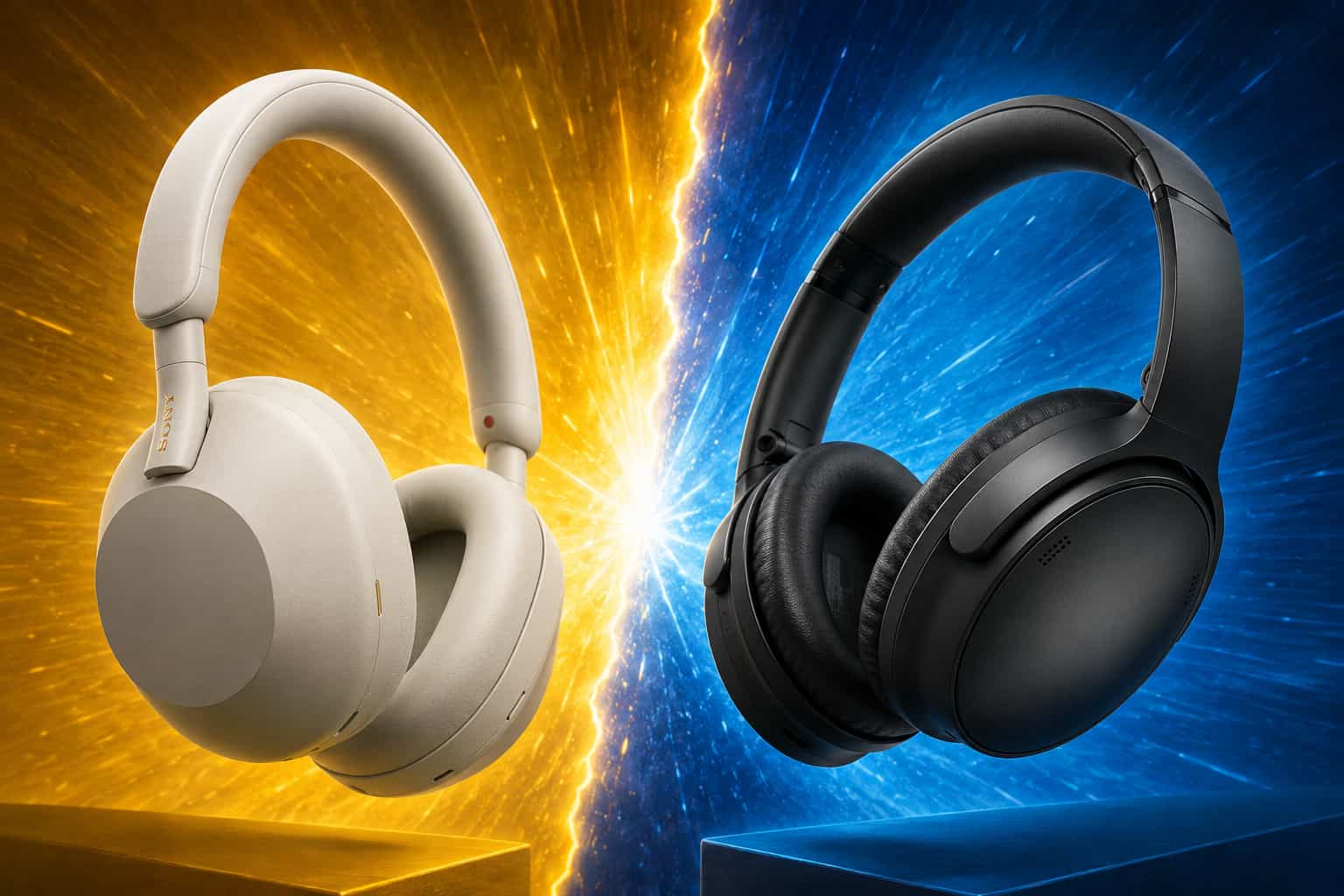
Best Earbuds for Long Work-from-Home Sessions in 2026
Over-ear headphones are not for everyone. This guide covers the best earbuds for working from home in 2026 reviewed for all-day comfort, call clarity, ANC performance and battery life so you can find the perfect in-ear companion for your longest work sessions.

Our Top Picks



Over-ear headphones get most of the attention in home office audio conversations but for millions of remote workers, earbuds are the better choice. They are lighter, more discreet, easier to store and for many people simply more comfortable to wear for extended periods than a full-size headphone clamped over your ears all day.
The challenge is finding earbuds that are genuinely built for work. Most true wireless earbuds are designed for commuting and gym use — short bursts of activity where battery life, sweat resistance and casual listening quality matter most. Long work-from-home sessions demand something different: stable fit for hours of continuous wear, microphone quality good enough for professional calls, reliable ANC for focus work and battery life that outlasts your workday.
This guide covers the best earbuds for working from home in 2026, reviewed specifically for the demands of long remote work sessions.
Why Earbuds Work So Well for Home Office Use
The case for earbuds in a home office setting is stronger than most audio guides acknowledge.
Lightweight for All-Day Wear
True wireless earbuds typically weigh between 5 and 8 grams per earbud. The lightest over-ear headphones weigh 20 to 30 times more. For remote workers who wear audio gear for six to eight hours daily, that weight difference is felt cumulatively across the workday in ways that matter to neck and jaw comfort.
Discreet for Video Calls
On video calls, earbuds are nearly invisible compared to large over-ear headphones. For client-facing professionals, account managers and anyone who wants to maintain a polished appearance on camera, earbuds provide a cleaner visual presentation.
Easier to Transition Between Activities
Remote work involves constant context switching from focused deep work to a quick call to a kitchen coffee break and back. Earbuds transition seamlessly between these activities. They fit in a pocket, stay in during movement around the home and do not require the deliberate on/off process that over-ear headphones do.
More Natural Ear Ventilation
Over-ear headphones create a sealed acoustic environment around your ear that traps heat and causes ear sweat over long sessions. In-ear earbuds allow more natural air circulation around the outer ear, which many users find more comfortable for extended wear.
Best Work-from-Home Earbuds: Quick Comparison
Earbuds | ANC | Call Quality | Battery (buds) | Price Range |
Excellent | Very Good | 8 hrs | Premium ($250-$300) | |
Excellent | Excellent | 6 hrs | Premium ($200-$250) | |
Very Good | Outstanding | 8 hrs | Premium ($300-$380) | |
Excellent | Good | 6 hrs | Premium ($200-$280) | |
Good | Very Good | 9 hrs | Mid-Range ($70-$100) | |
Good | Good | 9 hrs | Budget ($60-$80) |
Full Reviews: Best Earbuds for Long WFH Sessions
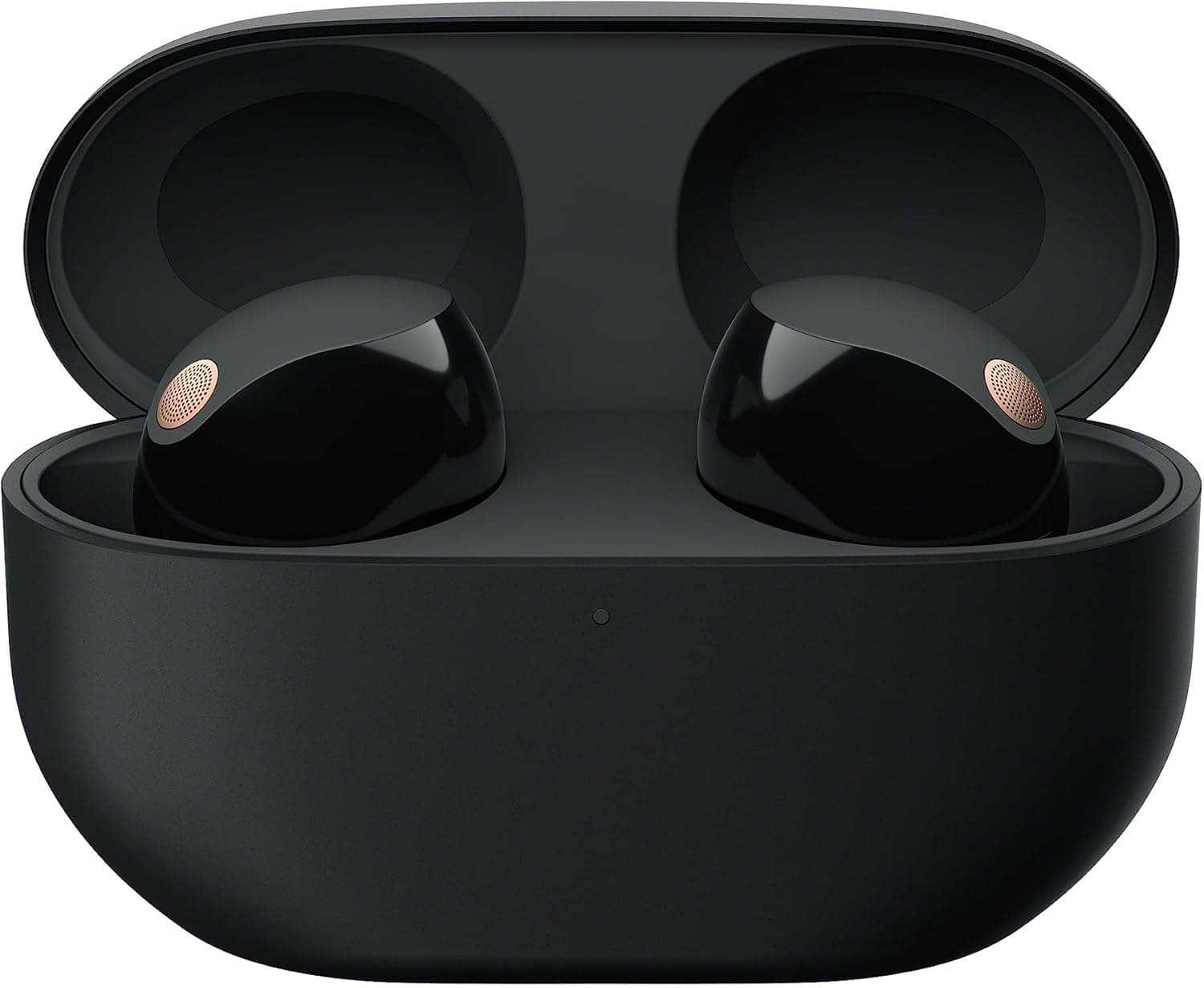
Sony WF-1000XM5: Best Overall Earbuds for Working from Home

The Sony WF-1000XM5 carries the same benchmark ANC reputation as its over-ear sibling into a compact true wireless form factor. For remote workers who want class-leading noise cancellation in an earbud package, no other true wireless option consistently matches it.
Key Specs:
ANC: Integrated Processor QN2e with Auto NC Optimizer
Battery: 8 hours (buds) + 16 hours (case) = 24 hours total
Connectivity: Bluetooth 5.3, multipoint
Weight: 5.9g per earbud
Microphone: Five-mic array for calls
Pros:
Best-in-class ANC for true wireless earbuds consistently eliminates home office background noise
Five-microphone array delivers strong call clarity for an earbud form factor
Multipoint Bluetooth connects laptop and phone simultaneously
Speak-to-Chat automatically pauses audio when you start talking
Cons:
Premium price places it at the top of the earbud budget range
Ear tip fit is critical, poorly fitted tips dramatically reduce ANC effectiveness
Case is larger than some competitors
Best For: Remote workers who want the absolute best ANC in a true wireless earbud for focus work and moderate call use.
Price Range: Premium — $250 to $300
👉👉👉👉 Check Latest Price on Amazon
Apple AirPods Pro 2: Best Earbuds for Apple Ecosystem Users

For remote workers in the Apple ecosystem MacBook, iPhone, iPad, the AirPods Pro 2 deliver a level of seamless integration that no competitor can match. Automatic device switching, native Siri integration and Transparency Mode that sounds genuinely natural make them the most frictionless earbuds available for Apple-focused home offices.
For a detailed head-to-head evaluation of how the AirPods Pro 2 stack up against the Sony WF-1000XM5 specifically for work use, our comparison of AirPods Pro vs Sony WF-1000XM5 covers every category in detail.
Key Specs:
ANC: Adaptive Audio with Transparency and ANC modes
Battery: 6 hours (buds) + 24 hours (case) = 30 hours total
Connectivity: Bluetooth 5.3, Apple H2 chip
Weight: 5.3g per earbud
Microphone: Adaptive beamforming mic array
Pros:
Seamless automatic switching between Apple devices with zero manual intervention
Adaptive Audio dynamically blends ANC and Transparency based on environment
Outstanding call microphone quality for an earbud, best on this list for Apple users
Lightest earbuds on this list at 5.3g per earbud
Cons:
Deep Apple ecosystem lock-in — significantly less functional with Android or Windows
6-hour battery life per charge is below the category average
Higher price for the level of hardware performance outside the Apple ecosystem
Best For: Remote workers fully committed to the Apple ecosystem who want maximum device integration and excellent call quality.
Price Range: Premium — $200 to $250
👉👉👉👉 Check Latest Price on Amazon
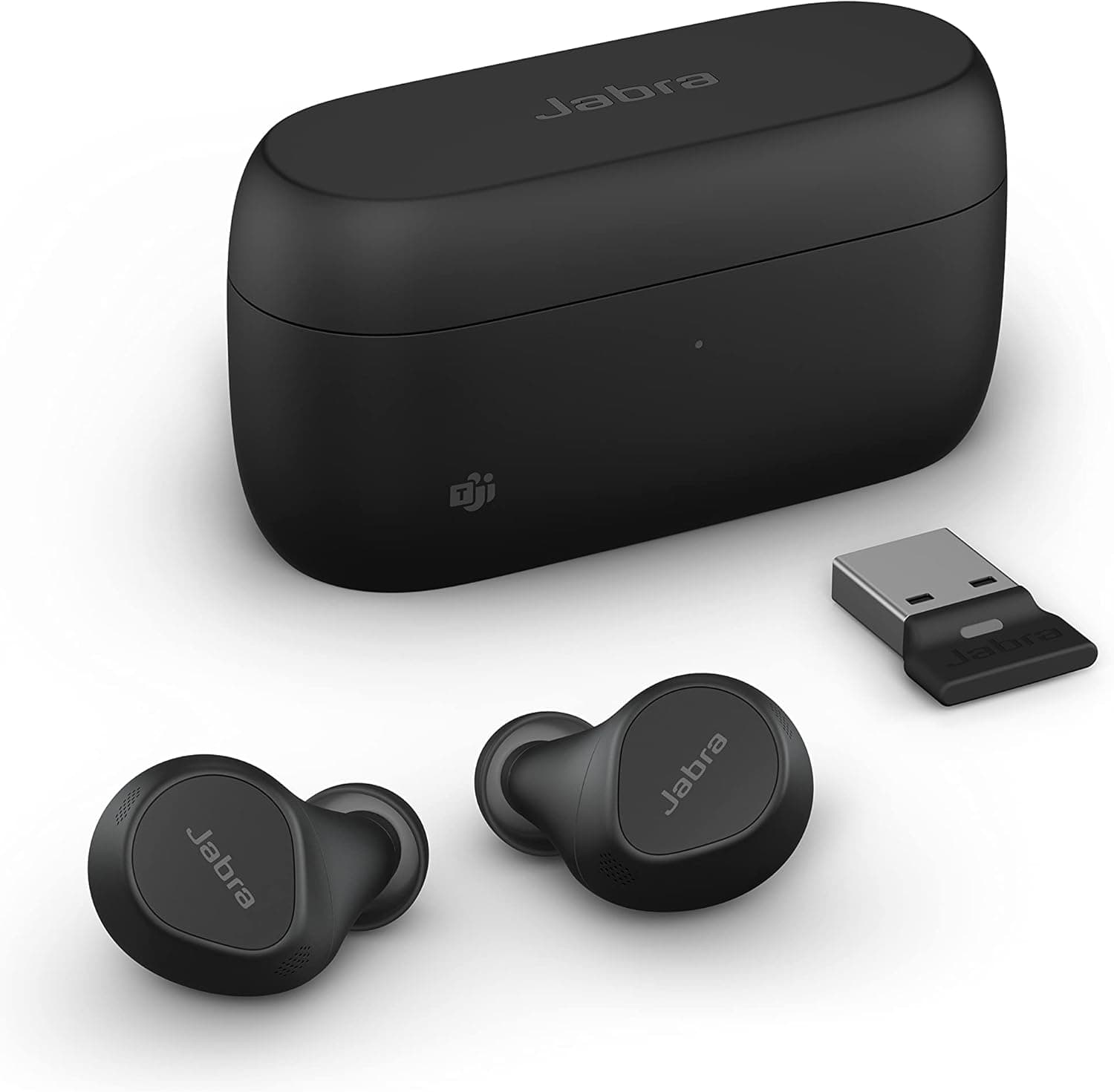
Jabra Evolve2 Buds: Best Professional Earbuds for Call-Heavy Work

The Jabra Evolve2 Buds bring the professional headset engineering philosophy of the Evolve2 85 into a true wireless earbud form factor. For call-heavy remote workers who prefer in-ear audio but need enterprise-grade microphone performance, this is the only professional-grade true wireless option in the market.
Key Specs:
ANC: Advanced Hybrid ANC
Battery: 8 hours (buds) + 20 hours (case) = 28 hours total
Connectivity: Bluetooth 5.2, USB dongle
Weight: 7g per earbud
Microphone: 6-mic call array
Pros:
Six-microphone call array delivers professional-grade voice clarity that outperforms every other earbud on this list for calls
USB dongle provides more reliable wireless connection than standard Bluetooth for call use
UC certified for Teams, Zoom and Google Meet
Built-in busy light signals call availability, a unique feature in earbud form factor
Cons:
Most expensive option on this list
Larger earbud size may not suit smaller ear canals comfortably
Form factor less suited to casual listening than consumer alternatives
Best For: Call center agents, account managers and customer service professionals who need enterprise microphone performance in a true wireless earbud package.
Price Range: Premium — $300 to $380
👉👉👉👉 Check Latest Price on Amazon
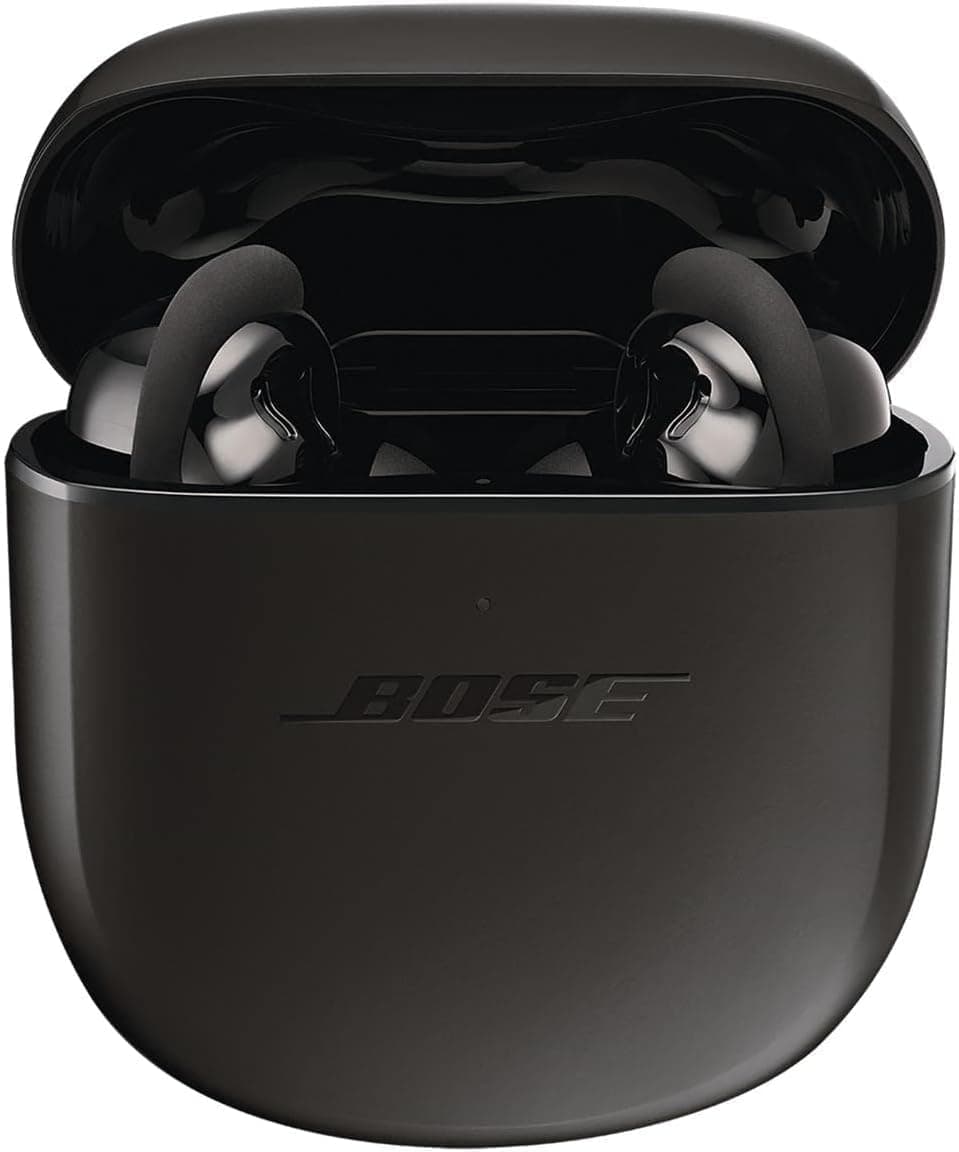
Bose QuietComfort Earbuds II: Best Earbuds for ANC Comfort

Bose applies the same comfort-first philosophy that makes the QuietComfort 45 the most wearable over-ear headphone to its flagship earbud. The QuietComfort Earbuds II deliver exceptional ANC performance in an earbud fit system that Bose designed specifically to be comfortable across ear canal sizes and shapes.
Key Specs:
ANC: CustomTune personal calibration
Battery: 6 hours (buds) + 18 hours (case) = 24 hours total
Connectivity: Bluetooth 5.3, multipoint
Weight: 6.2g per earbud
Microphone: Built-in mic array
Pros:
CustomTune personally calibrates ANC and sound to your specific ear canal shape
StayHear Max ear tips designed for comfortable extended wear across diverse ear shapes
ANC performance rivals the Sony WF-1000XM5 in most home office noise environments
Aware Mode delivers natural ambient sound reproduction
Cons:
6-hour battery life per charge requires mid-day case charging for very long work sessions
Call microphone quality good but below Jabra options for heavy call use
Larger case than most competitors
Best For: Remote workers who prioritize ANC comfort and fit security over raw battery life or call microphone performance.
Price Range: Premium — $200 to $280
👉👉👉👉 Check Latest Price on Amazon
Jabra Elite 4: Best Mid-Range Earbuds for Working from Home

The Jabra Elite 4 represents outstanding value in the mid-range earbud category for work use. Jabra's call audio engineering expertise shows clearly, the Elite 4 delivers call quality that punches significantly above its price point, making it the most sensible choice for budget-conscious remote workers who take regular calls.
Key Specs:
ANC: Hybrid ANC with HearThrough mode
Battery: 9 hours (buds) + 18 hours (case) = 27 hours total
Connectivity: Bluetooth 5.2, multipoint
Weight: 5.6g per earbud
Microphone: 4-mic call array
Pros:
Nine-hour battery life per charge leads the mid-range earbud category
Four-microphone call array delivers Jabra's characteristic voice clarity at a mid-range price
Multipoint Bluetooth connects two devices simultaneously
Lightweight 5.6g per earbud for comfortable extended wear
Cons:
ANC performance a noticeable step below premium options in demanding noise environments
No wireless charging case
Sound quality for music below premium alternatives
Best For: Budget-conscious remote workers who take regular calls, need reliable ANC for focus work and want the best possible call quality under $100.
Price Range: Mid-Range — $70 to $100
👉👉👉👉 Check Latest Price on Amazon
Anker Soundcore Liberty 4: Best Budget Earbuds for Work-from-Home Sessions
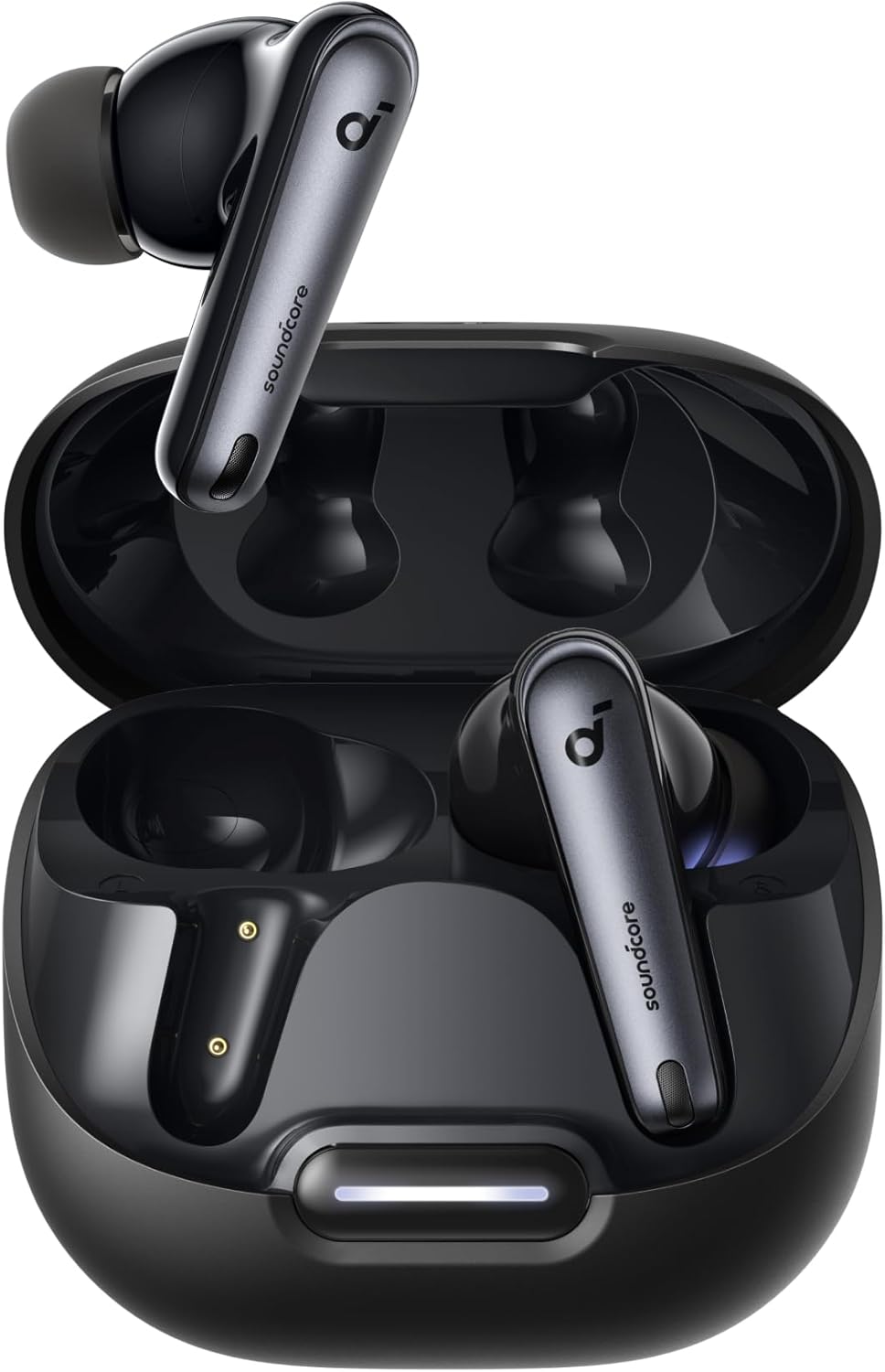
The Anker Soundcore Liberty 4 delivers a surprisingly complete feature set for under $80, making it the most accessible entry point into capable work-from-home earbud audio. For remote workers who want ANC, good call quality and strong battery life without spending more than $80, it is the most sensible starting point. If you are looking for even more affordable options, our roundup of the best wireless earbuds under $50 covers budget picks below this price point.
Key Specs:
ANC: Hybrid ANC with transparency mode
Battery: 9 hours (buds) + 23 hours (case) = 32 hours total
Connectivity: Bluetooth 5.3, multipoint
Weight: 5.5g per earbud
Microphone: 6-mic array
Pros:
Exceptional 32-hour total battery life leads the budget earbud category
Six-microphone array delivers impressive call clarity for the price point
Multipoint Bluetooth and transparency mode at under $80
Lightweight 5.5g per earbud for comfortable extended wear
Cons:
ANC effectiveness below mid-range and premium options in demanding environments
Sound quality lacks the refinement of higher-priced alternatives
Build quality noticeably below premium options on close inspection
Best For: Budget-conscious remote workers who want ANC, solid call quality and excellent battery life at the most accessible price point on this list.
Price Range: Budget — $60 to $80
👉👉👉👉 Check Latest Price on Amazon
Earbuds vs Over-Ear Headphones for Work: Which Is Right for You?
This is a genuinely personal decision that depends on how you work. Here is the honest comparison.
Choose Earbuds If:
You prefer lighter, less physically present audio gear. You are frequently on video calls and want a cleaner on-camera appearance. You move around your home regularly during your workday. You find over-ear headphones uncomfortable after two to three hours. You work in a warm environment where ear heat buildup is a concern.
Choose Over-Ear Headphones If:
You need maximum ANC performance for genuinely demanding noise environments. You prioritize sound quality for music above everything else. You take very few calls and primarily use audio for focus work and listening. You prefer the physical isolation that a sealed over-ear cup provides.
For a detailed breakdown of how different headphone designs affect sound and isolation, our guide on the best headphone sound comparison between closed-back and open-back over-ear designs covers the full spectrum of options available.
What to Look for When Buying Work Earbuds
Ear Tip Fit
Fit is the single most important factor for work earbud performance. A poorly fitting ear tip reduces ANC effectiveness dramatically, causes physical discomfort over long sessions and affects sound quality. Always try multiple ear tip sizes. Most quality earbuds include small, medium and large options. Some include additional XS and XL sizes for a wider range of ear canal sizes.
Call Microphone Quality
Work earbuds need to handle calls. Check independent call quality reviews specifically many earbuds that review well for music listening deliver mediocre call audio. Jabra consistently leads the earbud category for call microphone performance at every price point.
ANC Performance for Focus Work
For home office focus work, ANC depth and consistency matter more than ANC on paper. Look for reviews that test ANC in real home office conditions HVAC noise, household conversation, street traffic rather than just laboratory measurements.
Battery Life Per Charge
Total case battery matters less than per-charge battery life for work use. You wear earbuds for continuous sessions, not in and out of the case throughout the day. Target at least 6 hours of battery life per charge with ANC active for comfortable all-day use without a mid-session recharge.
Multipoint Bluetooth
Staying connected to both your laptop and phone simultaneously is essential for professionals who switch between devices throughout the day. Our guide on how to connect wireless headphones to multiple devices covers the multipoint setup process for earbuds in detail.
Setting Up Your Earbuds for the Best Work Experience
Find the Right Ear Tips
Spend time testing every ear tip size included with your earbuds before settling on the default medium size. The correct tip creates a firm but comfortable seal that locks the earbud in place and activates ANC fully. Most earbuds include a seal check function in their companion app that tells you whether your current tips are creating an adequate seal.
Use Your Companion App
Every premium work earbud on this list includes a companion app. Use it. Companion apps provide EQ customization, ANC level adjustment, firmware updates and call quality settings that meaningfully improve your experience beyond the out-of-box defaults.
Pair with a Dedicated Desk Microphone for Critical Calls
For calls where audio quality is absolutely non-negotiable, consider pairing your earbuds for listening with a dedicated USB microphone mounted on a best microphone arm desk boom arm for voice pickup. This combination earbud for listening, dedicated desk mic for speaking, produces call audio that outperforms any earbud microphone regardless of price.
Address Your Room Acoustics
Even the best earbud microphone picks up your room's acoustic character. Hard surfaces create echo and reverb that makes your voice sound unprofessional on calls. Our guide on how to reduce echo and background noise on work calls covers every practical room treatment step that directly improves earbud microphone call quality.
Manage Keyboard Noise on Calls
Mechanical keyboard noise is a common complaint on earbud-based calls because earbud microphones are positioned further from your mouth than boom mics and pick up more ambient desk noise as a result. Software noise suppression combined with the best mute typing sounds mic hardware and software solutions eliminates this problem effectively.
Store Your Earbuds Properly
Always return earbuds to their charging case when not in use. This protects the drivers from dust and damage, maintains battery charge and ensures they are always ready for an unexpected call. A best headphone holder desk stand that also accommodates your earbud case keeps your entire audio setup organized and within reach.
Expanding Your Home Office Audio Setup
Earbuds handle your in-ear audio perfectly. Here is how to build a complete home office audio environment around them.
Add a Desk Speaker
There are moments in every workday when wearing earbuds is not practical or desirable. A best compact soundbar home office positioned at your desk provides clear speaker audio for video calls on speaker, background music and video content without requiring earbuds at all. For audio production or critical listening work, best studio speaker home office monitors offer flat, accurate reproduction that consumer soundbars cannot provide.
Upgrade Your Microphone
The best earbud microphone is still a compromise compared to a dedicated desktop USB microphone. If calls are a significant part of your workday, pairing your earbuds with a quality USB microphone dramatically improves your outgoing call audio quality.
Who Should Buy Which Earbuds
Buy the Sony WF-1000XM5 if: You want the absolute best consumer ANC in a true wireless earbud and split your time between focus work and moderate call use.
Buy the Apple AirPods Pro 2 if: You work primarily on Apple devices and want maximum ecosystem integration with excellent call quality and natural-sounding Transparency Mode.
Buy the Jabra Evolve2 Buds if: Calls are the core of your workday, you need enterprise-grade microphone performance in an earbud form factor and budget is secondary to professional performance.
Buy the Bose QuietComfort Earbuds II if: ANC comfort and fit security are your top priorities and you want Bose's personal acoustic calibration in an earbud package.
Buy the Jabra Elite 4 if: Your budget is under $100, you take regular calls and you want the best possible call quality at a mid-range price point.
Buy the Anker Soundcore Liberty 4 if: Your budget is under $80 and you want ANC, solid call quality and exceptional battery life at the most accessible price point on this list.
Ready to find your perfect work earbud? Every option on this list delivers a meaningfully better remote work experience than basic consumer earbuds. Choose the pick that matches your call volume, budget and ecosystem preference. Once your earbuds are sorted, explore our guide on how to set up a professional home studio for calls and podcasting to build the complete audio environment your home office deserves.
Disclaimer: This post contains affiliate links. If you purchase through our links, we may earn a small commission at no extra cost to you.

Written by
Jordan Lee
I'm Jordan Lee, a tech reviewer and peripheral enthusiast with 7+ years of hands-on experience evaluating monitors, mechanical keyboards, wireless mice, and audio equipment. With a degree in Computer Engineering, I bring a technical yet practical perspective to every review I write. I don't just benchmark — I actually use these products daily and put them through real work scenarios. When I recommend a monitor, I've checked its color accuracy, refresh rate, and eye strain levels myself. When I suggest a keyboard, I've typed thousands of words on it. My goal is simple: help you find the right gear so you can work smarter, not just spend more.
Written by
Jordan Lee
I'm Jordan Lee, a tech reviewer and peripheral enthusiast with 7+ years of hands-on experience evaluating monitors, mechanical keyboards, wireless mice, and audio equipment. With a degree in Computer Engineering, I bring a technical yet practical perspective to every review I write. I don't just benchmark — I actually use these products daily and put them through real work scenarios. When I recommend a monitor, I've checked its color accuracy, refresh rate, and eye strain levels myself. When I suggest a keyboard, I've typed thousands of words on it. My goal is simple: help you find the right gear so you can work smarter, not just spend more.