Best USB Microphones for Work-From-Home Calls in 2026
Your headset microphone is holding your calls back. This guide covers the best USB microphones for home office use in 2026 reviewed for voice clarity, noise rejection, ease of setup and value so your Zoom calls finally sound as professional as your work.

Our Top Picks
Every remote worker has been on the receiving end of a bad microphone. Tinny, distant, echo-heavy audio that makes the speaker sound like they are calling from inside a cardboard box. The frustrating part is that most of the time, the problem is not the person, it is their microphone.
Your built-in laptop microphone and most headset mics were designed to be adequate, not excellent. For occasional calls that is fine. For a professional working from home who is on Zoom, Teams, or Google Meet for hours every day, adequate is not good enough.
The best USB microphone for home office use solves this permanently. Plug it in, position it correctly and your colleagues will immediately notice the difference. No drivers, no audio interfaces, no complicated setup just dramatically better call audio from day one.
This guide covers the best USB microphones for work-from-home calls in 2026, reviewed across voice clarity, background noise rejection, ease of setup and value for money.
Why a Dedicated USB Microphone Transforms Your Call Audio
Before diving into specific product recommendations, it is worth understanding exactly why a dedicated USB microphone outperforms built-in laptop mics and most headset microphones so dramatically.
Capsule Size and Quality
USB microphones use large-diaphragm or medium-diaphragm condenser capsules that capture sound with far greater sensitivity and accuracy than the tiny electret capsules inside laptops and consumer headsets. A larger capsule picks up more of the nuance in your voice the clarity, the warmth, the presence producing audio that sounds natural and professional rather than thin and distant.
Directional Pickup Patterns
Quality USB microphones use cardioid or supercardioid pickup patterns that focus specifically on sound coming from directly in front of the mic while rejecting sound from the sides and rear. Your laptop mic picks up everything in the room equally your voice, keyboard noise, HVAC hum and any background conversation. A cardioid USB mic hears primarily you.
Signal Processing
Premium USB microphones include built-in analog-to-digital converters and preamps that process your voice at a higher quality level before sending audio to your computer. This produces cleaner, more consistent signal levels and better dynamic range than the basic audio processing in most laptops.
Plug-and-Play Simplicity
Unlike professional XLR microphones that require audio interfaces and phantom power, USB microphones are genuinely plug-and-play. Connect the USB cable, select the microphone as your input in Zoom or Teams settings and you are done. No drivers, no configuration complexity, no additional equipment required.
Best USB Microphones for Home Office: Quick Comparison
Microphone | Best For | Polar Pattern | Connection | Price Range |
Versatile all-rounder | Multi-pattern | USB-A | Mid-Range ($100-$130) | |
Budget clarity | Cardioid | USB-A | Budget ($40-$50) | |
Premium call quality | Cardioid | USB-C | Mid-Range ($90-$110) | |
Streaming + calls | Multi-pattern | USB-C | Mid-Range ($120-$160) | |
Content creators | Cardioid | USB-C | Mid-Range ($120-$150) | |
Hybrid USB/XLR | Cardioid | USB-A/XLR | Budget ($60-$80) |
Full Reviews: Best USB Microphones for Work-From-Home Calls
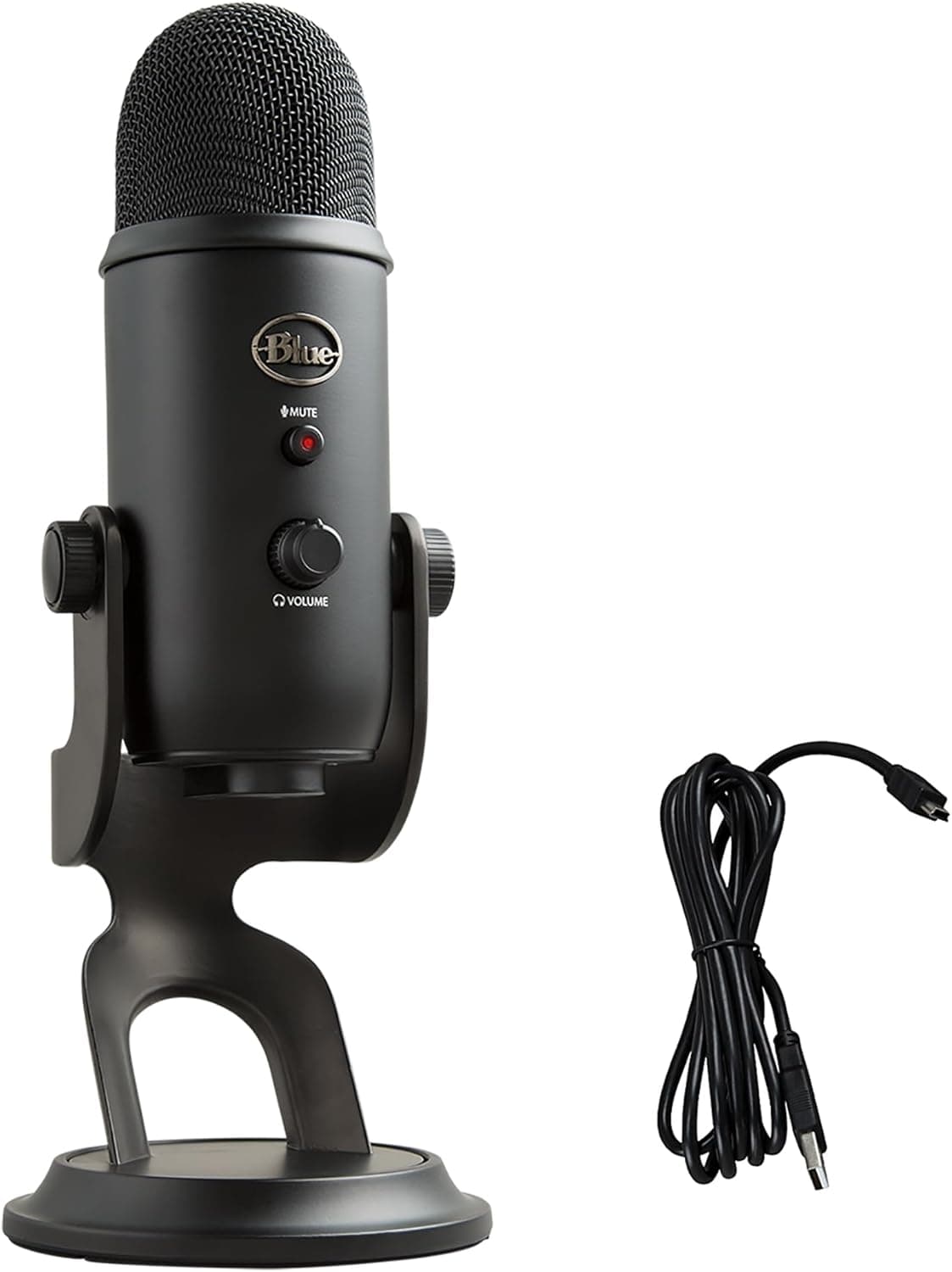
Blue Yeti: Best Overall USB Microphone for Home Office

The Blue Yeti has been the benchmark USB microphone for home office and content creation use for years and in 2026 it remains the most versatile, best-value option for remote workers who want professional-grade audio without complexity. For a complete setup walkthrough, our guide on how to set up a Blue Yeti microphone correctly covers everything from polar pattern selection to optimal positioning for Zoom calls.
Key Specs:
Capsule: Three condenser capsules
Polar Patterns: Cardioid, Bidirectional, Omnidirectional, Stereo
Frequency Response: 20Hz to 20kHz
Connection: USB-A
Controls: Gain knob, mute button, headphone monitoring jack
Pros:
Four polar patterns provide flexibility for calls, podcasting and recording scenarios
Built-in headphone monitoring jack lets you hear your own voice in real time
Mute button with LED indicator for instant call muting
Excellent voice clarity and warmth for the price point
Cons:
Larger and heavier than most competing USB microphones
Sensitive to desk vibrations without a shock mount
Picks up more room noise than more directional options in untreated spaces
Best For: Remote workers who want one microphone that handles Zoom calls, podcasting and occasional recording with equal competence.
Price Range: Mid-Range — $100 to $130
👉👉👉 Check Latest Price on Amazon
For best results, mount your Blue Yeti on a best microphone arm desk boom arm rather than using the included desktop stand. This positions the mic at mouth level, reduces desk vibration pickup and keeps your desk surface clear.
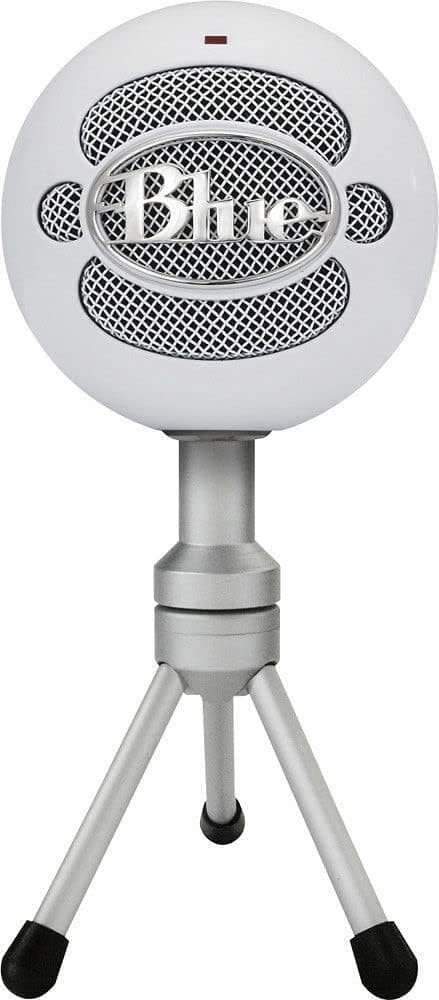
Blue Snowball iCE: Best Budget USB Microphone for Calls

Not every remote worker needs the full feature set of a premium USB microphone. The Blue Snowball iCE delivers a dramatic improvement over laptop and headset microphones at a price point that makes the upgrade genuinely accessible to everyone.
Key Specs:
Capsule: Single condenser capsule
Polar Pattern: Cardioid
Frequency Response: 40Hz to 18kHz
Connection: USB-A
Controls: None (plug and play only)
Pros:
Dramatic improvement over laptop microphones at under $50
Genuinely plug-and-play with zero configuration required
Compact, lightweight design fits easily on any desk
Cardioid pattern focuses on voice and rejects side and rear noise
Cons:
No gain control or headphone monitoring
Single polar pattern limits versatility
Performance falls noticeably behind mid-range options in noisy environments
Best For: Remote workers on a tight budget who want meaningful call audio improvement without spending more than $50.
Price Range: Budget — $40 to $50
👉👉👉 Check Latest Price on Amazon
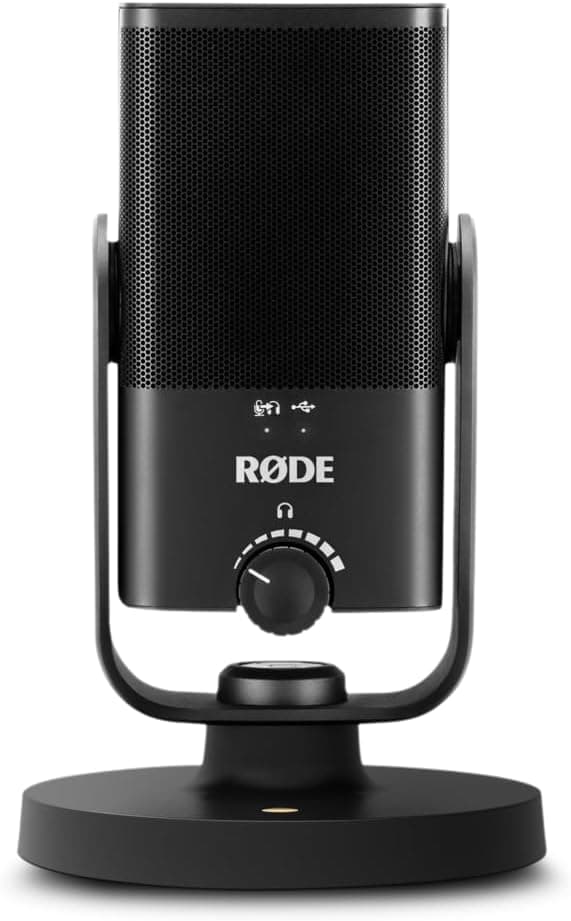
Rode NT-USB Mini: Best Premium USB Microphone for Call Clarity

The Rode NT-USB Mini represents the best pure call quality available in a compact USB microphone package. Rode's reputation in professional audio is unmatched and the NT-USB Mini brings that engineering pedigree to a plug-and-play USB form factor that works perfectly for home office use.
Key Specs:
Capsule: Custom 14mm condenser capsule
Polar Pattern: Cardioid
Frequency Response: 20Hz to 20kHz
Connection: USB-C
Controls: Gain knob, headphone monitoring, mute button
Pros:
Outstanding voice clarity and natural reproduction for a USB microphone
Compact form factor fits comfortably on any desk setup
USB-C connection future-proofs compatibility with modern laptops
Integrated pop filter reduces plosive sounds effectively
Cons:
Single cardioid pattern only, no versatility for non-call recording scenarios
Higher price than comparable USB microphones from other brands
Does not include a boom arm adapter in the box
Best For: Remote workers who prioritize the absolute best call audio quality in a compact USB microphone and are willing to pay a modest premium for it.
Price Range: Mid-Range — $90 to $110
👉👉👉 Check Latest Price on Amazon
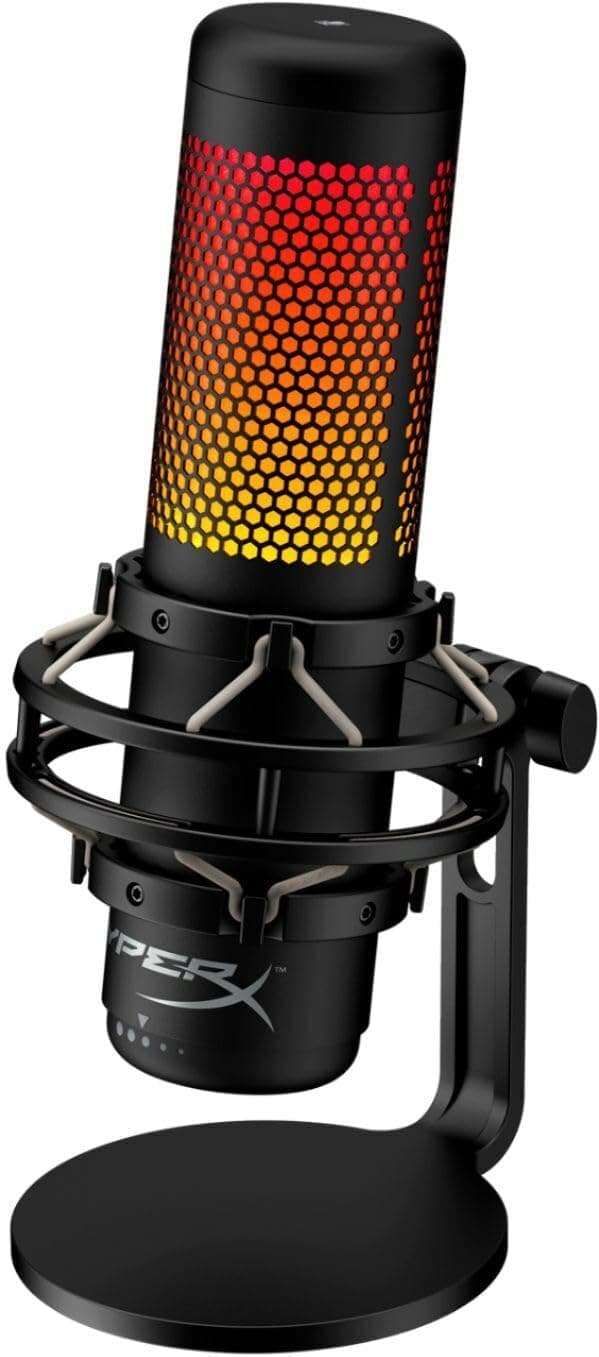
HyperX QuadCast S: Best USB Microphone for Streamers and Remote Workers

The HyperX QuadCast S occupies an interesting position in the USB microphone market, it is genuinely excellent for both professional calls and content creation, making it the best single microphone for remote workers who also stream, create video content, or podcast outside of work hours.
Key Specs:
Capsule: Three condenser capsules
Polar Patterns: Stereo, Omnidirectional, Cardioid, Bidirectional
Frequency Response: 20Hz to 20kHz
Connection: USB-C
Controls: Tap-to-mute, gain control, pattern selector, RGB lighting
Pros:
Four polar patterns match the Blue Yeti's versatility with a more modern USB-C connection
Tap-to-mute sensor with LED indicator provides instant visual mute confirmation
Internal shock mount reduces desk vibration pickup
Strong voice clarity in cardioid mode for calls
Cons:
RGB lighting is unnecessary for pure office use and cannot be fully disabled
Larger form factor takes up more desk space than compact alternatives
Price premium over comparable microphones partly reflects gaming brand positioning
Best For: Remote workers who also create content, stream, or podcast and want one microphone that handles all use cases with equal competence.
Price Range: Mid-Range — $120 to $160
👉👉👉 Check Latest Price on Amazon
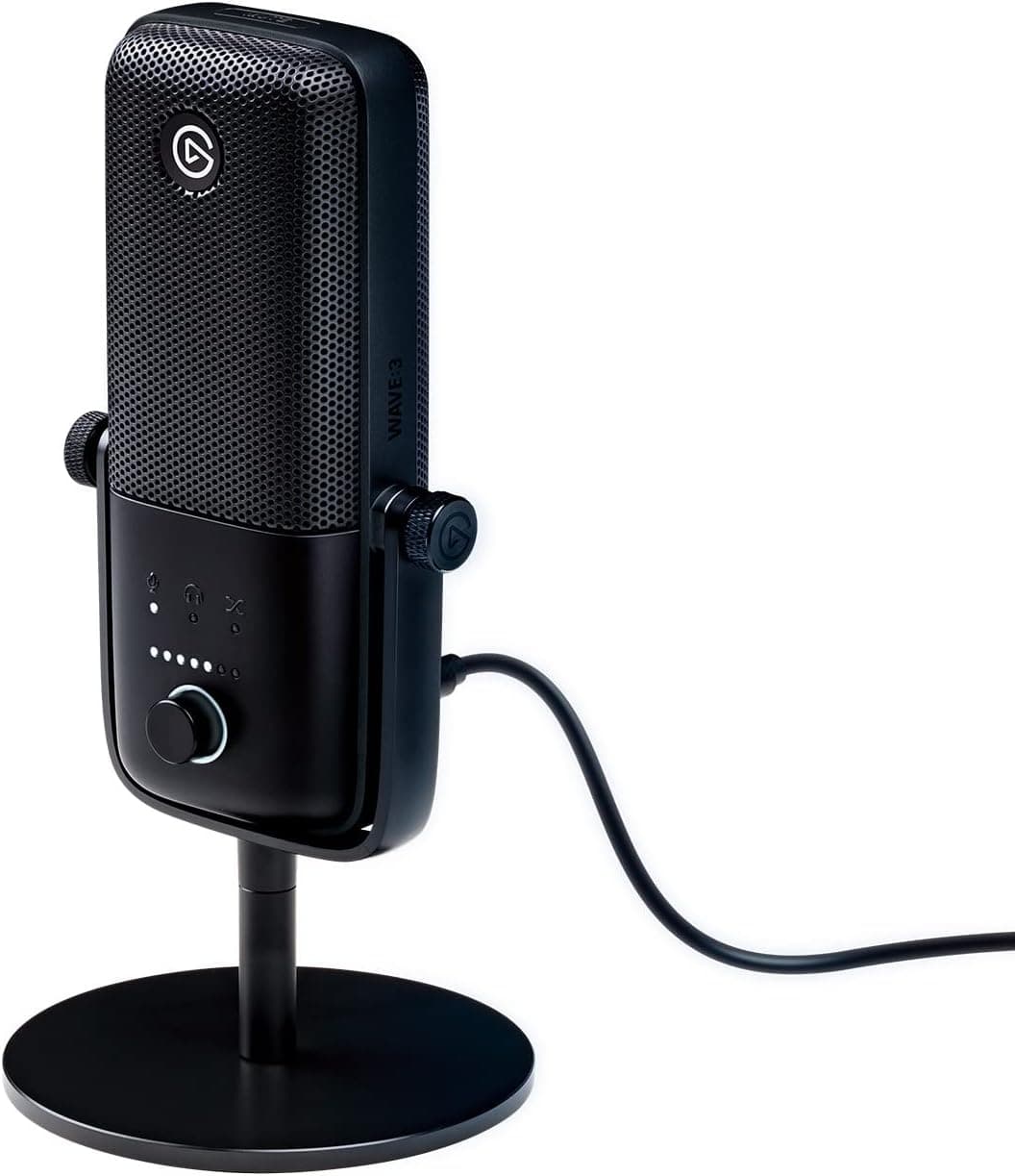
Elgato Wave:3: Best USB Microphone for Content Creators Working from Home

The Elgato Wave:3 was designed with content creators in mind but delivers excellent home office call performance through its clean cardioid pickup and innovative Clipguard technology that prevents audio distortion when your voice gets unexpectedly loud.
Key Specs:
Capsule: 24-bit condenser capsule
Polar Pattern: Cardioid
Frequency Response: 70Hz to 20kHz
Connection: USB-C
Controls: Capacitive mute button, gain dial, monitoring mix control
Pros:
Clipguard technology uses a secondary capsule to prevent audio clipping during loud moments
Wave Link software provides advanced mixing control for calls and streaming
Clean, natural voice reproduction well suited to professional call use
Capacitive mute button with LED indicator for silent muting during calls
Cons:
Cardioid only, no polar pattern flexibility
Wave Link software adds complexity that pure call users do not need
Frequency response starts at 70Hz, missing some low-end warmth compared to rivals
Best For: Remote workers who create video content or stream alongside their day job and want advanced software mixing control.
Price Range: Mid-Range — $120 to $150
👉👉👉 Check Latest Price on Amazon
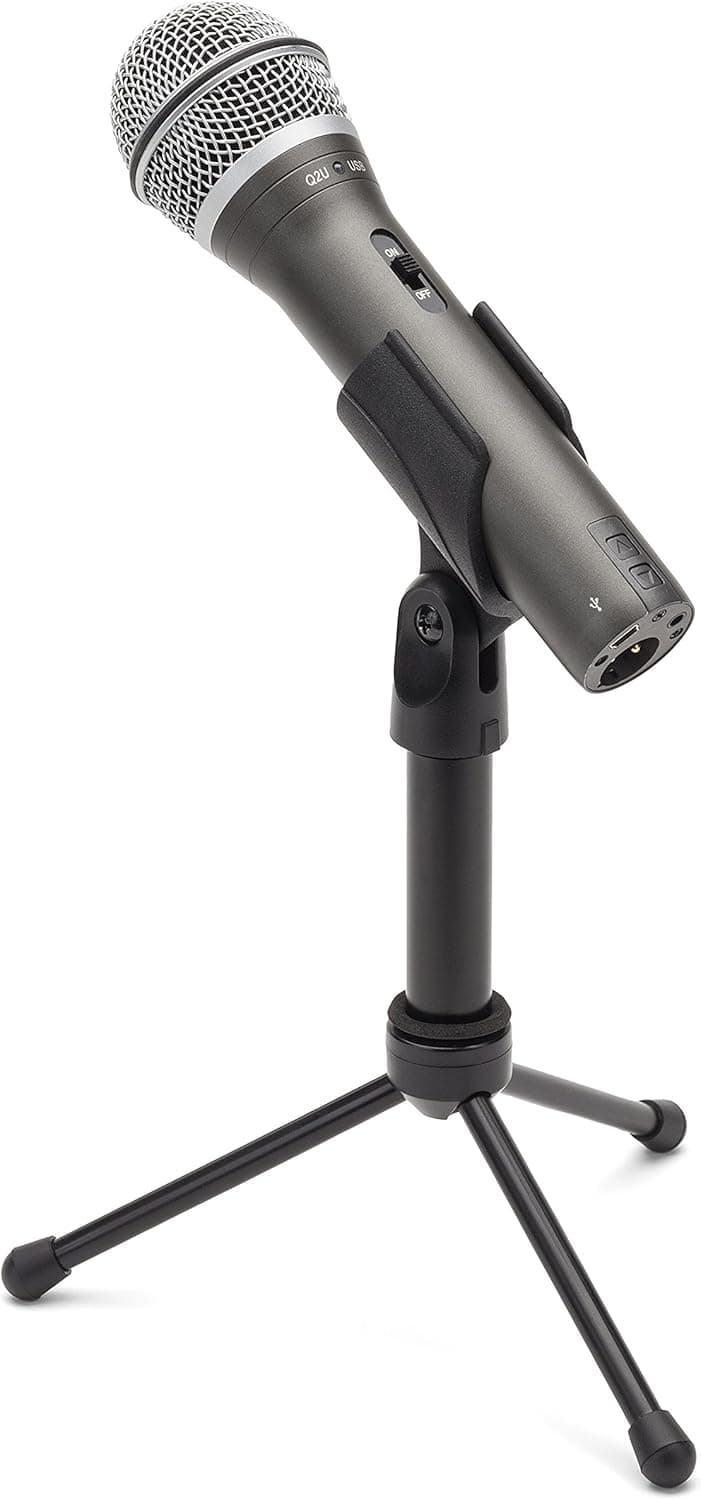
Samson Q2U: Best Hybrid USB Microphone for Future-Proof Home Office Use

The Samson Q2U is unique on this list because it offers both USB and XLR connectivity in a single microphone. This makes it the smartest long-term investment for remote workers who might eventually want to upgrade to an audio interface without replacing their microphone entirely.
Key Specs:
Capsule: Dynamic cardioid
Polar Pattern: Cardioid
Frequency Response: 50Hz to 15kHz
Connection: USB-A and XLR
Controls: Volume knob, headphone monitoring jack, mute switch
Pros:
Dual USB and XLR connectivity provides upgrade flexibility without buying a new microphone
Dynamic capsule is more forgiving in untreated rooms than condenser alternatives
Built-in headphone monitoring for real-time voice feedback during calls
Outstanding value, ships with both USB and XLR cables plus a desk stand
Cons:
Dynamic capsule captures less detail and warmth than condenser alternatives
Frequency response ceiling at 15kHz slightly lower than condenser competitors
Desktop stand included is basic, a boom arm significantly improves the setup
Best For: Remote workers who want a capable call microphone today with the option to upgrade to a full XLR audio interface setup in the future without replacing their microphone.
Price Range: Budget — $60 to $80
👉👉👉 Check Latest Price on Amazon
USB Microphone Polar Patterns Explained
Understanding polar patterns helps you choose the right microphone for your specific home office environment.
Cardioid
Cardioid is the standard pattern for home office use. It focuses pickup on sound directly in front of the microphone while rejecting sound from the sides and rear. This makes it ideal for single-speaker call use in environments where background noise rejection matters.
Supercardioid and Hypercardioid
Tighter versions of cardioid that reject even more off-axis sound. Better for noisy environments but require more precise mic positioning since the pickup angle is narrower.
Omnidirectional
Picks up sound equally from all directions. Useful for conference calls with multiple speakers around a table but unsuitable for home office use where background noise rejection is a priority.
Bidirectional (Figure-8)
Picks up sound from front and rear while rejecting sound from the sides. Useful for two-person interview scenarios but not practical for standard solo call use.
Stereo
Captures a wide stereo image. Excellent for music recording and podcasting but irrelevant for voice call use where mono pickup is standard.
For home office call use, cardioid is the correct pattern for the vast majority of situations. Multi-pattern microphones like the Blue Yeti and HyperX QuadCast S are worth the premium only if you have clear secondary use cases that benefit from other patterns.
What to Look for When Buying a USB Microphone for Work
Condenser vs Dynamic
Condenser microphones capture more detail and warmth but are more sensitive to room acoustics and background noise. They perform best in treated or quiet rooms.
Dynamic microphones are less sensitive and more forgiving of untreated rooms and background noise. They produce slightly less detailed audio but are more practical in less-than-ideal acoustic environments.
For most home offices, a condenser microphone paired with basic acoustic treatment delivers the best results. Our guide on how to soundproof a home office on a budget covers practical acoustic treatment steps that make a significant difference for condenser microphone performance.
Frequency Response
For call use, prioritize flat frequency response in the vocal range, roughly 100Hz to 8kHz. Microphones with exaggerated bass or boosted high frequencies sound unnatural for extended call listening.
Onboard Controls
A physical mute button with a clear LED indicator is genuinely useful for call use. Fumbling through software to mute yourself before a cough or sneeze during an important meeting is avoidable with a simple hardware mute button. Gain control and headphone monitoring are valuable additions but not essential for pure call use.
Desk Space and Form Factor
USB microphones vary significantly in size. Compact options like the Rode NT-USB Mini take minimal desk space. Larger options like the Blue Yeti require dedicated desk real estate or a boom arm mount. Measure your available desk space before buying.
Pop Filter Inclusion
Plosive sounds the hard P and B sounds that create audio spikes are a common issue with microphones positioned close to the speaker's mouth. A pop filter placed between your mouth and the microphone capsule eliminates these effectively. Some USB microphones include integrated pop filters. Others require a separate accessory.
Setting Up Your USB Microphone for Maximum Call Clarity
Position the Microphone Correctly
Place the microphone approximately 6 to 8 inches from your mouth, slightly off to one side rather than directly in front. This reduces plosive sounds and breath noise while maintaining strong voice pickup. For cardioid microphones, ensure the front of the capsule is facing your mouth many users accidentally speak into the top or side of a cardioid microphone and wonder why the audio sounds distant.
Use a Boom Arm
The desktop stands included with most USB microphones position the mic too low and transmit desk vibrations directly into your audio. Upgrading to a best microphone arm desk boom arm raises the microphone to mouth level, decouples it from desk vibrations and dramatically improves both audio quality and desk ergonomics.
Add a Shock Mount
Desk vibrations from typing, mouse clicks and footsteps transmit through desktop stands and into your microphone signal as low-frequency rumble. A shock mount suspends the microphone on elastic bands that absorb these vibrations before they reach the capsule. Many USB microphones include compatible shock mount adapters.
Treat Your Room Acoustics
Raw room reflections are the biggest enemy of clean USB microphone audio. Hard walls create echo and reverb that makes your voice sound hollow and unprofessional. Soft furnishings absorb these reflections naturally. For more comprehensive acoustic treatment, our guide on how to set up a professional home studio for calls and podcasting covers everything from basic soft furnishing placement to dedicated acoustic panel installation.
Use Software Noise Suppression as a Second Layer
Even a well-positioned cardioid microphone in a treated room picks up some residual background noise. Software-level noise suppression adds a powerful second filtering layer. This is particularly valuable for eliminating the best mute typing sounds mic interference that keyboard users experience on calls and the ambient sounds that even good microphone positioning cannot fully eliminate.
Monitor Your Audio in Real Time
If your USB microphone includes a headphone monitoring jack as the Blue Yeti, Rode NT-USB Mini and Samson Q2U all do use it. Real-time monitoring lets you hear exactly what your colleagues hear, allowing you to adjust your position, gain level and room setup before calls rather than discovering problems during them.
Complementing Your USB Microphone Setup
A great microphone is the foundation of professional home office audio. Here is how to build the rest of your setup around it.
Add Quality Headphones or Earbuds for Listening
Your USB microphone handles outgoing audio. For incoming audio, pair it with quality headphones that provide clear call monitoring. Check out our comparison of the best earbuds for work 2026 for lightweight in-ear options that pair well with a desktop microphone setup.
Upgrade Your Desk Audio
Beyond calls, a best compact soundbar home office adds room-filling speaker audio for video playback and casual listening without requiring headphones. For critical listening or audio production work, best studio speaker home office monitors provide accurate, flat-response playback that consumer speakers cannot match.
Organize Your Desk Setup
A USB microphone on a boom arm, combined with a best headphone holder desk stand for your headphones and clean cable management, transforms your desk into a genuinely professional audio workstation.
Address Your Full Audio Environment
Great microphone audio starts with a great acoustic environment. Our comprehensive guide on how to reduce echo and background noise on work calls covers every practical step from rearranging soft furnishings to installing dedicated acoustic panels all of which directly improve the quality of audio your USB microphone captures on every call.
Who Should Buy Which USB Microphone
Buy the Blue Yeti if: You want the most versatile USB microphone for calls, podcasting and recording in a single package and have desk space for a larger form factor.
Buy the Blue Snowball iCE if: Your budget is under $50 and you want the most accessible entry point into dedicated USB microphone audio quality.
Buy the Rode NT-USB Mini if: Call audio quality is your primary focus, you want a compact form factor and you are comfortable paying a modest premium for Rode's engineering pedigree.
Buy the HyperX QuadCast S if: You work remotely by day and stream or create content in your personal time and want one microphone that handles both use cases with equal competence.
Buy the Elgato Wave:3 if: You create video content or stream alongside your remote work and want advanced software mixing control through the Wave Link app.
Buy the Samson Q2U if: You want a capable call microphone today with the flexibility to upgrade to an XLR audio interface setup in the future without replacing the microphone itself.
Ready to finally sound professional on every call? Any USB microphone on this list delivers a dramatic improvement over your laptop or headset microphone from the moment you plug it in. Choose the option that matches your budget and use case, then explore our guide on how to calibrate your microphone for consistent audio to dial in your levels for perfect call audio every time.
Disclaimer: This post contains affiliate links. If you purchase through our links, we may earn a small commission at no extra cost to you.

Written by
Jordan Lee
I'm Jordan Lee, a tech reviewer and peripheral enthusiast with 7+ years of hands-on experience evaluating monitors, mechanical keyboards, wireless mice, and audio equipment. With a degree in Computer Engineering, I bring a technical yet practical perspective to every review I write. I don't just benchmark — I actually use these products daily and put them through real work scenarios. When I recommend a monitor, I've checked its color accuracy, refresh rate, and eye strain levels myself. When I suggest a keyboard, I've typed thousands of words on it. My goal is simple: help you find the right gear so you can work smarter, not just spend more.
Written by
Jordan Lee
I'm Jordan Lee, a tech reviewer and peripheral enthusiast with 7+ years of hands-on experience evaluating monitors, mechanical keyboards, wireless mice, and audio equipment. With a degree in Computer Engineering, I bring a technical yet practical perspective to every review I write. I don't just benchmark — I actually use these products daily and put them through real work scenarios. When I recommend a monitor, I've checked its color accuracy, refresh rate, and eye strain levels myself. When I suggest a keyboard, I've typed thousands of words on it. My goal is simple: help you find the right gear so you can work smarter, not just spend more.