Best Ultrawide Monitor for Video Editing in 2026
We tested and ranked the best ultrawide monitors for video editing in 2026. This guide covers factory-calibrated color accuracy, DCI-P3 coverage, Thunderbolt connectivity, and the best picks for DaVinci Resolve, Premiere Pro, and Final Cut Pro at every budget level.

Our Top Picks
Video editing demands more from a monitor than almost any other workflow. Every color grading decision, every exposure adjustment, every skin tone correction you make on screen needs to look the same when your project is viewed on other devices, shared with clients, or delivered to a streaming platform.
A monitor that looks great but is not accurately calibrated will mislead you throughout your entire edit. You will color grade a scene to look perfect on your display only to find it looks oversaturated, too warm, or too dark everywhere else. That kind of mistake wastes hours of work and damages professional credibility.
We researched and tested ultrawide monitors specifically for video editing workflows, evaluating color accuracy out of the box, color gamut coverage, calibration options, panel technology, and the practical screen real estate advantages that the ultrawide format offers for timeline-heavy editing software like DaVinci Resolve, Adobe Premiere Pro, and Final Cut Pro.
This guide is for video editors at every level, from someone editing YouTube content at home to a professional colorist who needs a display they can genuinely trust.
Quick Picks: Best Ultrawide Monitors for Video Editing
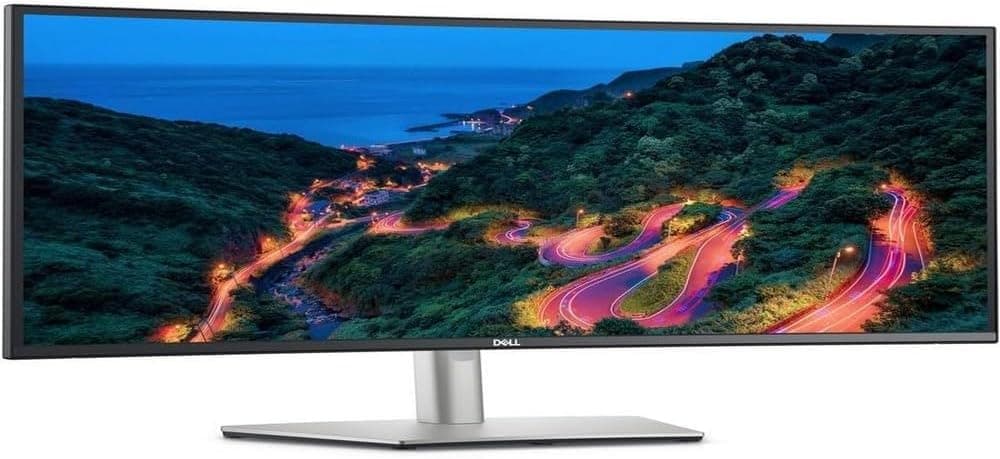
Best Overall: Dell U3423WE ⟹ Check price on Amazon
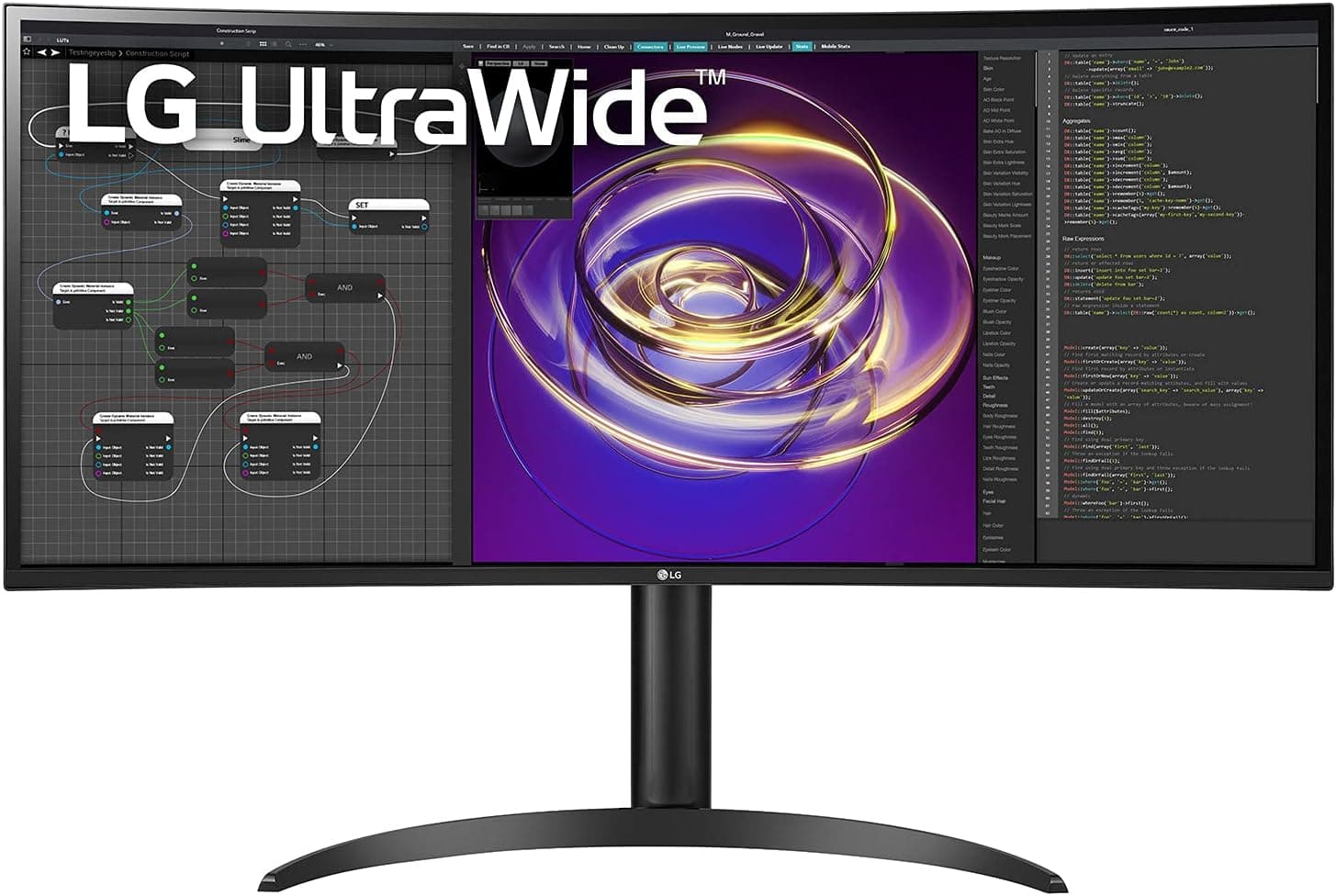
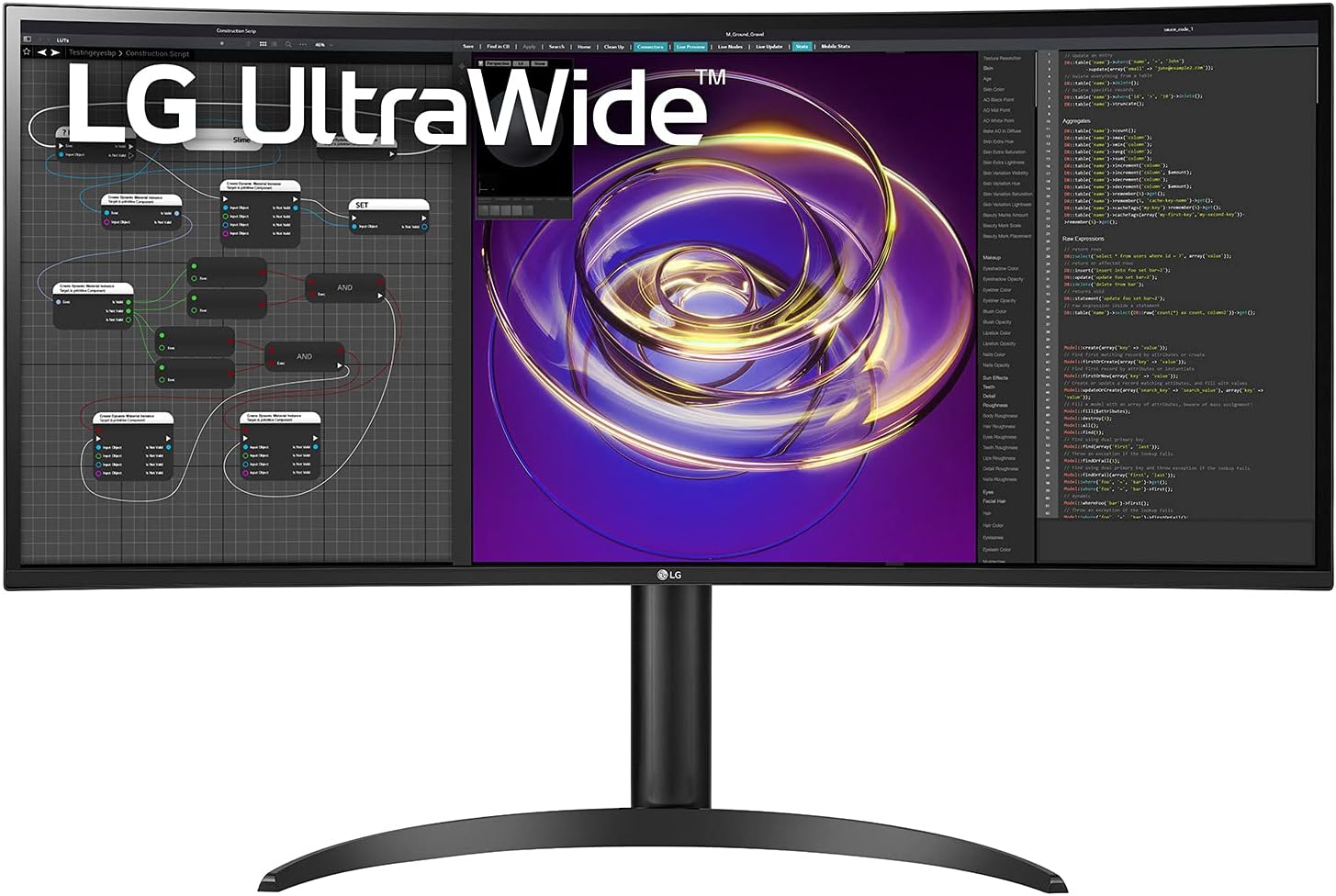
Best Color Accuracy: LG 34WP85C-B ⟹ Check price on Amazon
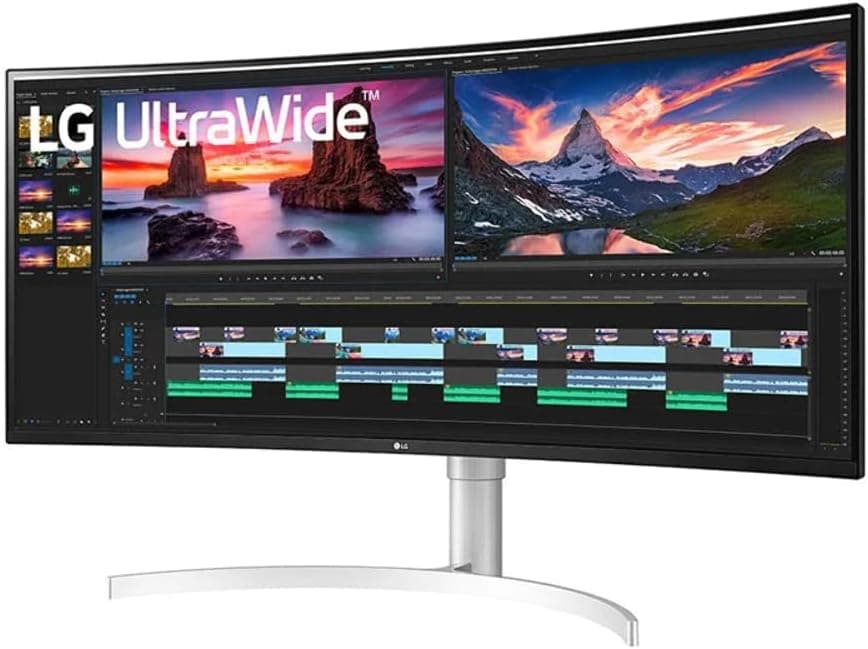
Best Premium Pick: LG 38WN95C-W ⟹ Check price on Amazon
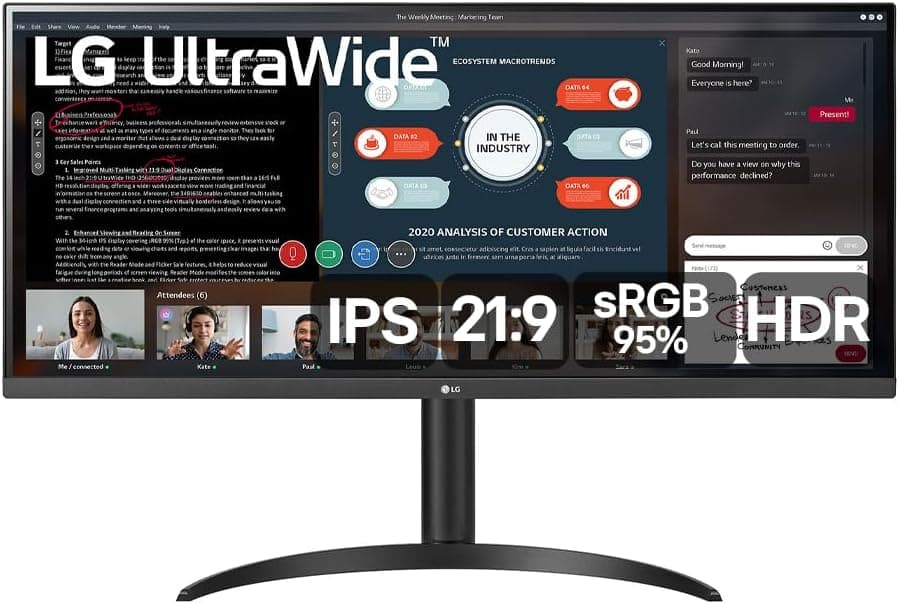
Best Budget Option: LG 34WP550-B ⟹ Check price on Amazon
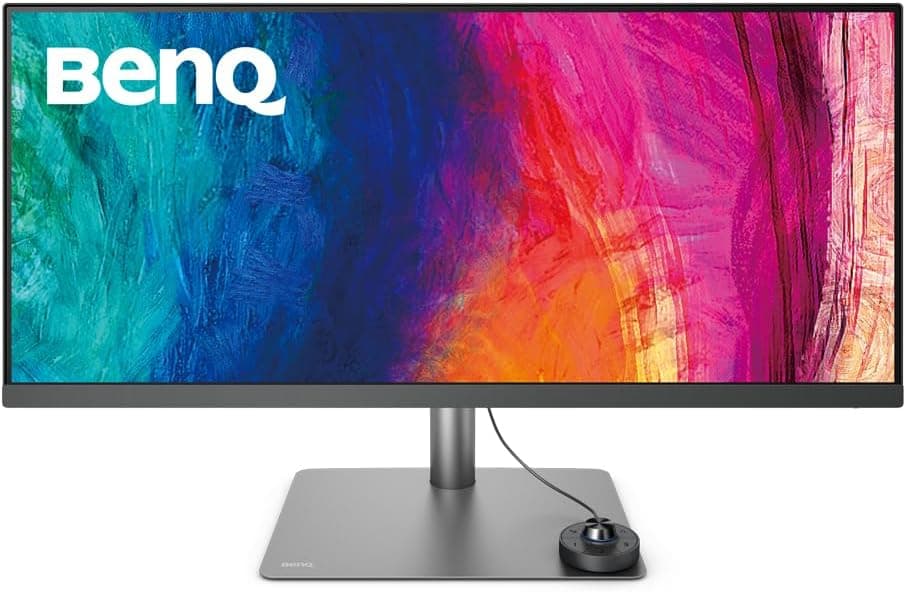
Best for DaVinci Resolve: BenQ PD3420Q ⟹ Check price on Amazon
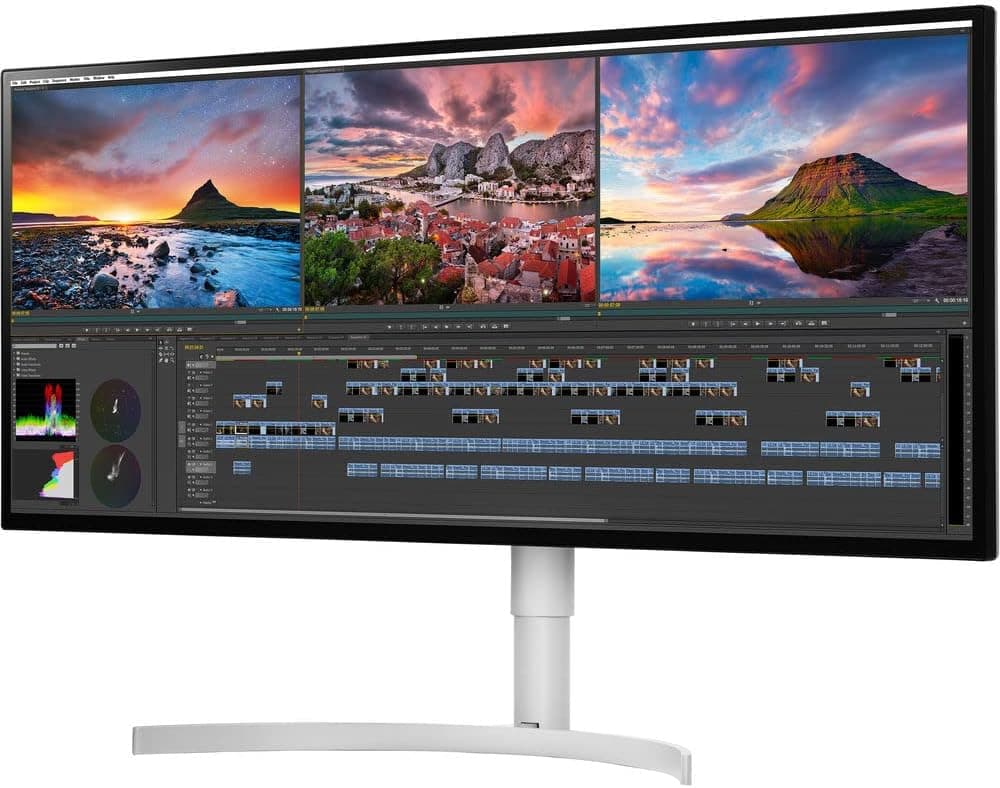
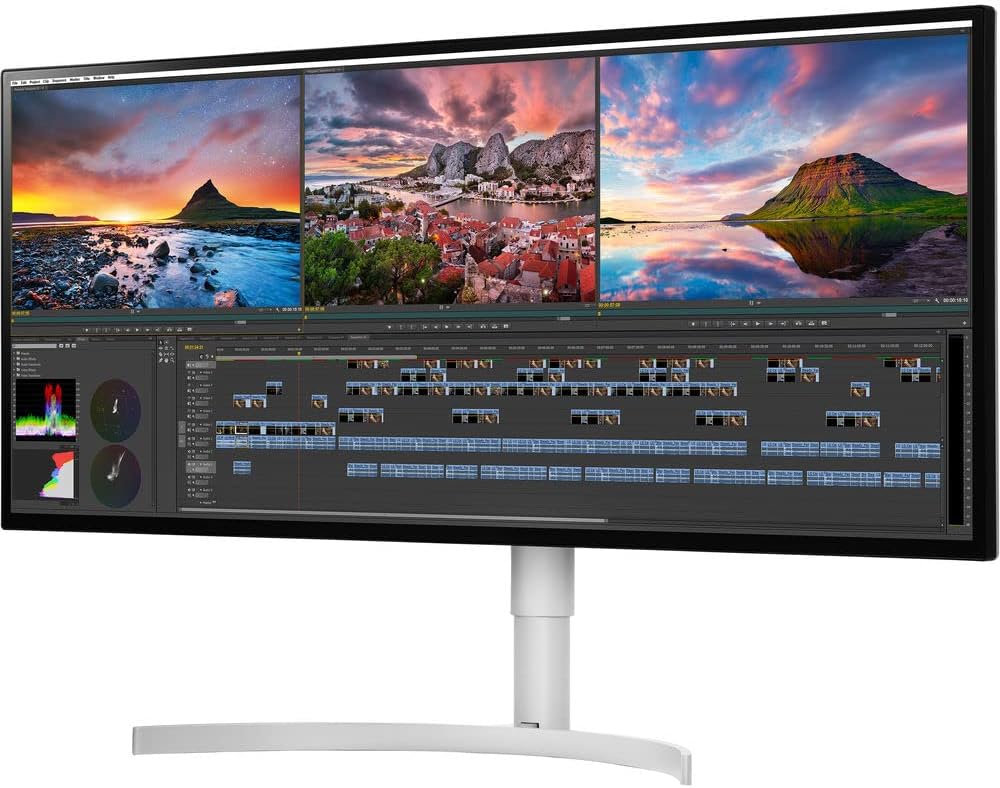
Best Mac-Friendly: LG 34WK95U-W ⟹ Check price on Amazon
How We Tested These Monitors
Color accuracy testing for video editing monitors requires more rigorous evaluation than standard monitor reviews.
Every monitor on this list was tested using a colorimeter to measure Delta E values, sRGB coverage, DCI-P3 coverage, and Adobe RGB coverage both out of the box and after calibration. For video editing use, Delta E below 2 is the professional standard. A Delta E above 3 is considered noticeable to a trained eye during color-critical work.
We tested each monitor using real editing workflows in DaVinci Resolve, Adobe Premiere Pro, and Final Cut Pro. We evaluated how each monitor handled skin tones, graduated skies, shadow detail, and highlight recovery, which are the areas where inaccurate monitors mislead editors most frequently.
Screen uniformity was assessed by displaying solid color fields across the full panel and checking for brightness or color shifts from corner to corner. A monitor that is accurate in the center but shifts in the corners will cause inconsistent color grades, particularly for wide shots.
We also evaluated each monitor's performance in both a dimly lit editing suite environment and under normal home office lighting conditions with ambient light from windows, since many video editors work at home rather than in a dedicated color suite.
Why Ultrawide Monitors Are Excellent for Video Editing
Before getting into specific product recommendations, it is worth understanding why the ultrawide format is particularly well-suited to video editing work.
Timeline Real Estate
The single biggest advantage of an ultrawide monitor for video editing is the additional horizontal space for your timeline. In DaVinci Resolve, Premiere Pro, and Final Cut Pro, the timeline is the central workspace. More horizontal space means more clips visible simultaneously, longer sections of your edit visible without scrolling, and more room for multiple audio tracks, adjustment layers, and effects tracks.
Editors who switch from a standard 16:9 monitor to a 34-inch ultrawide consistently report that the timeline experience alone justifies the upgrade. The difference is even more significant for long-form projects like documentary editing or feature film work where timelines can contain dozens of tracks.
Side-by-Side Reference Monitoring
Video editing frequently requires comparing a before and after view, checking a reference still against your current grade, or keeping a scopes panel open alongside your viewer. On a standard monitor, this kind of layout forces you to shrink the viewer to an uncomfortable size. On a 34-inch ultrawide, a full-size viewer and a reference panel sit comfortably side by side.
21:9 Footage Framing
If you shoot or edit footage in 2.39:1 or 2.35:1 cinematic aspect ratios, an ultrawide monitor displays this footage without the black letterbox bars that a 16:9 screen adds. Your footage fills the screen as it was intended to look, which makes evaluating composition, framing, and color much more accurate.
What to Look for in a Video Editing Ultrawide Monitor
Color Gamut Coverage: sRGB, DCI-P3, Adobe RGB
Understanding which color spaces your deliverables require helps narrow down which monitor specifications actually matter for your work.
sRGB is the standard color space for web delivery, YouTube, Vimeo, and most online platforms. A monitor covering 99% or more of sRGB is sufficient for editing content destined for these platforms. Most quality IPS monitors achieve this.
DCI-P3 is the standard color space for cinema and streaming platforms including Netflix and Amazon Prime Video. If you edit content for cinema distribution or premium streaming, a monitor covering 95% or more of DCI-P3 gives you a more accurate representation of how your grade will look in the final delivery format. Many modern ultrawide monitors now cover 95% to 98% of DCI-P3.
Adobe RGB is relevant primarily for photographers and editors who work with print deliverables. For video editing, DCI-P3 coverage is more relevant than Adobe RGB.
Delta E: The Color Accuracy Measurement That Actually Matters
Delta E is a measurement of how far a displayed color deviates from its mathematically correct value. A Delta E of 1 is invisible to the human eye. A Delta E of 2 is just perceptible to a trained eye under controlled conditions. A Delta E of 3 becomes noticeable in critical color work.
For video editing, a factory-calibrated Delta E average below 2 is the professional standard. Some monitors ship with Delta E values above 3 out of the box, which means you would either need to calibrate them yourself or accept inaccurate color from the start.
Always check whether the Delta E specification refers to the average across the panel or the maximum. A monitor advertising Delta E below 2 maximum is significantly more accurate than one advertising Delta E below 2 average.
Factory Calibration vs Self-Calibration
Factory-calibrated monitors come with an individual calibration report verifying that the specific unit you receive meets the specified accuracy standards. Dell's UltraSharp line and BenQ's professional PD series are examples of monitor lines that include factory calibration reports.
Self-calibration requires a separate colorimeter device and calibration software, which adds cost and time. For professional video editing work, a factory-calibrated monitor eliminates uncertainty and is worth the price premium.
Panel Uniformity
A monitor that is accurate in the center but shifts in brightness or color temperature toward the edges will cause problems during color grading. Uniformity compensation technology, found on professional monitors like the Dell UltraSharp series, actively adjusts the backlight across the panel to maintain consistent brightness and color from edge to edge.
For casual video editing and YouTube content creation, basic panel uniformity is usually adequate. For professional color grading work where decisions made at the edge of frame need to be as accurate as the center, uniformity compensation is a meaningful feature.
Connectivity for Video Editing Workflows
Video editors typically connect a laptop or desktop alongside external hard drives, audio interfaces, and calibration devices. USB-C with high Power Delivery is valuable for laptop users. Thunderbolt support enables high-speed data transfer to external storage. Multiple USB-A ports on the monitor reduce the need for a separate hub.
For Mac users working in Final Cut Pro, Thunderbolt connectivity is particularly useful for connecting to Apple's ecosystem of accessories and external drives.
The Best Ultrawide Monitors for Video Editing
1. Dell U3423WE — Best Overall Ultrawide for Video Editing

Quick Specs
Feature | Detail |
Screen size | 34 inches |
Resolution | 3440x1440 (UWQHD) |
Panel type | IPS Black |
Refresh rate | 60Hz |
Color gamut | 98% DCI-P3, 100% sRGB |
Delta E | Less than 2 (factory calibrated) |
USB-C charging | 90W Power Delivery |
Connectivity | Thunderbolt 4, USB-C, 2x HDMI, DisplayPort, RJ45, USB hub |
Curve | 1800R |
VESA | 100x100mm |
The Dell U3423WE is the strongest all-around ultrawide for video editing at its price point. Factory calibration to Delta E below 2 means every unit ships verified to meet professional color accuracy standards. You do not need to buy a colorimeter or spend time calibrating it before starting serious color work.
The IPS Black panel technology is a genuine advantage for video editing. Standard IPS panels have a contrast ratio of around 1000:1, which means dark scenes in your edit look more like dark gray than true black on screen. The IPS Black panel achieves a 2000:1 contrast ratio while maintaining the wide viewing angles and color accuracy that IPS is known for. When evaluating shadow detail and dark scene exposure in your edit, the improved contrast of this panel gives you a more accurate representation of how the footage will look on consumer displays.
Coverage of 98% DCI-P3 means grades applied to cinema or streaming content are evaluated against a color space that closely matches the final delivery format. Combined with the factory-calibrated Delta E, this is the most trustworthy color environment available in an ultrawide monitor under $1,000.
Thunderbolt 4 connectivity is a major practical advantage for professional editors. It supports high-speed data transfer to Thunderbolt-connected external SSDs, which is essential for editing high-bitrate 4K or 6K footage without dropped frames. The 90W USB-C Power Delivery charges MacBook Pro models while you work.
The built-in RJ45 ethernet port keeps the desk clean and provides a stable wired connection for large file transfers and remote collaboration without needing a separate adapter.
Dell's ComfortView Plus low blue light technology works at the hardware level without adding a yellow tint to the screen. During long editing sessions that stretch into the evening, this makes a real difference to eye fatigue without compromising color accuracy.
Pros
Factory calibrated to Delta E below 2 for every unit
IPS Black panel delivers 2000:1 contrast ratio without sacrificing IPS accuracy
98% DCI-P3 and 100% sRGB coverage
Thunderbolt 4 for high-speed external storage
Built-in ethernet and 90W USB-C charging
Excellent panel uniformity for consistent color across the full screen
Cons
Premium pricing compared to non-professional alternatives
60Hz only, not suitable for gaming
The 1800R curve is subtle but may not suit users who prefer completely flat panels
Who should buy this: Professional video editors, colorists, and anyone who needs verified color accuracy for client work or streaming platform delivery.
2. LG 34WP85C-B — Best Color Accuracy for Home Video Editors
Quick Specs
Feature | Detail |
Screen size | 34 inches |
Resolution | 3440x1440 (UWQHD) |
Panel type | Nano IPS |
Refresh rate | 60Hz |
Color gamut | 98% DCI-P3, 100% sRGB |
Delta E | Less than 2 (factory calibrated) |
USB-C charging | 96W Power Delivery |
Connectivity | USB-C, 2x HDMI, DisplayPort, KVM, USB hub |
Curve | 1000R |
VESA | 100x100mm |
The LG 34WP85C-B is our top overall pick on the best ultrawide monitor for home office list and it earns a strong position on this video editing list for similar reasons. The Nano IPS panel covers 98% of DCI-P3 and ships with factory-calibrated Delta E below 2, which puts it in genuine professional territory for color accuracy.
Where the LG differs from the Dell U3423WE is in the panel technology and connectivity trade-offs. The standard IPS panel in the LG has a lower contrast ratio than the Dell's IPS Black panel, which makes it slightly less ideal for evaluating dark scenes and shadow detail. In a bright home office environment rather than a dim editing suite, this difference is less impactful than it would be in controlled lighting.
The 96W USB-C Power Delivery is the highest charging wattage on this list and the built-in KVM switch is a unique feature for editors who work across a dedicated editing machine and a separate laptop for communication and administration.
For home video editors, YouTubers, and content creators who want professional-grade color accuracy without paying the Dell premium, the LG 34WP85C-B is an excellent choice that handles both editing and everyday home office work with equal competence.
Pros
Nano IPS panel with 98% DCI-P3 and factory-calibrated Delta E below 2
96W USB-C Power Delivery handles any laptop
Built-in KVM switch for dual-computer editing setups
Excellent all-around monitor for editing and daily productivity
Competitive pricing compared to Dell professional alternatives
Cons
Lower contrast ratio than Dell's IPS Black panel
1000R curve may feel aggressive for users who prefer flat panels
No Thunderbolt connectivity for high-speed external storage
Who should buy this: Home video editors, YouTubers, and content creators who want accurate colors for serious editing work while also needing a great all-day productivity monitor.
3. LG 38WN95C-W — Best Premium Ultrawide for Video Editing

Quick Specs
Feature | Detail |
Screen size | 38 inches |
Resolution | 3840x1600 (UWQHD+) |
Panel type | Nano IPS |
Refresh rate | 144Hz |
Color gamut | 98% DCI-P3, 100% sRGB |
Delta E | Less than 2 |
USB-C charging | 96W Power Delivery |
Connectivity | Thunderbolt 3, USB-C, 2x HDMI, DisplayPort, USB hub |
Curve | 2300R |
VESA | 100x100mm |
The LG 38WN95C-W steps up the video editing experience in two meaningful ways. The 38-inch panel at 3840x1600 resolution gives you more screen space than any standard 34-inch ultrawide, and the higher vertical resolution of 1600 pixels compared to 1440p provides more room for toolbars, scopes panels, and timeline tracks in editing software.
In DaVinci Resolve specifically, the extra vertical pixels make a noticeable difference. The color wheels in the Color page, the node graph, and the viewer all fit more comfortably on screen simultaneously, reducing the need to resize panels or switch between workspaces.
The 98% DCI-P3 Nano IPS panel maintains the same color accuracy standard as the smaller LG model above, and Thunderbolt 3 connectivity supports high-speed external storage access at up to 40Gbps, which matters when editing high-bitrate footage from RED, ARRI, or Sony cinema cameras.
The 144Hz refresh rate is less critical for editing than for gaming but makes scrolling through long timelines and scrubbing footage feel noticeably more fluid, which is a small quality-of-life improvement that adds up during long editing sessions.
Pros
38-inch panel gives more screen space than any 34-inch alternative
Higher 1600p vertical resolution benefits complex editing layouts
98% DCI-P3 Nano IPS with Delta E below 2
Thunderbolt 3 for high-speed external storage access
96W USB-C charging handles any laptop
144Hz makes timeline scrubbing and scrolling smoother
Cons
Significantly more expensive than 34-inch alternatives
Requires a deep desk to accommodate 38-inch footprint
The extra resolution requires a more powerful GPU for smooth performance
Who should buy this: Professional editors and colorists who want the largest, most capable ultrawide display available and are willing to pay for the additional screen real estate.
4. BenQ PD3420Q — Best Ultrawide for DaVinci Resolve Users

Quick Specs
Feature | Detail |
Screen size | 34 inches |
Resolution | 3440x1440 (UWQHD) |
Panel type | IPS |
Refresh rate | 60Hz |
Color gamut | 95% DCI-P3, 100% sRGB, 100% Rec. 709 |
Delta E | Less than 2 (factory calibrated) |
USB-C charging | 90W Power Delivery |
Connectivity | Thunderbolt 3, USB-C, 2x HDMI, DisplayPort, USB hub |
Curve | Flat |
VESA | 100x100mm |
BenQ's PD series is designed specifically for creative professionals and the PD3420Q reflects that focus in its feature set. The flat panel is the first notable difference from most alternatives on this list. Professional colorists often prefer flat panels because the curve can distort the perceived shape of objects in wide shots and make it harder to evaluate edge-to-edge composition accurately.
The 100% Rec. 709 coverage is particularly relevant for video editors. Rec. 709 is the standard color space for broadcast television, most YouTube content, and the majority of video deliverables that editors produce. Having 100% coverage of this specific color space rather than just sRGB, which largely overlaps with it, means BenQ has specifically tuned this panel for video work.
Thunderbolt 3 connectivity with daisy-chaining support is a strong feature for editors who use multiple external drives or want to connect a second display alongside this monitor. The 90W USB-C charging handles MacBook Pro models comfortably.
The KVM switch on this monitor is genuinely useful in a professional editing environment where an editor might have a dedicated editing machine and a separate computer for communication, administration, or client review.
Pros
Flat panel preferred by professional colorists for accurate composition evaluation
100% Rec. 709 coverage specifically tuned for video work
Factory calibrated to Delta E below 2
Thunderbolt 3 with daisy-chain support
Built-in KVM switch
90W USB-C charging
Cons
Less vibrant than Nano IPS alternatives due to narrower color gamut at the extremes
60Hz only
Flat panel may feel less immersive for editors who also game
Who should buy this: DaVinci Resolve users, broadcast editors, and anyone who prioritizes Rec. 709 accuracy and prefers a flat panel for professional color work.
5. LG 34WK95U-W — Best Ultrawide for Mac Video Editors
Quick Specs
Feature | Detail |
Screen size | 34 inches |
Resolution | 5120x2160 (5K2K) |
Panel type | IPS |
Refresh rate | 60Hz |
Color gamut | 99% sRGB, 98% DCI-P3 |
Delta E | Less than 2 |
USB-C charging | 94W Power Delivery |
Connectivity | Thunderbolt 3, USB-C, 2x HDMI, DisplayPort, USB hub |
Curve | Flat |
VESA | 100x100mm |
The LG 34WK95U-W is the only monitor on this list with a 5K2K resolution, and for Mac users editing in Final Cut Pro it is in a different category entirely. The 5120x2160 resolution at 34 inches produces a pixel density of 163 pixels per inch, which is sharp enough to display retina-quality text and fine details that no other ultrawide on this list can match.
At this resolution, footage from modern mirrorless cameras and cinema cameras is displayed with genuine pixel-level accuracy. Fine texture detail in skin, fabric, and natural environments that looks soft on lower-resolution monitors is sharp and clear on this panel.
Thunderbolt 3 connectivity integrates seamlessly into Apple's workflow ecosystem. Final Cut Pro's magnetic timeline layout benefits particularly well from the extra horizontal resolution, fitting more of the timeline on screen while keeping the viewer at a comfortable size.
The main consideration is GPU requirement. Driving 5K2K resolution requires a capable GPU and Mac users should verify their machine can output at this resolution over Thunderbolt before purchasing.
Pros
5K2K resolution delivers genuinely retina-quality sharpness at 34 inches
Outstanding for Final Cut Pro on Mac
98% DCI-P3 with Delta E below 2
Thunderbolt 3 for seamless Mac integration
Flat panel for accurate composition evaluation
Cons
Most expensive option on this list
Requires a Mac or PC with Thunderbolt and sufficient GPU power
60Hz only
Heavier power consumption than lower-resolution alternatives
Who should buy this: Mac users who edit in Final Cut Pro and want the sharpest ultrawide display available for professional video work.
6. LG 34WP550-B — Best Budget Ultrawide for Video Editing

Quick Specs
Feature | Detail |
Screen size | 34 inches |
Resolution | 2560x1080 (UWFHD) |
Panel type | IPS |
Refresh rate | 75Hz |
Color gamut | 99% sRGB |
Delta E | Less than 3 |
USB-C charging | No |
Connectivity | 2x HDMI, DisplayPort |
Curve | Flat |
VESA | 75x75mm |
The LG 34WP550-B is the entry point for video editors who want an ultrawide without a significant investment. The 99% sRGB coverage is solid for web and YouTube content delivery. Delta E below 3 means colors are reasonably accurate out of the box, though not to the professional standard of factory-calibrated monitors above it on this list.
The 2560x1080 resolution is the main compromise for video editing use. Lower resolution means less timeline detail, less sharp footage playback, and a less accurate view of fine detail in your edit. For casual video editing, YouTube content creation at 1080p, and users just starting out with video work, it is entirely workable.
The flat panel is a genuine advantage for anyone serious about composition accuracy, even at this price point. The IPS panel maintains good viewing angles and consistent color across the screen, which is more important than refresh rate for video editing use.
Pros
Most affordable ultrawide on this list
99% sRGB is adequate for web and YouTube delivery
Flat IPS panel with good viewing angles
LG build quality at a budget price
Cons
2560x1080 resolution limits timeline detail and playback sharpness
Delta E below 3 is not professional-grade accuracy
No USB-C connectivity
Not suitable for professional color grading work
Who should buy this: Beginners, casual video editors, and YouTubers who want the ultrawide timeline experience without spending on professional color accuracy.
Full Comparison Table
Monitor | Size | Resolution | Panel | DCI-P3 | Delta E | USB-C | Best For |
34" | 3440x1440 | IPS Black | 98% | Below 2 | 90W | Best overall | |
34" | 3440x1440 | Nano IPS | 98% | Below 2 | 96W | Home editors | |
38" | 3840x1600 | Nano IPS | 98% | Below 2 | 96W | Premium pick | |
34" | 3440x1440 | IPS | 95% | Below 2 | 90W | DaVinci Resolve | |
34" | 5120x2160 | IPS | 98% | Below 2 | 94W | Mac editors | |
34" | 2560x1080 | IPS | 99% sRGB | Below 3 | No | Budget |
Video Editing Software and Ultrawide Monitor Setup Tips
Getting the most from an ultrawide monitor in your editing software requires a few setup adjustments that most tutorials skip.
In DaVinci Resolve, go to Workspace and choose a layout that takes advantage of your wider canvas. The Color page benefits most from ultrawide real estate. Spreading the color wheels, node graph, and viewer across the full 34 inches creates a workflow that feels significantly more spacious than a standard 16:9 layout.
In Adobe Premiere Pro, use the workspaces panel to create a custom layout that positions your program monitor, timeline, and effects controls side by side. The additional horizontal space lets you keep the timeline at a useful zoom level while still seeing the full viewer at a comfortable size.
In Final Cut Pro on Mac, the magnetic timeline expands naturally to fill the additional horizontal space, which is one of the most immediately noticeable benefits of switching to an ultrawide display.
For color grading work specifically, always make sure your monitor is warmed up for at least 30 minutes before starting critical color work. Most monitors drift slightly in the first 20 to 30 minutes after being turned on as the panel reaches its operating temperature. Starting color work on a cold display can lead to inaccurate grades.
How This List Compares to Our Other Ultrawide Guides
Several monitors on this list also appear in our other ultrawide guides. The Dell U3423WE and LG 34WP85C-B both appear on the best ultrawide monitor for home office list because they handle both professional editing and daily productivity work without compromise.
If you are a programmer who also edits video, the best ultrawide monitor for programmers guide covers monitors that handle both workflows. If budget is the primary concern, the best budget ultrawide monitor under $300 covers more affordable options. For the complete guide on what to look for before buying, our how to choose the best ultrawide monitor article covers every specification in depth.
Our top pick for video editing is the Dell U3423WE. Check the latest pricing and availability on Amazon below.
Check price on Amazon — Dell U3423WE
Check price on Amazon — LG 34WP85C-B
Check price on Amazon — LG 38WN95C-W
Disclosure: This post contains Amazon affiliate links. If you buy through our links, we may earn a small commission at no extra cost to you.

Written by
Jordan Lee
I'm Jordan Lee, a tech reviewer and peripheral enthusiast with 7+ years of hands-on experience evaluating monitors, mechanical keyboards, wireless mice, and audio equipment. With a degree in Computer Engineering, I bring a technical yet practical perspective to every review I write. I don't just benchmark — I actually use these products daily and put them through real work scenarios. When I recommend a monitor, I've checked its color accuracy, refresh rate, and eye strain levels myself. When I suggest a keyboard, I've typed thousands of words on it. My goal is simple: help you find the right gear so you can work smarter, not just spend more.
Written by
Jordan Lee
I'm Jordan Lee, a tech reviewer and peripheral enthusiast with 7+ years of hands-on experience evaluating monitors, mechanical keyboards, wireless mice, and audio equipment. With a degree in Computer Engineering, I bring a technical yet practical perspective to every review I write. I don't just benchmark — I actually use these products daily and put them through real work scenarios. When I recommend a monitor, I've checked its color accuracy, refresh rate, and eye strain levels myself. When I suggest a keyboard, I've typed thousands of words on it. My goal is simple: help you find the right gear so you can work smarter, not just spend more.


