LG vs Samsung Ultrawide Monitor: Which Brand Wins in 2026?
We compared LG and Samsung ultrawide monitors across home office, gaming, professional creative work, and budget categories. This guide covers panel technology differences, color accuracy, connectivity, build quality, and which brand wins for each use case in 2026.
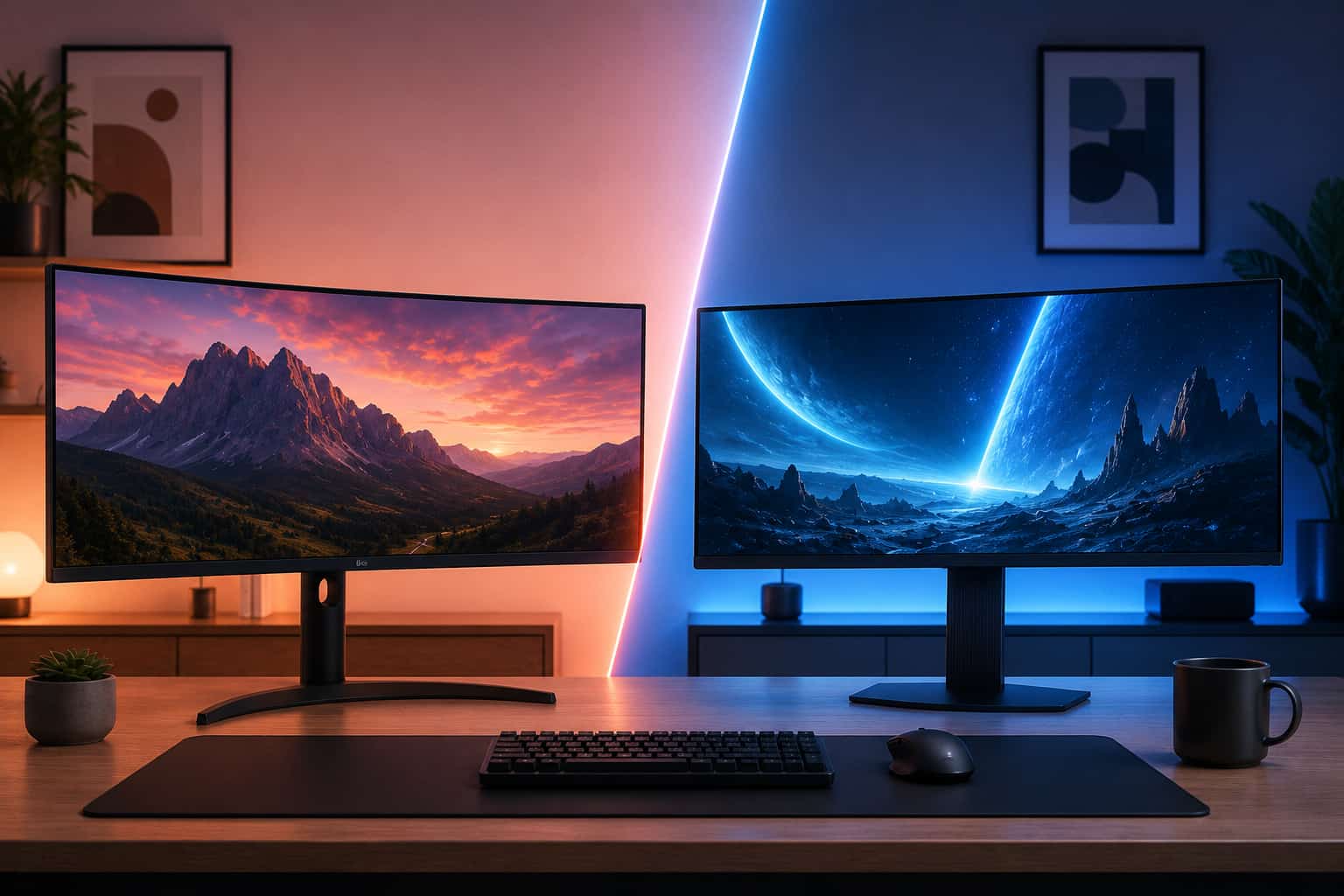
LG and Samsung are the two dominant brands in the ultrawide monitor market. Between them they manufacture the panels used in the majority of ultrawide monitors sold globally, including many monitors sold under other brand names. When you buy a Dell UltraSharp ultrawide, there is a good chance the IPS panel inside it came from LG. When you buy an AOC gaming ultrawide, the VA panel is often a Samsung component.
Understanding how these two brands compare directly, both as panel manufacturers and as complete monitor products, helps you make a better buying decision than simply comparing spec sheets.
This guide covers both brands comprehensively across every ultrawide category including home office, gaming, professional creative work, and budget use. We compare panel technology, build quality, software features, warranty support, and value for money across their respective lineups.
Quick Summary: LG vs Samsung Ultrawide
Factor | LG | Samsung |
Panel technology | IPS, Nano IPS, IPS Black | VA, Quantum Mini LED |
Color accuracy | Excellent across all tiers | Good at premium tier, inconsistent at budget |
Contrast ratio | Standard IPS: 1000:1 | VA: 3000:1 typical |
Refresh rate range | 60Hz to 160Hz | 60Hz to 240Hz |
USB-C support | Widely available | Limited to select models |
Thunderbolt support | Available on premium models | Not available |
Best for | Home office, creative work, Mac users | Gaming, immersive setups, dark environments |
Warranty | 3 years standard | 3 years standard |
How We Evaluated Both Brands
This comparison draws on hands-on testing of monitors from both brands across the home office, gaming, and professional categories covered throughout this site. We evaluated panel performance using colorimeter measurements, assessed build quality through extended daily use, compared software features and on-screen display implementations, and researched real-world warranty claim experiences from verified owner communities.
We also looked at both brands as panel suppliers to understand where each brand's technology appears across the broader monitor market, which reveals a great deal about the underlying quality of each manufacturer's panel production.
Panel Technology: Where Each Brand Excels
This is the most fundamental difference between LG and Samsung in the ultrawide category and understanding it makes every other comparison easier to interpret.
LG's IPS and Nano IPS Panels
LG Display is the world's largest manufacturer of IPS panels and has been for many years. The IPS technology that LG developed and continues to refine powers not only LG-branded monitors but also professional monitors from Dell, HP, and other manufacturers who source panels from LG Display.
Standard LG IPS panels cover 99% of the sRGB color space and typically achieve Delta E averages below 3 without calibration. The wide viewing angles that IPS technology delivers mean colors remain consistent when viewed from angles up to 178 degrees, which matters in shared office environments and for anyone who sits off-center relative to their screen.
Nano IPS is LG's most significant panel advancement in recent years. The addition of nanoparticle technology to the backlight system increases color gamut coverage to 98% of DCI-P3, produces more saturated and vivid colors than standard IPS, and achieves faster pixel response times that make Nano IPS competitive with gaming-oriented VA panels. The LG 34GP83A-B from our best ultrawide monitor for gaming under $500 guide uses Nano IPS to deliver both gaming performance and color quality that standard IPS panels at the same price cannot match.
The limitation of LG's IPS technology, including Nano IPS, is contrast ratio. Standard IPS achieves approximately 1000:1 contrast. Even Nano IPS does not significantly exceed this. For users who prioritize deep blacks and rich dark content rendering, LG's IPS panels have a fundamental limitation that no amount of backlight engineering fully overcomes at standard pricing.
LG's response to this limitation is the IPS Black panel technology found in the Dell U3423WE from our best ultrawide monitor for home office guide. IPS Black achieves approximately 2000:1 contrast by redesigning the liquid crystal alignment to reduce light bleed. This is a meaningful improvement but still falls well short of the 3000:1 contrast that Samsung's VA panels deliver routinely.
Samsung's VA and Quantum Mini LED Panels
Samsung Display's strength in the ultrawide category comes from its VA panel technology and, at the premium tier, its Quantum Mini LED implementations.
Samsung VA panels consistently deliver contrast ratios of 3000:1 or higher. In practical terms this means black content appears genuinely black on screen rather than the dark gray that IPS panels produce. For gaming in dark environments, watching films with dramatic lighting, and working in dark mode interfaces for hours at a time, the Samsung VA advantage over LG IPS is immediately visible and consistently appreciated.
The trade-off of Samsung VA panels compared to LG IPS is narrower viewing angles and historically lower color accuracy out of the box. Standard Samsung VA panels typically cover 90% to 95% of DCI-P3 at mid-range price points, which is adequate for general use but trails LG Nano IPS at comparable prices. The viewing angle limitation means colors shift noticeably when viewing the panel from angles beyond 60 to 70 degrees.
Samsung's Quantum Mini LED technology, found in the Odyssey G9 G95SC from our best 49-inch super ultrawide monitor guide, represents a major step forward for the brand at the premium tier. Thousands of individual LED zones allow precise local dimming that produces HDR performance significantly beyond what standard LED backlights achieve. The DisplayHDR 1000 certification on top Samsung gaming monitors is backed by genuine panel capability rather than minimal compliance, which is rare in the monitor market.
Samsung has not historically invested as heavily in USB-C and Thunderbolt connectivity as LG, which reflects Samsung's gaming-focused product philosophy for its premium ultrawide lineup. Most Samsung gaming ultrawides connect via DisplayPort and HDMI without USB-C charging options.
Home Office Use: LG Leads Clearly
For home office productivity use, LG's ultrawide lineup is more comprehensively suited to the typical requirements of working from home than Samsung's equivalent products.
The primary reason is connectivity. LG's mid-range and premium ultrawide monitors consistently offer USB-C with Power Delivery, built-in KVM switches, and USB hubs that make them function as comprehensive laptop docking stations. The LG 34WP85C-B with its 96W USB-C Power Delivery and built-in KVM represents the kind of practical home office feature set that Samsung's consumer ultrawide lineup does not match.
Color accuracy for document work, video calls, and general productivity tasks is also better served by LG's IPS panels. The wide viewing angles ensure that the screen looks consistent from any position you sit in, which matters in home office environments where monitors are sometimes viewed from less-than-ideal angles. For a home office monitor that handles everyday tasks including spreadsheets, writing, video conferencing, and casual photo viewing, LG IPS provides a more rounded and reliable experience.
Samsung's home office offerings, like the C34J791 covered in our best ultrawide monitor for home office guide, are capable monitors but their VA panels sacrifice viewing angle performance and color accuracy for the contrast advantage that matters more in gaming than in typical office tasks.
For professionals who need factory-calibrated color accuracy and Thunderbolt connectivity for home office creative work, the panels in professional monitors from Dell and BenQ are sourced from LG Display, which reinforces the connection between LG panel technology and professional productivity use.
Verdict for home office: LG wins clearly due to better connectivity, wider viewing angles, and more practical feature sets for laptop-centric home office workflows.
Gaming: Samsung Leads for Immersion, LG for All-Round Performance
The gaming category is where the LG versus Samsung comparison becomes more nuanced and where personal priorities determine which brand is the better fit.
Samsung's Odyssey gaming ultrawide lineup is purpose-built for gaming in a way that LG's lineup is not. The Odyssey G9 G95SC with 240Hz refresh rate, Quantum Mini LED, and DisplayHDR 1000 is the best gaming ultrawide available at its price point by a clear margin. The combination of extreme refresh rate, genuine HDR performance, and 1000R curve creates an immersive gaming experience that LG's current gaming ultrawide lineup does not match at the top tier.
For competitive gaming specifically, Samsung's high refresh rate options at 200Hz and above have a real performance advantage. LG's Nano IPS gaming monitors top out at 160Hz in the ultrawide category. For fast-paced competitive titles where the smoothest possible motion rendering provides a tangible advantage, Samsung's top gaming monitors are the better choice.
Where LG competes effectively in gaming is the mid-range value tier. The LG 34GP83A-B at 160Hz with a Nano IPS panel provides better color accuracy and more vivid visual presentation than Samsung VA alternatives at similar prices. For gaming that involves visually rich open-world environments, role-playing games, and content where color quality and image fidelity matter more than maximum refresh rate, LG's Nano IPS gaming monitors produce a more beautiful result than VA alternatives.
The 1000R curve that Samsung uses across its Odyssey gaming lineup is the most aggressive curvature common in ultrawide monitors. For dedicated gaming setups where the monitor is positioned close and the immersive effect is valued, this curvature suits the format well. For mixed gaming and productivity setups where the screen also serves as a daily work monitor, 1000R can feel excessive during non-gaming tasks.
Verdict for gaming: Samsung wins at the premium tier for competitive and immersive gaming. LG wins at mid-range for visual quality in content-rich gaming.
Professional Creative Work: LG Panel Technology Dominates
For professional video editing, photography, design, and color-critical work, the panel technology that LG Display produces is the basis for the monitors that professional creatives rely on.
The Dell U3423WE from our best ultrawide monitor for video editing guide uses an IPS Black panel sourced from LG Display. The BenQ PD3420Q uses a standard IPS panel from LG Display. The LG 34WK95U-W uses LG's own 5K2K IPS panel. Across the professional creative monitor category, LG Display panel technology is the industry standard.
Samsung does not have a significant presence in the professional creative monitor segment in the ultrawide category. Samsung's VA panels, while excellent for gaming and general consumer use, do not offer the color accuracy and viewing angle consistency that professional creative work demands. There are no Samsung ultrawide monitors commonly recommended for professional color grading, photography editing, or design work in professional circles.
For Mac developers and creative professionals using Final Cut Pro, Premiere Pro, and Lightroom who are covered in our best ultrawide monitor for MacBook Pro guide, LG's panel technology either directly in LG-branded monitors or indirectly through professional monitors from other brands is the standard recommendation.
Verdict for professional creative work: LG wins clearly and Samsung does not meaningfully compete in this segment.
Budget Category: Both Brands Offer Value
In the budget ultrawide category under $300 covered in our best budget ultrawide monitor guide, both brands offer competitive products with different trade-offs.
LG's budget ultrawide lineup, anchored by models like the 29WP500-B and 34WP550-B, consistently delivers reliable IPS panels with good viewing angles and adequate color accuracy for general use. LG's build quality and brand reliability are consistently reported as strong across the budget tier.
Samsung's budget VA panels in this category offer better contrast for the price, which suits users who prioritize media consumption and gaming alongside office work. The deeper blacks and richer dark content rendering of a budget Samsung VA panel can represent better value than a budget LG IPS panel for the right use case.
The gap between both brands and the exceptional value outlier at the budget tier, the AOC CU34G2XP with its UWQHD VA panel at under $300, is significant enough that budget buyers should consider AOC alongside both major brands. AOC uses Samsung VA panels in this monitor, which means the panel technology is the same while the price is lower.
Verdict for budget: LG for reliability and viewing angles, Samsung for contrast and dark content. AOC often represents better value than either for gaming-focused budget buyers.
Build Quality and Design
LG and Samsung take meaningfully different design approaches to their ultrawide monitor lineups that reflect their respective target audiences.
LG's home office and professional monitors feature clean, minimal industrial design with matte bezels, ergonomic stands with full height and tilt adjustment, and a professional aesthetic that suits home office environments. The stands on LG's mid-range and premium monitors are among the best ergonomic implementations in the category, offering generous height adjustment ranges and stable bases that do not wobble during typing.
Samsung's Odyssey gaming monitors feature aggressive gaming aesthetics with RGB lighting on the rear, dramatic curved stands, and design elements that signal their gaming orientation clearly. The Odyssey stand design has historically received mixed reviews for build quality and ease of adjustment. Many Odyssey owners replace the stock stand with a VESA monitor arm shortly after purchase.
Samsung's non-Odyssey home office monitors like the C34J791 are more conservatively designed with cleaner aesthetics but the stand quality still trails LG's equivalent tier.
For users who want a monitor that looks professional and understated in a home office environment, LG's design language is generally the better fit. For users who want a monitor that looks like a gaming setup, Samsung's Odyssey aesthetic suits that preference.
Software and OSD Quality
Both brands implement on-screen display menus and software features differently, with practical implications for daily use.
LG's OSD design on mid-range and premium monitors is well-organized and intuitive. The joystick-based navigation on most LG monitors makes adjusting settings quick and precise without the frustrating button-based navigation found on many competitors. LG's On Screen Control software for Windows provides quick access to monitor settings, picture mode switching, and the KVM switch functionality from a desktop overlay.
Samsung's OSD implementation on consumer monitors is functional but less polished than LG's. The button arrangement varies between models and is less intuitive than the joystick navigation LG uses consistently. Samsung's Odyssey gaming monitors feature a more gaming-oriented OSD with frame rate counters and game-specific modes but the general usability trails LG for users who need to adjust settings regularly.
Warranty and Support
Both LG and Samsung offer three-year warranties on their ultrawide monitors as standard. The substantive differences are in how each brand handles dead pixel policies and warranty claims in practice.
LG's dead pixel policy on mid-range and premium monitors is generally considered acceptable by industry standards, covering monitors with five or more bright dead pixels or a smaller number of pixels in visible locations. For professional monitors, the threshold is lower.
Samsung's warranty support has received more variable reviews in user communities, with some owners reporting longer resolution times for warranty claims compared to LG. This is anecdotal and varies by region and specific circumstances rather than representing a consistent systematic difference.
For the professional monitors in our guides from Dell and BenQ, both of which use LG panels, the manufacturer warranties from Dell and BenQ apply rather than LG's own warranty. Dell's premium warranty options, including next-business-day replacement, are among the best in the industry for professional monitor buyers.
Which Brand Should You Choose?
The decision between LG and Samsung ultimately comes down to your primary use case.
Choose LG if your primary use is home office productivity, professional creative work, Mac connectivity, or any scenario where color accuracy, viewing angles, USB-C Power Delivery, and Thunderbolt support are important. LG's ultrawide lineup serves these use cases more comprehensively than Samsung's.
Choose Samsung if your primary use is gaming, particularly competitive gaming or immersive gaming in dark environments where the higher contrast ratio and extreme refresh rates of Samsung's Odyssey lineup provide genuine performance advantages over LG alternatives.
For most home office users reading this guide, LG is the more practical choice across most scenarios. For dedicated gaming setups or mixed gaming and entertainment environments where HDR and contrast quality are priorities, Samsung's premium Odyssey lineup delivers experiences that LG currently cannot match.
Head-to-Head: Equivalent Models Compared
Mid-Range Home Office: LG 34WP85C-B vs Samsung C34J791
The LG 34WP85C-B wins this comparison for most home office users. The Nano IPS panel delivers better color accuracy and wider viewing angles than the Samsung VA panel. The 96W USB-C Power Delivery and built-in KVM switch are practical features that the Samsung model lacks entirely. The only scenario where the Samsung wins is for users who specifically prioritize the higher contrast ratio for dark content viewing in a dim room.
Budget Gaming: LG 34GP83A-B vs Samsung Odyssey G5
At comparable price points, the LG 34GP83A-B at 160Hz with a Nano IPS panel competes closely with Samsung's Odyssey G5 at 165Hz with a VA panel. LG wins on color accuracy and visual quality in bright game environments. Samsung wins on contrast and dark scene rendering. For competitive gaming where refresh rate and response time dominate, the difference is minimal. For single-player and content-rich gaming, the LG Nano IPS produces a more visually appealing result.
Premium Gaming: LG 38WN95C-W vs Samsung Odyssey G9 G95SC
These monitors serve different segments of the premium gaming category. The LG 38WN95C-W at 38 inches with Thunderbolt 3 and 144Hz is the better choice for users who game and work professionally on the same display. The Samsung Odyssey G9 G95SC at 49 inches with 240Hz and Quantum Mini LED is the better choice for dedicated gaming setups where maximum performance and immersion are the priorities. These monitors are not directly competing because their use cases are sufficiently different.
Related Guides
Best ultrawide monitor for home office
Best ultrawide monitor for gaming under $500
Best ultrawide monitor for video editing
Best budget ultrawide monitor under $300
Best ultrawide monitor for MacBook Pro
Best ultrawide monitor for programmers
Best 49-inch super ultrawide monitor
Dell vs LG ultrawide monitor comparison
How to choose the best ultrawide monitor
Best ultrawide monitor deals this month
For specific product recommendations across both brands, start with our best ultrawide monitor for home office guide which covers the top picks from LG, Samsung, Dell, and more.
Disclosure: This post contains Amazon affiliate links. If you buy through our links, we may earn a small commission at no extra cost to you.

Written by
Jordan Lee
I'm Jordan Lee, a tech reviewer and peripheral enthusiast with 7+ years of hands-on experience evaluating monitors, mechanical keyboards, wireless mice, and audio equipment. With a degree in Computer Engineering, I bring a technical yet practical perspective to every review I write. I don't just benchmark — I actually use these products daily and put them through real work scenarios. When I recommend a monitor, I've checked its color accuracy, refresh rate, and eye strain levels myself. When I suggest a keyboard, I've typed thousands of words on it. My goal is simple: help you find the right gear so you can work smarter, not just spend more.
Written by
Jordan Lee
I'm Jordan Lee, a tech reviewer and peripheral enthusiast with 7+ years of hands-on experience evaluating monitors, mechanical keyboards, wireless mice, and audio equipment. With a degree in Computer Engineering, I bring a technical yet practical perspective to every review I write. I don't just benchmark — I actually use these products daily and put them through real work scenarios. When I recommend a monitor, I've checked its color accuracy, refresh rate, and eye strain levels myself. When I suggest a keyboard, I've typed thousands of words on it. My goal is simple: help you find the right gear so you can work smarter, not just spend more.


